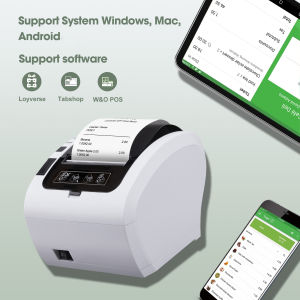
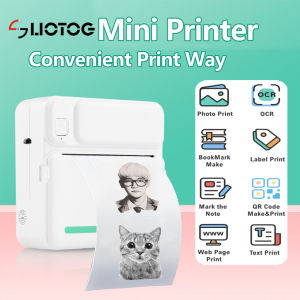
MUIFA C19 Bluetooth Thermal Printer: A Portable Photo & Sticker Printer for Study
MUIFA C19 Bluetooth Thermal Printer: A Portable Photo & Sticker Printer for Study
What is the MUIFA C19 Printer?
The MUIFA C19 Bluetooth Thermal Printer is a portable photo printer that allows users to print photos and stickers from their smartphones or tablets. This mini printer is perfect for students, teachers, and anyone who needs a compact, easy-to-use printing solution for their study materials.
Key Features & Benefits
- Bluetooth Connectivity: Connect to your smartphone or tablet via Bluetooth for wireless printing.
- Thermal Printing Technology: Print photos and stickers quickly and efficiently using thermal printing technology.
- Compact Design: The MUIFA C19 Printer is small enough to fit in your backpack or bag, making it perfect for on-the-go printing.
- Battery-Powered: The printer runs on a rechargeable battery, so you can print wherever you go without worrying about finding a power outlet.
Comparison with Other Portable Printers
Compared to other portable printers on the market, the MUIFA C19 Printer stands out due to its compact design, ease of use, and affordable price point. While some other portable printers may offer more advanced features, the MUIFA C19 Printer is perfect for those who simply need a reliable, easy-to-use printing solution for their study materials.
How to Use the MUIFA C19 Printer
Using the MUIFA C19 Printer is simple and straightforward. Follow these steps to get started:
Setting Up & Connecting the Printer
- Download the MUIFA C19 Printer app from the App Store or Google Play Store.
- Connect the printer to your smartphone or tablet via Bluetooth.
- Follow the instructions in the app to set up the printer and begin printing.
Printing Photos & Stickers
Once you've connected the printer to your device, you can print photos and stickers by following these steps:
- Open the MUIFA C19 Printer app.
- Select the photo or sticker you want to print.
- Adjust any settings, such as print size or color, if desired.
- Tap the print button to begin printing.
Tips for Getting the Most Out of Your MUIFA C19 Printer
Here are some tips to help you get the most out of your MUIFA C19 Printer:
Battery Life & Charging
The MUIFA C19 Printer runs on a rechargeable battery, so it's important to keep it charged to ensure optimal performance. To charge the printer, simply connect it to a power source using the included USB cable. It's also a good idea to keep an eye on the battery level and charge the printer before it runs out of power.
Sticker Paper & Compatibility
The MUIFA C19 Printer is compatible with a variety of sticker paper sizes, including 2x2 inches, 2x3 inches, and 2x4 inches. Be sure to check the printer's specifications to ensure that the sticker paper you're using is compatible. Additionally, it's important to store the sticker paper in a cool, dry place to prevent damage or warping.
In conclusion, the MUIFA C19 Bluetooth Thermal Printer is a portable photo printer that offers a reliable, easy-to-use printing solution for students, teachers, and anyone who needs a compact printing solution for their study materials. With its Bluetooth connectivity, thermal printing technology, and compact design, the MUIFA C19 Printer is perfect for on-the-go printing. Follow the tips above to get the most out of your printer and enjoy hassle-free printing wherever you go!

MUIFA
Review

You May Also Like
Brother DCP-T730DW Ink Tank Printer with Free Starter Ink
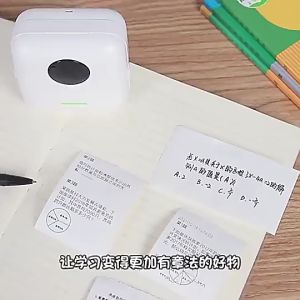
Mini Bluetooth Thermal Printer: A Student's Best Friend
INKSCRIBED DR2560 DR-2560 Drum Cartridge for Bro HL-L2460DW DCP-L2640DW MFC-L2885DW etc.
For Lab Lithophane Led Panel CMYK LED Backlight Board CMYK Lithophane Bundle 3D Print Lithophane Photo Accessories
Brother Label Printer PTD600+TZe-231V2 FREE Matte Tape TZEM951

Polymaker CosPLA (Version A/B) 1kg/ 5Kgs Easy to Sand & Paint PLA 3D Printer Filament 1.75mm
EasyThreed 3D Printer: A Power Adaptor-Included Entry-Level Option
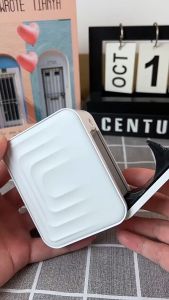
Marklife M1 Label Maker Wireless Bluetooth BT Thermal Portable Printer for Android/IOS Mobile Phones Home Office School Label Classification Name Sticker Inkless Print Size 12-15mm
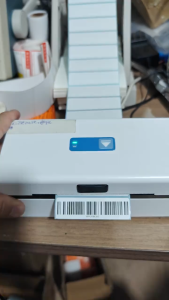
App Edit Sticker A6 Thermal Printer Shipping Label Printer Air WayBill Barcode Consignment Note
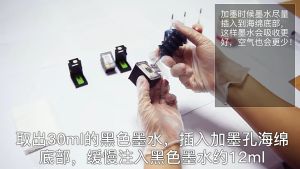
Ink Suction Tool Cartridge Cleaning Solution Suction Tools Kit For Canon / HP

Rotary Encoder - EL-AIA25-7NLB/1024-JRE