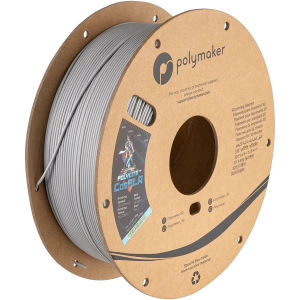
Polymaker CosPLA (Version A/B) 1kg/ 5Kgs Easy to Sand & Paint PLA 3D Printer Filament 1.75mm
Polymaker CosPLA (Version A/B) 1kg/ 5Kgs Easy to Sand & Paint PLA 3D Printer Filament 1.75mm
Introduction to Polymaker CosPLA Filament
What is Polymaker CosPLA?
Polymaker CosPLA is a versatile 3D printing material designed specifically for creating high-quality prints that are easy to sand and paint. This innovative filament is perfect for hobbyists, professionals, and enthusiasts who want to achieve exceptional results in their 3D printing projects.
Key Features of Polymaker CosPLA
- Easy to Sand & Paint: Polymaker CosPLA allows for easy sanding and painting, making it ideal for creating detailed and lifelike models.
- Versatile: This filament can be used for a wide range of applications, including prototyping, functional parts, and artistic creations.
- High Quality: Polymaker CosPLA offers excellent dimensional stability, making it perfect for producing accurate and precise prints.
Why Choose Polymaker CosPLA Filament?
Polymaker CosPLA is the ideal choice for anyone looking to take their 3D printing projects to the next level. With its easy-to-sand and paint properties, this filament allows you to create stunning models that stand out from the crowd. Plus, its versatility makes it perfect for a wide range of applications, from prototyping to artistic creations.
Choosing the Right Polymaker CosPLA Filament
1kg vs 5Kgs: Which is Best for You?
When it comes to choosing the right Polymaker CosPLA filament, the decision ultimately depends on your specific needs. If you're just starting out or only planning to use the filament occasionally, a 1kg spool may be sufficient. However, if you plan to print frequently or have larger projects in mind, a 5kg spool may be a better choice.
Understanding 1.75mm Diameter Filament
Polymaker CosPLA is available in a standard 1.75mm diameter, which is compatible with most 3D printers on the market. This means that no matter what printer you're using, you can easily incorporate Polymaker CosPLA into your workflow.
Polymaker CosPLA Version A vs Version B
Polymaker CosPLA comes in two versions: Version A and Version B. While both versions offer similar features and benefits, there are some subtle differences between them. For example, Version A may be better suited for certain applications, while Version B may be ideal for others. Be sure to consult the product specifications to determine which version is right for your needs.
Using Polymaker CosPLA Filament
How to Prepare Your Printer for Polymaker CosPLA
Before using Polymaker CosPLA filament, it's important to prepare your printer properly. This includes ensuring that your printer is clean and free of any debris, as well as checking that the filament path is clear and free of any obstructions. Additionally, make sure that your printer's temperature settings are optimized for Polymaker CosPLA.
Tips for Smooth Printing with Polymaker CosPLA
To achieve smooth and successful prints with Polymaker CosPLA, follow these tips:
- Optimize Temperature Settings: Adjust your printer's temperature settings to ensure optimal performance with Polymaker CosPLA.
- Use Proper Bed Adhesion: Ensure proper bed adhesion by using a suitable adhesive or printing surface.
- Monitor Print Quality: Regularly check your print quality to identify any issues early on and make necessary adjustments.
Troubleshooting Common Issues with Polymaker CosPLA
If you encounter any issues while printing with Polymaker CosPLA, don't worry! Here are some common problems and their solutions:
- Filament Jamming: If you experience filament jamming, try cleaning your printer's extruder and ensuring that the filament path is clear.
- Poor Layer Adhesion: To improve layer adhesion, adjust your printer's temperature settings and ensure proper bed adhesion.
- Warping: To prevent warping, increase your printer's bed temperature and use a suitable adhesive or printing surface.
Enhancing Your Prints with Polymaker CosPLA
How to Sand & Paint PLA Prints
Polymaker CosPLA is designed to be easy to sand and paint, making it perfect for creating detailed and lifelike models. To achieve the best results, follow these steps:
- Sand the Print: Use sandpaper to smooth out any rough edges or imperfections on your print.
- Paint the Print: Apply paint using a brush or airbrush, making sure to cover all areas evenly.
- Seal the Print: Once the paint has dried, apply a clear sealer to protect your print and enhance its appearance.
Exploring the Versatility of Polymaker CosPLA
Polymaker CosPLA is a versatile filament that can be used for a wide range of applications. From prototyping to artistic creations, this filament offers endless possibilities. Some popular applications include:
- Prototyping: Create functional prototypes that can withstand real-world testing.
- Functional Parts: Print durable and precise parts for various industries.
- Artistic Creations: Bring your artistic vision to life with stunning and lifelike models.
Showcasing Your Best Polymaker CosPLA Prints
Once you've created your masterpiece using Polymaker CosPLA, don't forget to showcase your work! Share your prints on social media, enter them in competitions, or even sell them online. With Polymaker CosPLA, the possibilities are endless." }

Puzzlebox 3D Printer Philippines Main Distributor
You May Also Like

MYNT3D Professional 3D Pen with OLED Display: Unleash Your Creativity

【PH Ready Stock】L&C Cleaning Solution For Inkjet Printer & Syringe With Hose Bundle Package 100ML
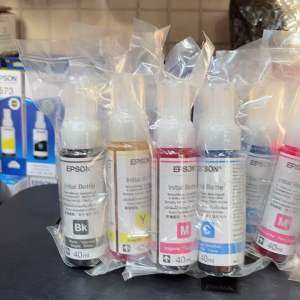
Set CMYK Original 664 Ink 40ml or 70ml
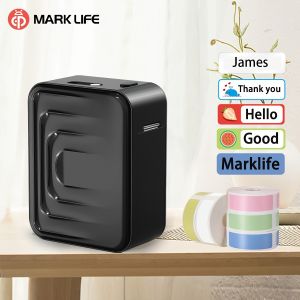
Marklife M1 Portable Label Maker Wireless Inkless Printer Compatible with Smartphones for Kitchen Clothes Jewelry Jar Labeling
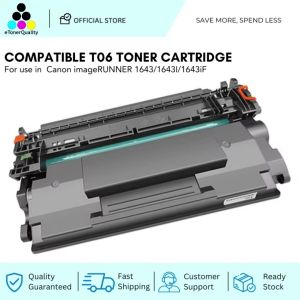
ETQ Compatible T06 Toner Cartridge Use with ImageRUNNER 1643 1643IF Printers (with Chip) T06 Black
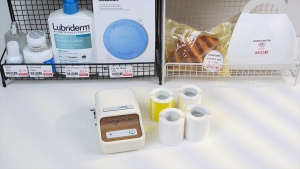
NIIMBOT B21Pro Red Black Thermal Label Printer Portable Bluetooth Inkless Label Maker Supermarket Home Commercial Smart Label Machine for Android/IOS Phone Included Label Paper
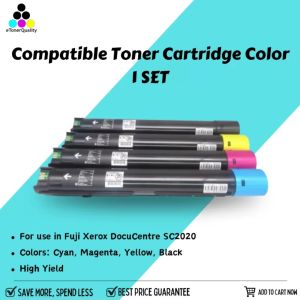
ETQ 1 Set Compatible Toner Cartridge Color for use in Fuji Xerox DocuCentre SC2020
Epson SureColor F530 F540 Black 140ml C13T49P100: A Comprehensive Guide

LED Mini Digital Name Message Tag Sign Programmable Scrolling Rechargeable Trade Show Business Screen
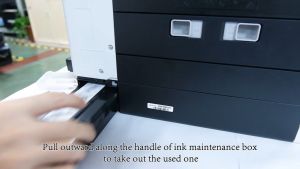
Canon CRG MC-G01 Maintenance Box: Essential Printer Accessory
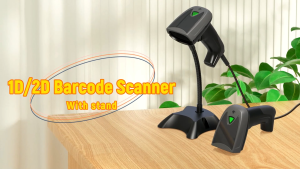
GTCODESTAR X-1800W 1D Laser Barcode Scanner 2D USB Wired QR Code Reader Handheld Barcode Reader CMOS bar Code Scanner for Supermarket