EasyThreed 3D Printer: A Power Adaptor-Included Entry-Level Option
EasyThreed 3D Printer: A Power Adaptor-Included Entry-Level Option
Introduction
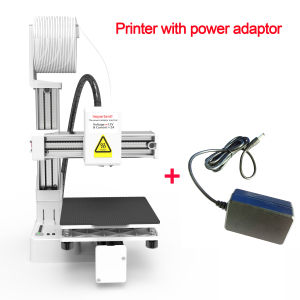
The EasyThreed 3D Printer is a highly accessible and beginner-friendly option for those looking to dive into the world of 3D printing. This entry-level 3D printer comes equipped with a power adaptor included, making it easy to get started right away. Compatible with PLA and TPU filaments, the EasyThreed 3D Printer supports 1.75mm filament, allowing users to produce a wide range of printed objects.
Key Features
Power Adaptor Included
One of the standout features of the EasyThreed 3D Printer is the inclusion of a power adaptor. This means that users don't have to worry about purchasing additional accessories, making it a hassle-free entry point into 3D printing.
Compatibility with PLA & TPU Filaments
The EasyThreed 3D Printer is compatible with both PLA and TPU filaments. PLA filament is a popular choice due to its ease of use and minimal mess, while TPU filament offers greater flexibility and durability. With this compatibility, users have the freedom to experiment with different materials and create a variety of printed objects.
Support for 1.75mm Filament
Another key feature of the EasyThreed 3D Printer is its support for 1.75mm filament. This size is widely used in the 3D printing community, making it easy to find compatible materials and accessories.
Getting Started
Setting Up Your EasyThreed 3D Printer
Setting up the EasyThreed 3D Printer is a straightforward process. First, unpack all the components and ensure that the power adaptor is properly connected. Next, familiarize yourself with the printer's control panel and settings. Finally, follow the manufacturer's instructions to calibrate the printer and prepare it for use.
Loading Filaments
Loading filaments into the EasyThreed 3D Printer is simple. Begin by selecting the desired filament type (PLA or TPU), then load it into the printer's filament spool holder. Follow the manufacturer's instructions to feed the filament into the extruder and prepare it for printing.
Basic Printing Techniques
To get started with basic printing techniques, begin by selecting a simple design from a 3D modeling software or online repository. Once you have chosen a design, slice it using a slicing software like Cura or PrusaSlicer. Then, load the sliced file onto the EasyThreed 3D Printer and initiate the print job. As you gain experience, you can experiment with more complex designs and settings.
Maintenance & Troubleshooting
Cleaning Your Printer
Regular cleaning is essential to maintain the performance and longevity of the EasyThreed 3D Printer. Clean the printer's bed, extruder, and other components using a soft cloth and mild detergent. Be sure to avoid using abrasive materials that could damage the printer's delicate parts.
Addressing Common Issues
If you encounter any issues with the EasyThreed 3D Printer, consult the manufacturer's troubleshooting guide or seek assistance from online forums and communities. Common issues may include clogged nozzles, uneven prints, or filament jams. By addressing these issues promptly, you can ensure optimal performance and minimize downtime.
Replacing Parts
Over time, certain parts of the EasyThreed 3D Printer may require replacement due to wear and tear. Refer to the manufacturer's instructions for guidance on replacing components such as nozzles, belts, or bearings. Regular maintenance and timely replacements will help extend the life of your printer.
Conclusion
The EasyThreed 3D Printer is an excellent entry-level option for those looking to explore the world of 3D printing. With its power adaptor included, compatibility with PLA and TPU filaments, and support for 1.75mm filament, this printer offers a versatile and accessible solution for beginners. Whether you're a hobbyist or a professional, the EasyThreed 3D Printer provides a solid foundation for creating a wide range of printed objects.

GlobalLifestyle
You May Also Like
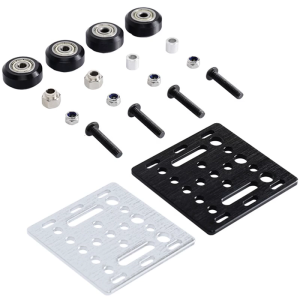
Durability V Wheel V Gantry Plate for Smooth Motion Enhances Stability in 3D Printer Framework Machinery Easy Installation
Waste ink bin maintenance C9344 EWMB3 For Epson XP-4200/XP-4205/WF-2930/WF-2950L3550/L3556/L3560/L5590 WF-2830/WF-2850

【PH Ready Stock】L&C Cleaning Solution For Inkjet Printer & Syringe With Hose Bundle Package 100ML
How to Choose & Use Compatible Brother Printer Cartridges: Focus on Brother LC-462XL
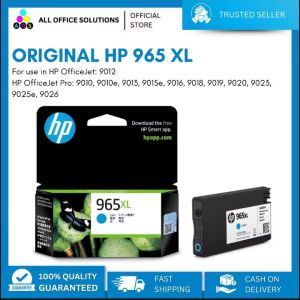
HP 965XL Original Ink Cartridge: A Reliable Printing Solution
ZONESUN MT-30 Manual Round Bottle Labeling Machine: Features & Benefits

Peripage A6 Mini Printer Phone Printer Portable Sticker Printer Pocket Printer BT Photo Printer Compatible with iPhone Android Instantly Print Photo Notes List Memo

Phomemo Carry Bag for M110/D30/P12/Q30S Label Maker and M02/M02S/M02 Pro/T02Photo Pocket Printer Stores Wireless Thermal Printer and Self-Adhesive Paper. Waterproof and Fashion
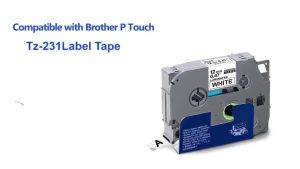
10 Pack TZe231 Black on White Compatible for Brother TZ Tape 12mm Laminated White Tape TZe-231 Tze231 tze231 Work for P Touch PT-D210 PT1000 PT-D200 PTD600 Label Maker
Original Brother TN269 TN 269 TN-269 Colour Toner Cartridge
For Brother LC492XL Color Ink Cartridge