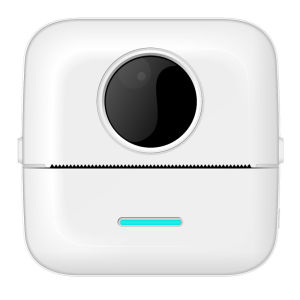
Mini Bluetooth Thermal Printer: A Student's Best Friend
Mini Bluetooth Thermal Printer: A Student's Best Friend
Introduction to the Mini Bluetooth Thermal Printer
The Mini Bluetooth Thermal Printer, also known as the Fast Printing Device, is a compact and efficient tool that students can rely on for printing photos, text, and error questions. This innovative printer uses thermal/inkless printing technology and supports OCR Optical Image and Text Recognition, making it a versatile choice for students looking for a portable and reliable printing solution.
Product Overview & Key Features
The Mini Bluetooth Thermal Printer boasts several key features that make it stand out from the competition. It has a compact size of 82 * 82 * 45mm, making it easy to carry around. Its battery capacity is 1200mAh, providing ample power for extended use. The printer supports Bluetooth 4.0 (BLE4.0) connectivity, allowing seamless integration with smartphones and tablets. It has a resolution of 200dpi, ensuring clear and legible prints.
Why Choose This Mini Printer?
The Mini Bluetooth Thermal Printer is an excellent choice for students due to its portability, efficiency, and reliability. It offers fast printing speeds, making it ideal for time-sensitive tasks such as printing error questions or exam answers. Its compact size and lightweight design make it easy to carry around, whether you're commuting to school or traveling for work. Moreover, its durability and reliability ensure that it will last for years to come.
How to Use the Mini Bluetooth Thermal Printer
Using the Mini Bluetooth Thermal Printer is simple and straightforward. Follow these steps to get started:
Connecting Your Device to the Printer
- Turn on the printer by pressing the power button.
- Open the Bluetooth settings on your smartphone or tablet.
- Search for available devices and select the Mini Bluetooth Thermal Printer.
- Once connected, open the Zhiwuya app (Chinese version) or Tiny Print app (foreign trade version).
Using the App for Seamless Printing
The Zhiwuya or Tiny Print app provides a user-friendly interface for printing photos, text, and error questions. To print using the app:
- Open the app and select the desired printing option.
- Adjust the settings according to your preferences.
- Tap the print button to initiate the printing process.
Printing Photos & Text with Ease
With the Mini Bluetooth Thermal Printer, printing photos and text has never been easier. Simply connect your device to the printer, open the app, and select the desired printing option. The printer will automatically adjust its settings to produce high-quality prints.
Benefits of the Mini Bluetooth Thermal Printer
The Mini Bluetooth Thermal Printer offers several benefits that make it an ideal choice for students:
Fast Printing & Efficiency
The printer boasts fast printing speeds, making it perfect for time-sensitive tasks such as printing error questions or exam answers. Its thermal/inkless printing technology ensures quick and efficient printing, saving you valuable time.
Portability & Convenience
With its compact size and lightweight design, the Mini Bluetooth Thermal Printer is easy to carry around. Whether you're commuting to school or traveling for work, this portable printer will always be at your fingertips.
Durability & Reliability
The Mini Bluetooth Thermal Printer is built to last, with a durable design that can withstand the rigors of daily use. Its reliability ensures that it will consistently produce high-quality prints, making it a trusted companion for students everywhere.

babalux
Review

You May Also Like

INKSCRIBED TN3448 TN-3448 TN3478 TN-3478 Compatible Toner Cartridge for Brother HL-L5000D HL-L5100DN MFC-L5900 L5900DW MFC-L5800DW MFC-L6900DW DCP-L5500DN DCP-L5600DN
Biometrics USB Fingerprint Reader Scanner with Free SDK For Windows Android Linux OS Software Integration
![[Heartsbat] Waste Ink Tank Pad Sponge For Epson L210 L395 L380 L355 L220 L120 L382 L365 L455 L475 Waste Ink Pads For Printer Maintenance](https://img.lazcdn.com/g/p/d9b0de8e1c318ba46a504ff8085123d0.jpg_300x300q80.jpg)
[Heartsbat] Waste Ink Tank Pad Sponge For Epson L210 L395 L380 L355 L220 L120 L382 L365 L455 L475 Waste Ink Pads For Printer Maintenance
Compatible Ink Bottle for HP GT53 / GT52 – Black Dye-Based 90ml
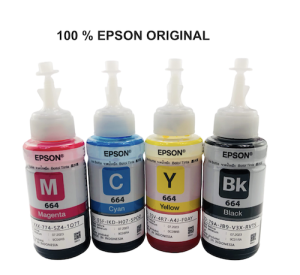
Epson Original Ink 70ml Bottles: Compatible Printers & New Stocks
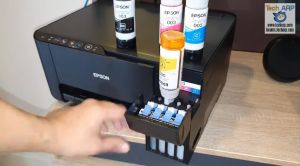
Original Epson 003 T003 65ml is suitable for EPSON printers L1110/L3100/L3110/L3150/L5190/L3250/L3210 etc. (with box )
![[COD] REMAI0 20PCS A4 Sheets Heat Toner Transfer Paper For DIY PCB Electronic Prototype Mak](https://img.lazcdn.com/g/p/ecd66b618afef1380a230105311868b7.jpg_300x300q80.jpg)
[COD] REMAI0 20PCS A4 Sheets Heat Toner Transfer Paper For DIY PCB Electronic Prototype Mak
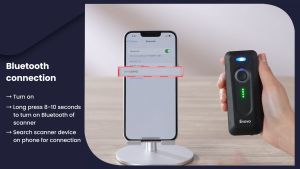
【🔥🔥🔥Hot sale & fast delivery】Eyoyo Portable 2D Wireless Barcode Scanner with Clip Via Bluetooth Battery with Level Indicator Mini QR Bar Code Reader CMOS Scan Compatible with iOS Android Windows for Library Book Inventory

Tulco Fixer UR: A Comprehensive Guide
![Pack of 4 - Canon Selphy KP-108IN Color Ink Paper Set ORIGINAL [12pcs Ink set + 432 Sheet 4" x 6" Photo Paper] KP108 Photobooth CP1300 CP1200 CP900 CP760 MW Printing Supplies](https://img.lazcdn.com/g/ff/kf/S175a95d50ab6498a9b06f9ff3ee42cc9a.jpg_300x300q80.jpg)
Pack of 4 - Canon Selphy KP-108IN Color Ink Paper Set ORIGINAL [12pcs Ink set + 432 Sheet 4" x 6" Photo Paper] KP108 Photobooth CP1300 CP1200 CP900 CP760 MW Printing Supplies
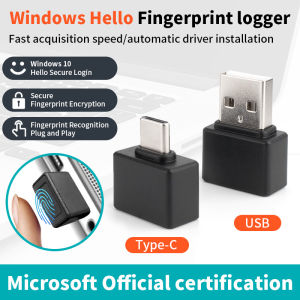
Mini Fingerprint Recognition Device Windows 10 11 Hello Biometric Scanner USB/Type C Fingerprint Reader Module For PC Laptop