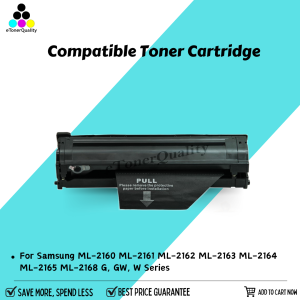
ETQ Compatible Toner Cartridge for Xpress ML-2160 ML-2161 ML-2162 ML-2163 ML-2164 ML-2165 ML-2168 G GW W Series Suitable for Samsung Printer
ETQ Compatible Toner Cartridge for Xpress ML-2160 ML-2161 ML-2162 ML-2163 ML-2164 ML-2165 ML-2168 G GW W Series Suitable for Samsung Printer
Introduction to ETQ Compatible Toner Cartridges
ETQ compatible toner cartridges are designed to offer an affordable and reliable alternative to original Samsung printer toners. These cartridges are specifically tailored to work seamlessly with various Samsung Xpress ML series printers, providing excellent print quality and efficiency.
Overview of ETQ Compatible Toner Cartridges
ETQ compatible toner cartridges are built using high-quality materials and components to ensure compatibility with your Samsung printer. They are engineered to meet the exact specifications of your printer, ensuring a perfect fit and optimal performance.
Key Features & Benefits
- Affordable: ETQ compatible toner cartridges offer significant cost savings compared to original Samsung printer toners.
- High-Quality Print Output: These cartridges produce sharp, clear, and consistent prints, maintaining the highest standards of print quality.
- Longevity: ETQ compatible toner cartridges are designed to last, providing a longer lifespan and reducing the frequency of replacements.
- Easy Installation: These cartridges are easy to install, allowing users to quickly replace their toner and get back to work.
How to Choose the Right Toner Cartridge for Your Printer
Selecting the right toner cartridge for your Samsung printer is crucial to ensure optimal performance and print quality.
Identifying Your Printer Model
To choose the right toner cartridge, first identify your printer model. In this case, we're focusing on the Samsung Xpress ML series printers, including the ML-2160, ML-2161, ML-2162, ML-2163, ML-2164, ML-2165, ML-2168, ML-2168 G, GW, and W series.
Finding Compatible Toner Cartridges
Once you've identified your printer model, look for compatible toner cartridges that match your specific printer. In this case, the ETQ compatible toner cartridge is suitable for Samsung Xpress ML series printers.
Installation & Usage Instructions
Installing a new toner cartridge is a simple process that can be completed in just a few steps.
Preparing Your Printer for New Toner
Before installing a new toner cartridge, make sure your printer is turned on and ready to accept the new cartridge. Follow the manufacturer's instructions for preparing your printer for a new toner cartridge.
Installing the Toner Cartridge
To install the ETQ compatible toner cartridge, follow these steps:
- Open the printer's front cover and locate the empty toner cartridge slot.
- Remove the new toner cartridge from its packaging and carefully remove the protective tape from the cartridge.
- Insert the new toner cartridge into the empty slot, ensuring it is securely seated.
- Close the printer's front cover and allow the printer to initialize the new toner cartridge.
Troubleshooting Common Issues
While installing and using ETQ compatible toner cartridges, you may encounter some common issues. Here are some solutions to help you resolve these problems.
Low Toner Warning
If your printer displays a low toner warning, it means the current toner cartridge is running low on ink. Replace the toner cartridge with a new one to continue printing.
Printer Not Recognizing New Toner
If your printer does not recognize the new toner cartridge, try the following steps:
- Ensure the new toner cartridge is properly seated in the printer.
- Check that the protective tape has been removed from the new toner cartridge.
- Turn off the printer and unplug it from the power source. Wait for a few minutes before plugging it back in and turning it on again.
Conclusion & Next Steps
In conclusion, ETQ compatible toner cartridges offer a cost-effective and reliable alternative to original Samsung printer toners. By following the installation and usage instructions provided, you can enjoy high-quality prints and optimal performance from your Samsung Xpress ML series printer.
Summary of Key Points
- ETQ compatible toner cartridges are designed to work seamlessly with Samsung Xpress ML series printers.
- They offer significant cost savings compared to original Samsung printer toners.
- Installation and usage instructions are simple and straightforward.
Additional Resources
For more information on ETQ compatible toner cartridges and their compatibility with Samsung Xpress ML series printers, please visit our website or contact our customer support team.

eTonerQuality Reference Number: 250919-16162227
You May Also Like

FANTASY PeriPage A3X Mini Portable Thermal Printer Bluetooth 203dpi Pocket Photo Wireless Barcode Maker hermal Image Photo Label Wireless Printer A3X

Tulco Sparkling Colours 250G: A Multi-Purpose Water-Based Paint
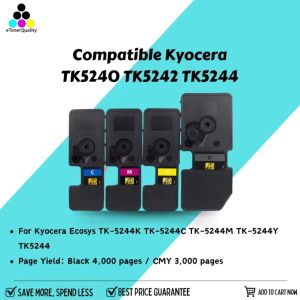
ETQ TK5240 TK5242 TK5244 Toner Cartridge Compatible for Kyocera Ecosys TK-5244K TK-5244C TK-5244M TK-5244Y TK5244
Compatible Canon PIXMA G Series Printer Models: A Comprehensive Guide
Typewriter Different Unit Available | 3 Brandnew Ribbon
Bluetooth Thermal Receipt Printer 80mm POS Printer: A Comprehensive Guide
58MM Pocket Printer: A Comprehensive Guide
KGS Vivid DTF Textile Ink – 1 Liter (CMYK + White) | For Direct-to-Film Large Format Printers
Canon Printer Ink Cartridge: A Comprehensive Guide for Canon Pixma Printer Users
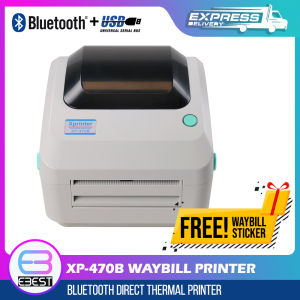
XP-470B Waybill Printer USB/Bluetooth Thermal Printer A6 Size Auto-Peel with 600pcs Waybill Sticker for Labeling Barcode
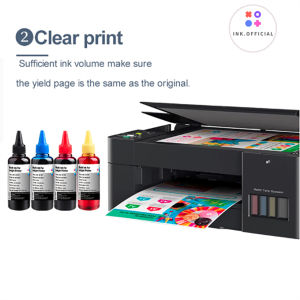
HP 305 305XL 100ml ink for HP Deskjet 2320 2710 2720 plus 4110 4120 4130 6010 6020 2723 2724 2721 2722 6410 6412