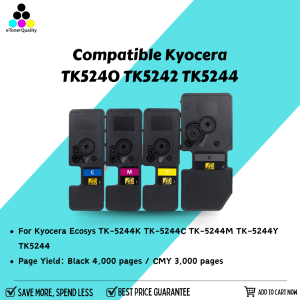
ETQ TK5240 TK5242 TK5244 Toner Cartridge Compatible for Kyocera Ecosys TK-5244K TK-5244C TK-5244M TK-5244Y TK5244
ETQ TK5240 TK5242 TK5244 Toner Cartridge Compatible for Kyocera Ecosys TK-5244K TK-5244C TK-5244M TK-5244Y TK5244
Introduction to Kyocera Ecosys TK-5244K Compatible Toner Cartridge
The Kyocera Ecosys TK-5244K compatible toner cartridge is a high-quality, cost-effective alternative to the original Kyocera toner cartridges. This article will provide a comprehensive guide on installing, using, and troubleshooting common issues related to the ETQ TK5240 TK5242 TK5244 toner.
What is Kyocera Ecosys TK-5244K?
The Kyocera Ecosys TK-5244K is a compatible toner cartridge designed specifically for Kyocera printers. It offers excellent print quality and compatibility with various Kyocera printer models.
Why Choose ETQ TK5240 TK5242 TK5244 Toner?
ETQ toner cartridges provide high-quality printing solutions at a lower cost compared to original Kyocera toners. They are compatible with various Kyocera printer models, making them a popular choice among users.
How to Install Kyocera Ecosys TK-5244K Compatible Toner Cartridge
Installing the Kyocera Ecosys TK-5244K compatible toner cartridge is a simple process that can be completed in just a few steps.
Step-by-Step Guide to Installing Kyocera TK-5244C Toner Cartridge
- Turn off the printer and unplug the power cord.
- Open the front cover of the printer and remove the empty toner cartridge.
- Remove the new Kyocera TK-5244C toner cartridge from its packaging.
- Insert the new toner cartridge into the printer and close the front cover.
- Plug the power cord back in and turn on the printer.
Installing Kyocera TK-5244M Toner Cartridge: A Simple Process
Follow the same steps mentioned above for installing the Kyocera TK-5244C toner cartridge, but replace the old toner cartridge with the new Kyocera TK-5244M toner cartridge.
Installing Kyocera TK-5244Y Toner Cartridge: Easy as 1-2-3
Again, follow the steps mentioned above for installing the Kyocera TK-5244C toner cartridge, but this time replace the old toner cartridge with the new Kyocera TK-5244Y toner cartridge.
Kyocera Ecosys TK-5244K Compatible Toner Cartridge: Benefits and Features
The Kyocera Ecosys TK-5244K compatible toner cartridge offers several benefits and features that make it a popular choice among users.
High-Quality Printing with Kyocera Ecosys TK-5244K Compatible Toner Cartridge
ETQ toner cartridges provide excellent print quality, comparable to original Kyocera toners. They produce sharp, clear, and vibrant prints, ensuring that your documents look professional and polished.
Cost-Effective Printing Solutions with ETQ TK5240 TK5242 TK5244 Toner
ETQ toner cartridges are significantly cheaper than original Kyocera toners, making them a cost-effective option for businesses and individuals looking to save money on printing costs.
Compatibility with Various Kyocera Printer Models
ETQ toner cartridges are compatible with various Kyocera printer models, making them a versatile choice for users with different printer setups.
Troubleshooting Common Issues with Kyocera Ecosys TK-5244K Compatible Toner Cartridge
Despite being a reliable and cost-effective option, users may encounter some common issues when using the Kyocera Ecosys TK-5244K compatible toner cartridge.
Resolving Print Quality Issues with Kyocera TK-5244C Toner Cartridge
If you're experiencing print quality issues with the Kyocera TK-5244C toner cartridge, try cleaning the drum unit and toner cartridge, or replacing the toner cartridge if necessary.
Addressing Toner Cartridge Installation Problems with Kyocera TK-5244M Toner Cartridge
If you're having trouble installing the Kyocera TK-5244M toner cartridge, make sure to follow the installation steps carefully and ensure that the toner cartridge is properly seated in the printer.
Solving Printer Errors with Kyocera TK-5244Y Toner Cartridge
If you're encountering printer errors related to the Kyocera TK-5244Y toner cartridge, try resetting the printer or replacing the toner cartridge if necessary.
Conclusion
The Kyocera Ecosys TK-5244K compatible toner cartridge is a high-quality, cost-effective alternative to original Kyocera toners. By following the installation steps and troubleshooting tips provided in this article, users can enjoy excellent print quality and reliability from their Kyocera printers.

eTonerQuality Reference Number: 250919-16162227
You May Also Like
200g 500g 1Kg Two Color PLA Silk Blue purplered 3D Printer Filament 1.75mm Dual Color silk Blue purplered 3D Printing Material
Original Canon PGI-35 Black & CLI-36 Color Ink Cartridge
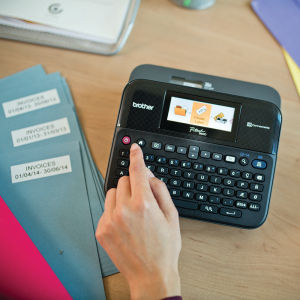
Brother Label Printer PTD600+TZe-231V2 FREE Matte Tape TZEM951
Brother DCP-T820dw Ink Tank w/ Original Ink Printer with Scanner and Xerox Long Legal ADF Continuous Ink CISS 220gsm Duplex Printing Automatic 2-sided Borderless | Brother Official Flagship Store Partner Dealer | Print Scan Copy T820 T820DW
AOS TN456 Toner Compatible to Brother TN-456 HL L8260CDN HL L8360CDW MFC L8690CDW MFC L8900CDW Printer Ink

Polymaker Panchroma PolyTerra Matte PLA Filament (1.75mm & 2.85mm Eco-Friendly 3D Printing Filament)
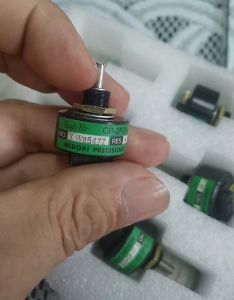
Mitsubishi Printing Machine CP-2FCW Ink Bucket Motor 5K Potentiometer
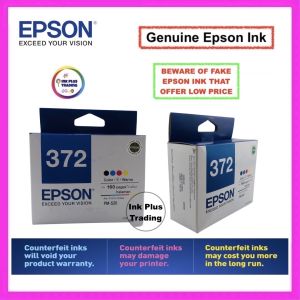
100 % Original Sealed Epson 372 Ink Cartridge for Epson Picture Mate PM520 PM 520

Toner Powder Fuji S1810 S2010 S2110 S2320 S2420 Compatible 1kg/500grams
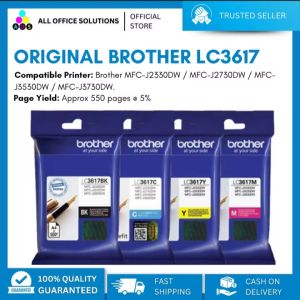
Original Brother LC3617 Ink Cartridge
Cuyi Pigment 500 ML