Boland Barcode Scanner: A Comprehensive Guide to Portable 1D & 2D QR Code Readers
Boland Barcode Scanner: A Comprehensive Guide to Portable 1D & 2D QR Code Readers
Introduction to Portable Barcode Scanners
What is a Portable Barcode Reader?
A portable barcode reader, also known as a handheld barcode scanner, is a device designed to scan and read barcodes on products, documents, and other items. These barcode readers are highly versatile and can be used in various industries, including retail, healthcare, logistics, and manufacturing. They offer a convenient way to capture data quickly and accurately, helping businesses streamline their operations and improve efficiency.
Benefits of Using a Portable Barcode Reader
Using a portable barcode reader can bring numerous benefits to your business. Some of the advantages include:
- Increased accuracy: Barcode readers eliminate human errors associated with manual data entry.
- Time-saving: Scanning barcodes is faster than manually entering data, saving valuable time.
- Improved inventory management: With real-time data capture, businesses can maintain accurate inventory levels.
- Enhanced customer service: Accurate data leads to better-informed decisions, improving overall customer satisfaction.
Understanding the Boland Barcode Scanner
Key Features of the Boland Barcode Scanner
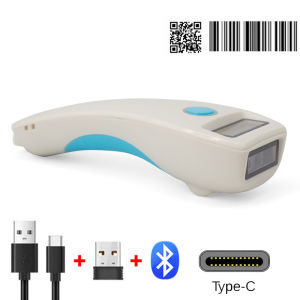
The Boland Barcode Scanner is a wireless 1D and 2D QR code reader designed for portability and convenience. Some of its key features include:
- Wireless connectivity: Connects to tablets and other devices via Bluetooth, eliminating the need for cables.
- Long battery life: Can last up to 24 hours on a single charge.
- Compact design: Lightweight and easy to carry, making it ideal for on-the-go use.
- Versatile scanning capabilities: Supports both 1D and 2D barcodes, including QR codes.
How the Boland Barcode Scanner Works
The Boland Barcode Scanner works by capturing images of barcodes through its built-in camera. It then decodes the barcode data and transmits it wirelessly to a connected device, such as a tablet or smartphone. The scanner can read barcodes from various distances and angles, making it easy to use in different environments.
Setting Up Your Boland Barcode Scanner
Connecting Your Scanner to a Tablet
To connect your Boland Barcode Scanner to a tablet, follow these steps:
- Turn on your scanner by pressing the power button.
- Enable Bluetooth on your tablet.
- Open the Bluetooth settings on your tablet and search for available devices.
- Select the Boland Barcode Scanner from the list of available devices.
- Once connected, your scanner is ready to use.
Uploading Barcodes to Your Tablet
Uploading barcodes to your tablet involves scanning the barcode and transmitting the data to the connected device. To upload barcodes:
- Scan the barcode using your Boland Barcode Scanner.
- The scanned data will automatically be transmitted to your tablet.
- Save the data to your desired location on the tablet.
Using the Boland Barcode Scanner Effectively
Tips for Maximizing Your Scanner's Performance
To get the most out of your Boland Barcode Scanner, consider the following tips:
- Keep the scanner clean: Regularly clean the lens and sensor to ensure accurate scanning.
- Use proper lighting: Adequate lighting helps improve barcode readability.
- Charge the scanner regularly: Maintain a full charge to ensure optimal performance.
- Familiarize yourself with the settings: Customize the scanner's settings to suit your specific needs.
Troubleshooting Common Issues
If you encounter issues with your Boland Barcode Scanner, try the following troubleshooting steps:
- Check the connection: Ensure the scanner is properly connected to your device via Bluetooth.
- Restart the scanner: Power off and power on the scanner to reset it.
- Update the firmware: Check for and install any available firmware updates.
- Contact customer support: If issues persist, reach out to Boland's customer support team for assistance.
Conclusion: Why Choose the Boland Barcode Scanner?
The Boland Barcode Scanner offers a convenient and efficient solution for businesses looking to streamline their operations. With its wireless connectivity, versatile scanning capabilities, and long battery life, it is an ideal choice for various industries. By choosing the Boland Barcode Scanner, you can improve accuracy, save time, and enhance customer service, ultimately leading to better business outcomes.

BOLAND Store
You May Also Like
HP Black Printhead (X4E75AA) for HP Smart Tank & Ink Tank Series
Niimbot D11 Label Printer Portable Bluetooth Wireless Thermal Smart Label Maker for IOS Android Phone Inkless High Resolution 300dpi Cable Management Solution
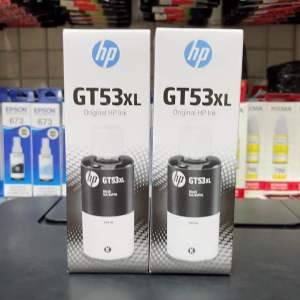
Brandnew Ink refill HP GT53XL black 315415515615 for Gt5800 series printer
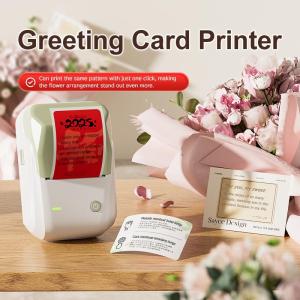
NIIMBOT B1 Inkless Label Printer with Bluetooth & USB Connectivity Direct Thermal 203dpi Printing for Greeting Cards & Labels Portable Supermarket Commercial Printer
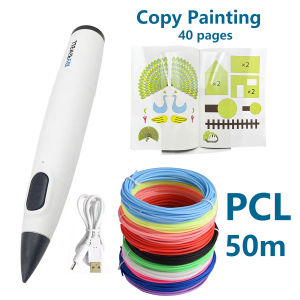
Complete 3D Pen Gift Set: Myriwell Low-Temp 3D Pen (RP300B) 50m PCL Low-Temp Filaments & 40 Pages of Copy Paintings - New Year
AOS Compatible Toner Cartridge TN-2025

Instant Photo Printer Camera: The Ultimate Gift for Photography Enthusiasts

Applicable to Samsung D101s Toner Chip ML2161 2165 2160 SCX3401 3405 3406 3400f 761p 2168 SCX3401 2164 Chip

Peripage A6 Original Mini Portable Printer Experience Impeccable Precision Printing at 203dpi/304dpi On-the-Go Unleash Creativity Anywhere Anytime with This Innovative Compact Printing Companion.
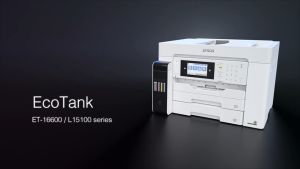
Epson EcoTank L15160 A3 Wi-Fi Duplex All-in-One Ink Tank Printer
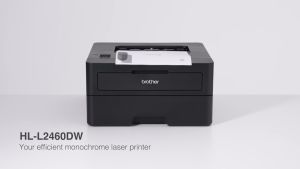
Brother HLL2460DW Wireless HL-L2460DW Compact Monochrome Laser Printer Duplex and Mobile Printing