Canon Ink CLI-726 Series: Guide for PIXMA & MG Printers
Canon Ink CLI-726 Series: Guide for PIXMA & MG Printers
Introduction to Canon Ink CLI-726
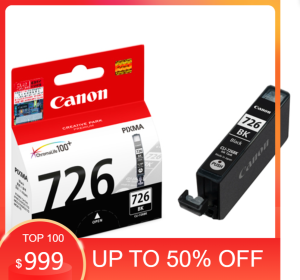
Canon ink CLI-726 is a high-quality ink cartridge series designed specifically for Canon PIXMA and MG printers. These ink cartridges come in various colors, including black (BK), gray, cyan, yellow, and magenta, to ensure optimal print quality and performance.
What is Canon Ink CLI-726?
Canon ink CLI-726 is a series of original ink cartridges developed by Canon for their PIXMA and MG printers. These ink cartridges are designed to provide the highest level of print quality, with vivid colors and sharp details. They are compatible with a wide range of Canon printers, including the iP4870, iP4970, iX6560, MG5170, MG5270, MG5370, MG6170, MG6270, MG8170, and MG8270 models.
Compatibility with PIXMA & MG Printers
Canon ink CLI-726 series cartridges are specifically designed to work seamlessly with Canon PIXMA and MG printers. This ensures optimal print quality and performance, as well as compatibility with the printer's features and functions. To ensure the best results, it is recommended to use original Canon ink cartridges with your Canon printer.
Choosing the Right Ink for Your Printer
When selecting ink cartridges for your Canon printer, there are two main options to consider: original ink and compatible ink.
Original vs Compatible Ink: A Comparison
Original ink cartridges, such as the Canon ink CLI-726 series, are developed by Canon specifically for their printers. They are designed to provide the highest level of print quality and performance, with vivid colors and sharp details. Compatible ink cartridges, on the other hand, are third-party alternatives that aim to provide similar print quality at a lower cost. However, using compatible ink may result in reduced print quality, increased maintenance costs, and potential damage to your printer.
Canon Ink for iP4870/iP4970
For Canon iP4870 and iP4970 printers, it is essential to use original Canon ink cartridges, such as the Canon ink CLI-726 series, to ensure optimal print quality and performance. Using compatible ink may result in reduced print quality, increased maintenance costs, and potential damage to your printer.
Installing and Replacing Ink Cartridges
To ensure optimal print quality and performance, it is crucial to install and replace ink cartridges correctly.
Step-by-Step Installation Process
- Turn on your printer and open the cartridge access door.
- Lift the print head unit to reveal the ink cartridge slots.
- Remove the old ink cartridge by gently pulling it out of the slot.
- Open the new ink cartridge package and remove the protective tape.
- Insert the new ink cartridge into the appropriate slot and press down until it clicks into place.
- Lower the print head unit and close the cartridge access door.
- Allow the printer to initialize and perform any necessary maintenance tasks.
Tips for Replacing Ink Cartridges
- Always turn off the printer before replacing ink cartridges.
- Handle ink cartridges carefully to avoid damaging the print head.
- Store unused ink cartridges in a cool, dry place away from direct sunlight.
- Replace ink cartridges regularly to ensure optimal print quality and performance.
Maximizing Printer Performance
To maintain optimal printer functionality and avoid common issues, follow these tips:
How to Maintain Optimal Printer Functionality
- Regularly clean the print head to prevent clogging and ensure optimal print quality.
- Replace ink cartridges regularly to avoid running out of ink mid-print job.
- Perform regular maintenance tasks, such as cleaning the print head and checking ink levels, to ensure optimal printer performance.
Troubleshooting Common Issues
- If you experience poor print quality, check the ink levels and replace any empty cartridges.
- If you encounter clogging issues, perform a print head cleaning to clear any blockages.
- If you notice streaks or smudging in your prints, check the ink cartridge alignment and adjust if necessary.
By following these guidelines, you can ensure optimal print quality and performance from your Canon PIXMA or MG printer, using the Canon ink CLI-726 series cartridges.

TRACALA
Review

You May Also Like
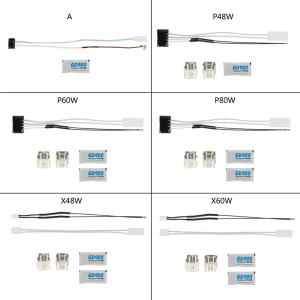
Ceramic Heater and Thermistor for P1P P1S/X1C 3D Printer Accessories 48W/60W Ceramic Heater Fixing Clip Accessories

Canon imageCLASS MF275dw Monochrome Laser Beam Printing
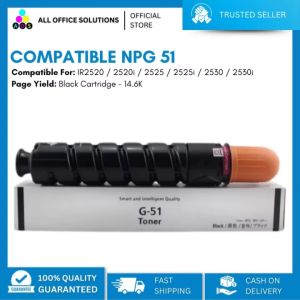
AOS Toner Cartridge: An Alternative to NPG51 for Canon IR2520 & 2525

2.4G Bluetooth Barcode Scanner: A Comprehensive Guide
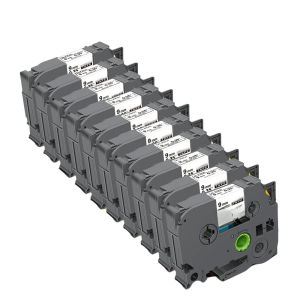
10PK Compatible for Brother 12mm TZe231 TZe Tape TZe131 TZe431 TZe631 TZe531 Laminated Label for Brother P-touch Label Maker

AOS HIGH QUALITY T06 TONER CARTRIDGE FOR CANON WITH CHIPS
Dye Ink Refill For Brother Ink T810W/MFCT910DWHL-T4000DW/MFC-T4500DW Dye Ink For Printer T220
HP 680 & HP 652 Ink Cartridge Refills: A Comprehensive Guide
Toner Cartridge M375 For Use and Compatible with F M375 Hp M479 Toner Hp Mfp M277Dw Toner - Lazada
Xiaomi Mi Portable Photo Printer - Photo Paper 10PCS / 20PCS / 50PCS
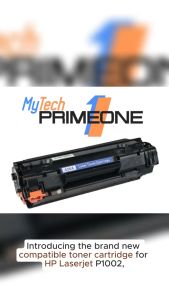
35A Brand New Compatible Toner Cartridge (CB435A) A for HP LaserJet P1002 P1003 P1004 P1005 P1006 LaserJet P1009 1500 pages