HP 680 & HP 652 Ink Cartridge Refills: A Comprehensive Guide
HP 680 & HP 652 Ink Cartridge Refills: A Comprehensive Guide
Introduction to HP 680 & HP 652 Ink Cartridges
Ink cartridges play a crucial role in the printing process, allowing us to produce high-quality documents and images. Among the various ink cartridges available, HP 680 and HP 652 are popular choices for their compatibility with multiple printer models. In this comprehensive guide, we will explore the world of HP 680 and HP 652 ink cartridges, focusing on their refills and maintenance.
Overview of HP 680 Ink Cartridge
The HP 680 ink cartridge is designed for HP DeskJet printers, including models such as HP 1115, 2135, and 3635. This cartridge comes in two variants: the standard HP 680 and the XL version, which offers extended print capacity. Both versions are known for their high-quality output and compatibility with various printing tasks.
Overview of HP 652 Ink Cartridge
The HP 652 ink cartridge is another popular choice for HP DeskJet printers, particularly models like HP 1115, 2135, and 5075. Similar to the HP 680, the HP 652 comes in two variants: the standard HP 652 and the XL version. These cartridges are known for their reliability and ability to produce consistent print quality.
Refilling HP 680 & HP 652 Ink Cartridges
Refilling ink cartridges is an excellent way to save money on printing costs while maintaining high-quality output. In this section, we will discuss the process of refilling HP 680 and HP 652 ink cartridges, as well as compatible ink options for various printer models.
Refill Ink for HP 1115 & 2135 Printers
For HP 1115 and 2135 printers, you can refill both HP 680 and HP 652 ink cartridges using compatible ink. This ink is specifically formulated to work with these printer models, ensuring optimal print quality and minimizing the risk of clogging or damage to the printhead.
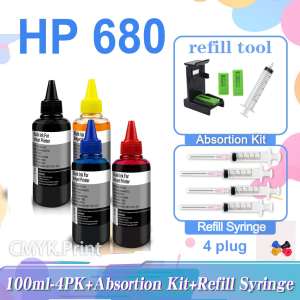
100ml Ink for HP Printers
When refilling HP 680 and HP 652 ink cartridges, you can use 100ml ink bottles, which provide ample ink for multiple refills. This is especially useful if you frequently print large volumes of documents or images.
Compatible Ink for DeskJet Printers
When choosing ink for refilling HP 680 and HP 652 ink cartridges, it's essential to select compatible ink that is specifically designed for HP DeskJet printers. This will help ensure optimal print quality and minimize the risk of damage to your printer.
Choosing the Right Refill Ink
Selecting the right refill ink is crucial for maintaining high-quality output and prolonging the lifespan of your printer. In this section, we will discuss the importance of choosing compatible ink and the various options available for refilling HP 680 and HP 652 ink cartridges.
HP 680XL & HP 652XL Ink Cartridges
If you frequently print large volumes of documents or images, consider using the XL versions of HP 680 and HP 652 ink cartridges. These cartridges offer extended print capacity, allowing you to print more before needing to refill.
Refill Ink for HP 305 & Other Printer Models
When refilling ink cartridges for HP 305 and other printer models, it's essential to choose compatible ink that is specifically designed for those printer models. This will help ensure optimal print quality and minimize the risk of damage to your printer.
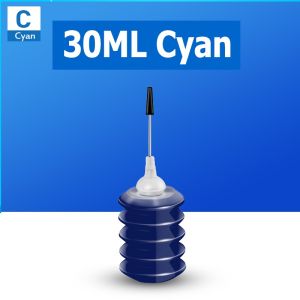
30ml Ink for HP Printers
For smaller print jobs, you can use 30ml ink bottles to refill HP 680 and HP 652 ink cartridges. This is a cost-effective option if you don't frequently print large volumes of documents or images.
Maintaining Optimal Printer Performance
To ensure optimal printer performance and prolong the lifespan of your printer, it's essential to follow proper refill techniques and troubleshoot common issues. In this section, we will discuss the importance of proper refill techniques and provide tips for troubleshooting common issues.
Proper Refill Techniques
When refilling HP 680 and HP 652 ink cartridges, it's crucial to follow proper refill techniques to avoid damaging your printer or compromising print quality. Be sure to read the instructions carefully and take your time when refilling the cartridges.
Troubleshooting Common Issues
If you encounter issues with your HP 680 or HP 652 ink cartridges, such as clogging or poor print quality, there are several troubleshooting steps you can take. These include cleaning the printhead, checking the ink levels, and ensuring that you are using compatible ink.
Extending Printer Lifespan
To extend the lifespan of your printer, it's important to perform regular maintenance tasks, such as cleaning the printhead and checking the ink levels. By following proper refill techniques and troubleshooting common issues, you can help ensure that your printer continues to produce high-quality output for years to come.

CMYK.Print

You May Also Like
(with 5 tape)3D PVC C101 Embossing Label Maker Replacement for MOTEX E101 Upgrade Version Mini DIY Manual Typewriter C101 labeler with 9mm 3D Refill label Printer Tape
Epson ERC-38 B For TM-U Series Compatible Dot Matrix Ribbon EPSON ERC-38 B 100% LONG-LASTING Ribbon Cartridge
eTONER Compatible Drum Unit DR2355 DR 2355 DR-2355 for use in Brother Printer
Epson T6997 Maintenance Box for SC-P6000 - P9000 / P9500 / T3400 / T3405 / T5400 / T5405

Print Digital CUYI Korea Sublimation Ink 100ml Anti-Clogged Ink (C M Y K LC LM)
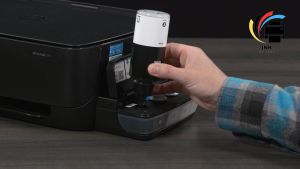
HP GT53 (Black) & GT52 (C/M/Y) Ink Bottles – Genuine Ink for HP Smart Tank Ink Tank DeskJet GT Series
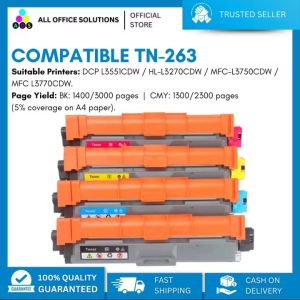
Compatible TN263 Toner Cartridge for use in Brother Printer
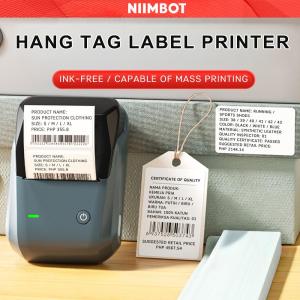
NIIMBOT B1 Inkless Label Printer Direct Thermal 203dpi 20-50mm/s Print Speed Bluetooth & USB Connectivity Portable Medical & Food Label Maker 1500mAh Battery 132.2 x 91.2 x 61.6mm

12.7mm Handheld Inkjet Printer Mini Portable Batch Code Date Number Logo Expiry Date Label Printer with 25 Languages ink Ribbon

TN216/TN319 Toner Cartridge Compatible with Konica Minolta Bizhub C220 C280 C360 C7722 C7728
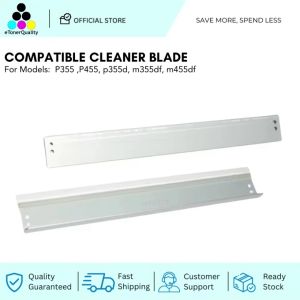
ETQ Compatible P355/M355 Cleaner Blade