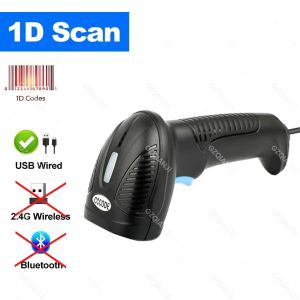
2.4G Bluetooth Barcode Scanner: A Comprehensive Guide
2.4G Bluetooth Barcode Scanner: A Comprehensive Guide
Introduction to the Portable Wireless Barcode Reader
The 2.4G Bluetooth Barcode Scanner, also known as a handheld USB barcode scanner, is a versatile and efficient mobile scan device that has revolutionized the way businesses handle inventory management and data collection. This portable wireless barcode reader offers numerous advantages over traditional scanners, including improved accuracy, faster scanning speeds, and seamless integration with existing systems.
Key Features & Specifications
The 2.4G Bluetooth Barcode Scanner boasts a range of impressive features and specifications that make it an ideal choice for businesses of all sizes. Some of these include:
- Brand Name: (Not specified)
- Type: Barcode Scanner
- Scan Element Type: CMOS
- Origin: Mainland China
- Optical Resolution: 300*300
- Scan Speed: 100 scans/second
- Interface Type: USB
- Product Type: Bar Code Scanner
- Colour Depth: 16 bit
- Model Number: C10/C10G/C10BG/C20/C20G/C20BG
- Novelty: New
- Scanning Light Source: Natural Light+LED
Advantages Over Traditional Scanners
Compared to traditional scanners, the 2.4G Bluetooth Barcode Scanner offers several advantages that make it a more attractive option for businesses. These include:
- Improved Accuracy: With its advanced CMOS scan element and high optical resolution, the 2.4G Bluetooth Barcode Scanner provides accurate and reliable scans every time.
- Faster Scanning Speed: Capable of scanning up to 100 times per second, this mobile scan device significantly reduces the time required to complete inventory management tasks.
- Seamless Integration: The 2.4G Bluetooth Barcode Scanner can easily integrate with existing systems, making it a versatile addition to any business environment.
How to Choose the Right Mobile Scan Device
Selecting the right mobile scan device for your business requires careful consideration of your specific needs and requirements. Here are some key factors to keep in mind when choosing a 2.4G Bluetooth Barcode Scanner:
Considerations for Your Business Needs
- Inventory Management: Determine the size and complexity of your inventory management tasks to ensure the chosen scanner can handle the workload efficiently.
- Data Collection: Consider the type and volume of data you need to collect, as well as the desired output format.
- Integration: Assess the compatibility of the scanner with your existing systems and software.
Comparing Different Models
When comparing different models of 2.4G Bluetooth Barcode Scanners, pay attention to the following specifications:
- Scan Speed: Faster scan speeds will increase efficiency and reduce downtime.
- Optical Resolution: Higher optical resolution leads to more accurate scans.
- Interface Type: Ensure the scanner has the appropriate interface type for your system.
- Model Number: Familiarize yourself with the different model numbers available and their unique features.
Using the Handheld USB Barcode Scanner
Once you've chosen the right 2.4G Bluetooth Barcode Scanner for your business, it's time to set it up and start using it. Here's how:
Setup & Configuration
- Connect: Connect the scanner to your computer via USB.
- Install: Install any necessary drivers or software.
- Configure: Configure the scanner settings according to your needs.
Troubleshooting Common Issues
If you encounter any issues while using the handheld USB barcode scanner, refer to the following troubleshooting tips:
- Check Connection: Ensure the scanner is properly connected to your computer.
- Update Drivers: Update any outdated drivers or software.
- Reset Settings: Reset the scanner settings to their default values.
Maximizing Efficiency with PDF417 DM Code Scanner
To get the most out of your 2.4G Bluetooth Barcode Scanner, consider implementing the following best practices:
Best Practices for Scanning
- Proper Lighting: Ensure adequate lighting for optimal scanning performance.
- Clean Surfaces: Keep barcode labels clean and free of debris.
- Regular Maintenance: Perform regular maintenance and cleaning to extend the scanner's lifespan.
Integrating with Existing Systems
To seamlessly integrate the PDF417 DM Code Scanner with your existing systems, follow these steps:
- Assess Compatibility: Verify that the scanner is compatible with your current systems and software.
- Configure Settings: Adjust the scanner settings to match your system requirements.
- Test Integration: Test the integration to ensure everything is working correctly.

GZQIANJI Store
Review

You May Also Like
ETQ Compatible SP C250S Toner for Ricoh SPC250S & SPC261DNw Printers
AOS Compatible Brother TN269 Toner Cartridge For HL-L3215CW L3220CW L3240CDW L8230CDW DCP-L3515CDW Printer
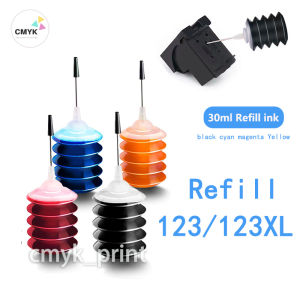
HP 680 & HP 652 Ink Cartridge Refills: A Comprehensive Guide
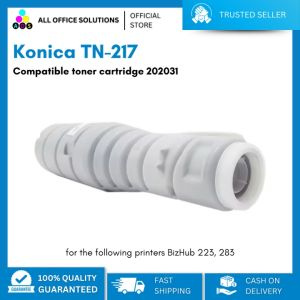
Konica TN-217 Compatible Toner Cartridge 202031: A Comprehensive Guide
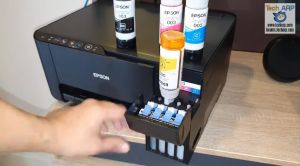
Original Epson 003 T003 65ml is suitable for EPSON printers L1110/L3100/L3110/L3150/L5190/L3250/L3210 etc. (with box )
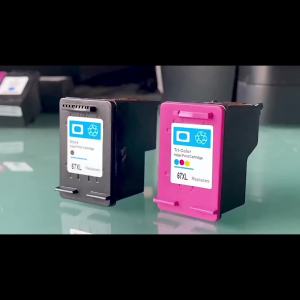
67XL Refillable Replacement for HP 67 hp67 Ink Cartridge for HP Envy 4140 4152 4155 4158 1225 2732 2752 1225 2774 6052 6055
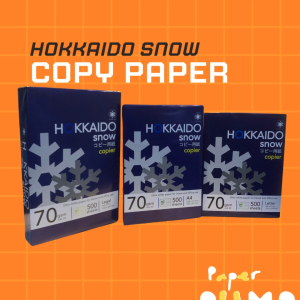
Hokkaido Snow Multipurpose Copy Paper Bond Paper
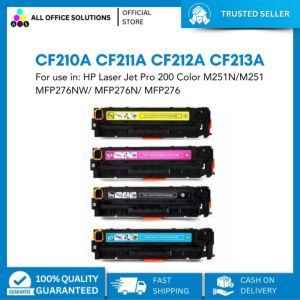
AOS Compatible CF210A CF211A CF212A CF213A Toner for HP Color Printer
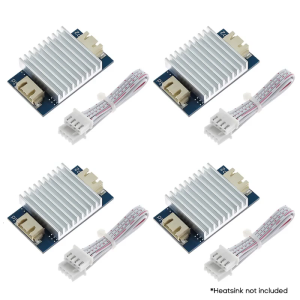
4Pcs TL Smoother Addon Modules 3D Printer Part for Pattern Elimination Motor Clipping 3D Pinter Accessory
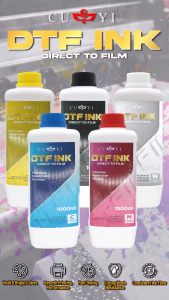
PP Supplies- CUYI 1000ml DTF Ink Black | Cyan | Magenta | Yellow | White
ETQ Compatible Drum Unit Fuji Xerox AP 3065 CT350922