AOS Toner Cartridge: An Alternative to NPG51 for Canon IR2520 & 2525
AOS Toner Cartridge: An Alternative to NPG51 for Canon IR2520 & 2525
Introduction to AOS Toner Cartridge
What is AOS Toner Cartridge?
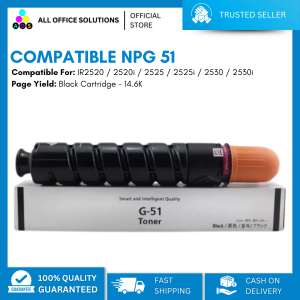
AOS Toner Cartridge is a reliable alternative to the original NPG51 toner cartridge for Canon printers, specifically designed for the Canon IR2520, 2520i, 2525, 2525i, 2530, and 2530i models. This high-quality toner cartridge provides excellent print quality while reducing costs compared to the original NPG51 toner cartridge.
Benefits of Using AOS Toner Cartridge
There are several benefits to using the AOS Toner Cartridge instead of the original NPG51 toner cartridge:
- Cost-effective: AOS Toner Cartridge offers significant savings over the original NPG51 toner cartridge, making it an ideal choice for businesses looking to reduce printing expenses.
- High-quality prints: The AOS Toner Cartridge produces sharp, clear, and consistent prints, ensuring professional-looking documents every time.
- Compatibility: The AOS Toner Cartridge is compatible with multiple Canon printer models, including the Canon IR2520, 2520i, 2525, 2525i, 2530, and 2530i, making it a versatile option for various printing needs.
Compatibility with Canon Printers
AOS Toner Cartridge for Canon IR2520i & IR2525i
The AOS Toner Cartridge is designed to work seamlessly with the Canon IR2520i and IR2525i printers. It ensures reliable performance and optimal print quality, providing a cost-effective alternative to the original NPG51 toner cartridge.
AOS Toner Cartridge for Canon IR2530 & IR2530i
In addition to the Canon IR2520i and IR2525i printers, the AOS Toner Cartridge is also compatible with the Canon IR2530 and IR2530i printers. This compatibility allows users to enjoy the benefits of the AOS Toner Cartridge across multiple Canon printer models.
How to Install AOS Toner Cartridge
Steps to Install AOS Toner Cartridge
Installing the AOS Toner Cartridge is a straightforward process. Follow these steps to ensure a smooth installation:
- Turn off the printer and unplug it from the power source.
- Open the front cover of the printer and remove the empty or used toner cartridge.
- Carefully open the packaging of the AOS Toner Cartridge and remove the protective tape from the cartridge.
- Insert the AOS Toner Cartridge into the designated slot, ensuring it is properly aligned and seated.
- Close the front cover of the printer and plug it back into the power source.
- Turn on the printer and allow it to initialize the new toner cartridge.
Troubleshooting Common Issues
If you encounter any issues during the installation process, refer to the following troubleshooting tips:
- Cartridge not recognized: Make sure the AOS Toner Cartridge is properly installed and aligned. If the issue persists, try restarting the printer.
- Print quality issues: If the print quality is not satisfactory, check if the cartridge is properly installed and aligned. Clean the printer's print head and try printing again.
Comparison with NPG51 NPG 51 NPG-51
Cost-Effectiveness of AOS Toner Cartridge vs NPG51
Compared to the original NPG51 toner cartridge, the AOS Toner Cartridge offers significant cost savings. By choosing the AOS Toner Cartridge, businesses can reduce their printing expenses while maintaining high-quality prints.
Print Quality of AOS Toner Cartridge vs NPG51
While the AOS Toner Cartridge may not match the exact print quality of the original NPG51 toner cartridge, it produces sharp, clear, and consistent prints that are suitable for most business needs. Users can expect professional-looking documents with the AOS Toner Cartridge.
Conclusion
Why Choose AOS Toner Cartridge over NPG51?
The AOS Toner Cartridge is an excellent alternative to the original NPG51 toner cartridge for Canon IR2520, 2520i, 2525, 2525i, 2530, and 2530i printers. It offers cost savings, high-quality prints, and compatibility with multiple Canon printer models. By choosing the AOS Toner Cartridge, businesses can reduce printing expenses while maintaining professional-looking documents.

AllOfficeSolutions Reference Number: 250923-161608
You May Also Like

057 Ink Refill For Epson L8050 L18050 L 8050 L 18050 057
Epson 001 Original Ink Bottle for L4150 L4160 L6160 L6170 L6190 Printer - BK/CY/MG/YW
AOS Compatible Toner CT201734 Fuji Xerox AP 3065
YCALL Queue Number Printer: A Plug-and-play Que Number System for Ticket Dispenser

INKSCRIBED CRG-051 Compatible Toner Cartridge & Drum Cartridge for LBP161dn LBP162dw MF263dn MF266dn
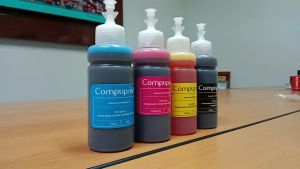
Compuprint Premium Inkjet Dye Ink & DIY Refill: A Comprehensive Guide
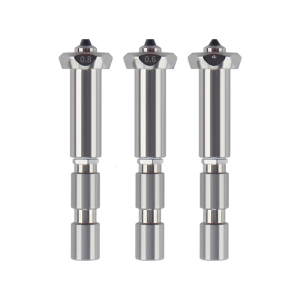
Upgraded Steel Nozzle For 3D Printers High Temperature Resistance Three Size 0.4 0.6 0.8mm Easy Installation
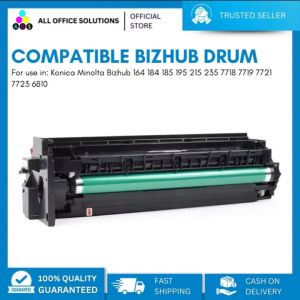
AOS Compatible for Konica Minolta Bizhub 164 184 185 195 215 235 7718 7719 7721 7723 6810 Drum Unit Cartridge Drum
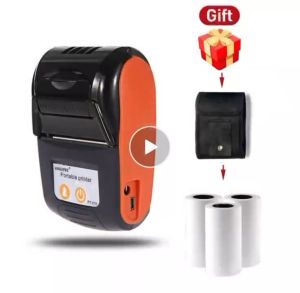
Senda SDXP-210 Portable Wireless Bluetooth Thermal Printer Handheld 58mm Receipt Printer
How to Choose & Use Compatible Brother Printer Cartridges: Focus on Brother LC-462XL
AOS Compatible DR267CL DR263CL DR-267 DR-263 DR 267CL DR 263CL for Brother Printer