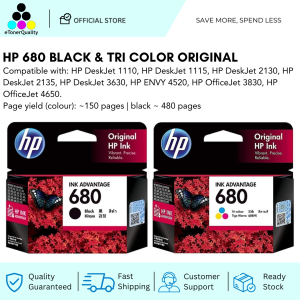
HP 680 Black and Tri-Color Original Ink Advantage Cartridge 1 set
HP 680 Black and Tri-Color Original Ink Advantage Cartridge 1 set
Introduction to HP 680 Ink Cartridge
In today's world, printing is an essential part of our daily lives. Whether it's for personal use or business purposes, having access to high-quality ink cartridges is crucial. One such product that stands out is the HP 680 Black & Tri-Color Original Ink Advantage Set. This set includes both black and tri-color ink cartridges, which are designed specifically for HP printers. In this article, we will explore the benefits of using original HP 680 ink cartridges, how to install them, and troubleshoot common issues.
What is HP 680 Black & Tri-Color Original Ink?
The HP 680 Black & Tri-Color Original Ink Advantage Set is a high-quality ink cartridge designed specifically for HP printers. It comes in two different colors: black and tri-color (cyan, magenta, and yellow). These cartridges are known for their superior print quality, long-lasting performance, and cost savings over time.
How to Choose the Right Ink Cartridge for Your Printer
When choosing an ink cartridge for your printer, it's important to consider compatibility, print quality, and cost-effectiveness. Original HP 680 ink cartridges are specifically designed for HP printers, ensuring optimal performance and print quality. They are also known for their long-lasting performance and cost savings over time, making them a great choice for both personal and business use.
Benefits of Using Original HP 680 Ink Cartridges
Using original HP 680 ink cartridges offers several benefits, including enhanced print quality, long-term cost savings, and compatibility with compatible printer ink.
Enhanced Print Quality with High-Quality Ink
Original HP 680 ink cartridges are known for their superior print quality. They use high-quality ink that produces sharp, vibrant prints with excellent color accuracy. This makes them ideal for printing photos, documents, and other important materials.
Long-Term Cost Savings with Original Ink Advantage Set
While the initial cost of purchasing original HP 680 ink cartridges may seem higher than generic alternatives, they offer significant long-term cost savings. This is because they have a longer lifespan and produce higher-quality prints, reducing the need for frequent replacements.
Compatibility with Compatible Printer Ink
Original HP 680 ink cartridges are compatible with a wide range of HP printers, including both laser and inkjet models. This makes them a versatile choice for both personal and business use.
How to Install HP 680 Ink Cartridges
Installing HP 680 ink cartridges is a simple process that can be completed in just a few steps.
Step-by-Step Guide to Installing Black & Tri-Color Ink
- Turn off your printer and unplug it from the power source.
- Open the printer lid and remove the old ink cartridge.
- Remove the new ink cartridge from its packaging and remove the protective tape.
- Insert the new ink cartridge into the designated slot and press down until it clicks into place.
- Close the printer lid and turn the printer back on.
Troubleshooting Common Issues with HP 680 Ink Cartridges
If you encounter any issues with your HP 680 ink cartridges, there are several steps you can take to troubleshoot the problem.
- Make sure the ink cartridge is properly installed and the protective tape has been removed.
- Check that the printer is turned on and connected to a power source.
- If the print quality is poor, try cleaning the printhead or running a nozzle check.
- If the ink cartridge is not recognized by the printer, try reinstalling it or replacing it with a new one.
In conclusion, the HP 680 Black & Tri-Color Original Ink Advantage Set is a high-quality ink cartridge that offers superior print quality, long-term cost savings, and compatibility with compatible printer ink. By following the steps outlined in this article, you can easily install and troubleshoot any issues with your HP 680 ink cartridges, ensuring optimal performance and print quality.

eTonerQuality Reference Number: 250919-16162227
You May Also Like
004 INK WITH BOX COMPATIBLE TO PRINTERS ● L1110 ● L1210 ● L3100 L3101 L3106 L3108 ● L3110 L3115 L3116 L3118 L3119 ● L3150 L3151 L3156 L3158 ● L3160 ●

Bisofice Film & Slide Scanner: A Comprehensive Guide
Wireless USB Type & Bluetooth Portable 1D/2D Barcode Scanner for POS P2P for Superstore Shop
250gx4 3D Printer Filament PLA Silk Gold 1.75mm 250g 500g 1Kg 3D Printer Material pla gold silk Filament wire Vacuum Packaging
80mm Portable Thermal Printer: A Wireless Bluetooth Printer for Android & PC
Original Epson Ink T664 Series: Black, Cyan, Magenta & Yellow
EKLEVA Thermal Label Printer Thermal Label Maker Bluetooth-Compatible Handheld Pocket Printer Pocket Sticker Printer for Phone & PC
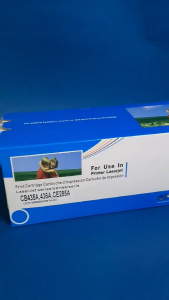
JAFED Ikon HP 35A / 36A / 85A Compatible Toner Cartridge Brand New High Quality NOT Remanufactured
Replacement Set Epson L360 T664 L350 L358 L380 Maintenance Box Waste Ink Tank Sponge Pad Absorber
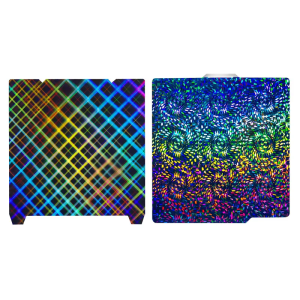
Build Plate For Lab X1/X1C/P1P/P1S/X1E Printers Low Energy Printing Composite Spring Steel Textured Build Plate
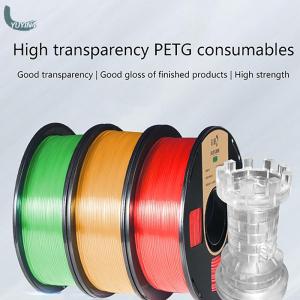
YUYIN4 Filament Plastic For 3D Printer Multi-colored Optional Rubber Consumables Material