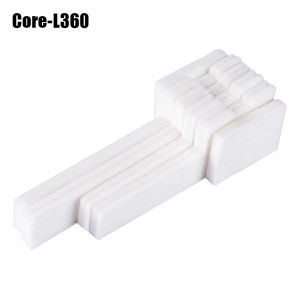
Replacement Set Epson L360 T664 L350 L358 L380 Maintenance Box Waste Ink Tank Sponge Pad Absorber
Replacement Set Epson L360 T664 L350 L358 L380 Maintenance Box Waste Ink Tank Sponge Pad Absorber
What is a Waste Ink Tank Absorber?
A waste ink tank absorber is a crucial component of the maintenance box used in various Epson printers, including the L360, L350, L358, and L380 models. This small yet essential piece helps to absorb excess ink from the printer's cartridges, preventing ink from spilling onto the paper or other parts of the printer.
Key Features of the Waste Ink Tank Absorber
The waste ink tank absorber has several key features that make it indispensable for maintaining the performance and longevity of your printer:
- High Absorption Capacity: The absorber is designed to soak up large amounts of ink, preventing any overflow.
- Easy Installation: With clear instructions provided, replacing the waste ink tank absorber is a simple process that can be completed in minutes.
- Compatibility: This replacement set is compatible with multiple Epson models, including the L360, L350, L358, and L380, making it a versatile choice for printer owners.
How to Install the Waste Ink Tank Absorber
Installing the waste ink tank absorber is a straightforward process:
- Turn off the printer and unplug it from the power source.
- Open the printer cover and locate the maintenance box.
- Remove the old waste ink tank absorber by gently pulling it out.
- Insert the new waste ink tank absorber into the maintenance box.
- Close the printer cover and reconnect the power source.
Compatible Models: L358 & L380
The replacement set is compatible with both the L358 and L380 models, offering a convenient solution for printer owners who have these specific machines.
Benefits of Using Compatible Models
Using compatible models offers several advantages:
- Cost-Effective: By choosing compatible models, you can save money on replacement parts without compromising on quality.
- Easy Replacement: The installation process is the same for both models, making it easy to replace the waste ink tank absorber.
- Longevity: Regular maintenance, including replacing the waste ink tank absorber, helps to extend the lifespan of your printer.
Installation Guide for L358 & L380
The installation process for both the L358 and L380 models is identical to the steps outlined above. Follow these simple instructions to ensure a smooth installation process.
Epson L360 & L350 Maintenance Box Accessories
In addition to the waste ink tank absorber, there are other accessories available for the maintenance box of the Epson L360 and L350 models.
Importance of Maintenance Box Accessories
Maintenance box accessories play a vital role in keeping your printer running smoothly:
- Prevent Ink Spills: By absorbing excess ink, these accessories help to prevent spills that could damage your printer or documents.
- Extend Printer Lifespan: Regular maintenance, including replacing accessories, helps to extend the lifespan of your printer.
- Improve Print Quality: Clean and well-maintained accessories contribute to better print quality.
How to Choose the Right Accessories
When choosing maintenance box accessories, consider the following factors:
- Compatibility: Ensure the accessories are compatible with your printer model.
- Quality: Choose high-quality accessories to ensure they perform well and last longer.
- Price: Compare prices to find the best value for your budget.
Replacement Ink Tank Sponge Pad
Another essential component of the maintenance box is the ink tank sponge pad. This small yet crucial piece helps to absorb excess ink from the printer's cartridges.
How to Replace the Ink Tank Sponge Pad
Replacing the ink tank sponge pad is a simple process:
- Turn off the printer and unplug it from the power source.
- Open the printer cover and locate the ink tank.
- Remove the old ink tank sponge pad by gently pulling it out.
- Insert the new ink tank sponge pad into the ink tank.
- Close the printer cover and reconnect the power source.
Benefits of Replacing the Ink Tank Sponge Pad
Replacing the ink tank sponge pad offers several benefits:
- Prevent Ink Spills: By absorbing excess ink, the sponge pad helps to prevent spills that could damage your printer or documents.
- Improve Print Quality: A clean and well-maintained ink tank sponge pad contributes to better print quality.
- Extend Printer Lifespan: Regular maintenance, including replacing accessories, helps to extend the lifespan of your printer.

LEOOYI Toys & Games
You May Also Like

AOS Compatible Drum for Brother MFC-L3770CDW & MFC-L3735CDN

MUNBYN Label Maker Machine with Tape Print Date with One Click FM520 Portable Bluetooth Label Printer for Office Home Storage (Green)
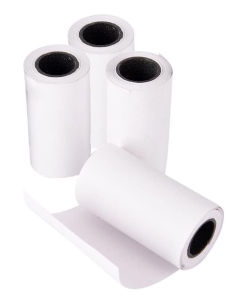
JTL 57x30mm Thermal Paper For PAPERANG P1 (4 Rolls)
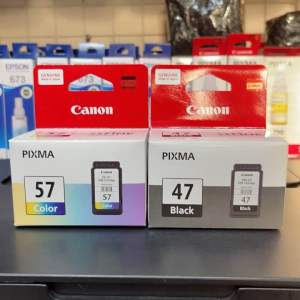
Brandnew Ink cartridge 47 black or 57 colored
Genuine Original Brother Ink LC3617 Black or Colored
Epson EcoTank Monochrome M1170 Wi-Fi Ink Tank Printer
eTONER Compatible Drum Unit for DCP-L2550DW DCP L2550DW MFP Printer
Eyoyo 1D Back Clip Bluetooth Barcode Scanner Work with Phone Portable Barcode Reader with Bluetooth Function Compatible with Android IOS System 1D Barcode Scanning
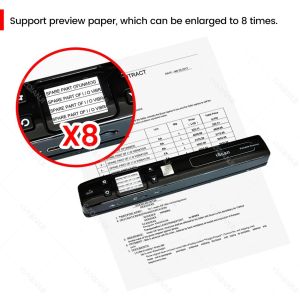
A4 Mini iScan Document & Images Photo Scanner: WiFi 1050 DPI JPG/PDF High-Speed Handheld LCD Display for School Business Use

DTF Printing Per meter A3+ A3 A4 Ready to press - 22in x 39in Dual Head Large Format
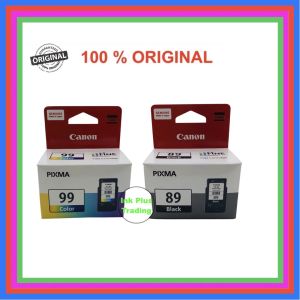
Original Canon Ink Cartridge PG-89 / CL-99 For Canon Pixma E560 and Canon Pixma E560R ( Made in Japan )