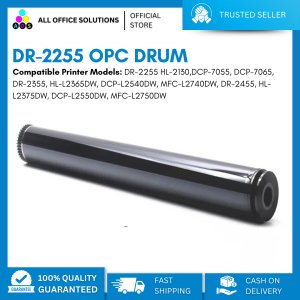
Compatible OPC Drum DR 2255 DR2255 for Printers: A Comprehensive Guide
Compatible OPC Drum DR 2255 DR2255 for Printers: A Comprehensive Guide
What Are Compatible OPC Drums?
Compatible OPC drums are third-party replacement toner cartridges designed to work with specific printer models. They offer an alternative to original equipment manufacturer (OEM) toner cartridges at a lower cost. While they may not have the exact same specifications as OEM drums, they are engineered to meet similar standards.
Understanding the Differences Between Original & Compatible Drums
Original toner cartridges are manufactured by the printer manufacturer themselves, while compatible toner cartridges are produced by third-party companies. Original toner cartridges may provide slightly better print quality and page yield, but they come at a higher price point. Compatible toner cartridges are designed to meet similar standards, offering a more affordable option without compromising on performance.
Key Benefits of Using Compatible OPC Drums
- Cost-effective: Compatible toner cartridges are typically less expensive than original toner cartridges.
- Eco-friendly: Using compatible toner cartridges reduces waste and conserves resources.
- High-quality output: Compatible toner cartridges produce excellent print quality, comparable to original toner cartridges.
How to Choose the Right Compatible Drum for Your Printer
When selecting a compatible OPC drum, it is important to consider the specific printer model you have. Different printers require different toner cartridges, so choosing the right replacement drum is crucial for optimal performance.
Identifying Your Printer Model
To identify your printer model, refer to the user manual or check the printer itself for the model number. Some common models that require a compatible OPC drum include HL-2250DN, MFC-7360, and HL-2240D.
Finding the Right Replacement Drum for HL-2250DN, OPC Drum for MFC-7360, and OPC Drum for HL-2240D
The compatible OPC drum DR 2255 DR2255 is suitable for several printer models, including HL-2240D, HL-2250DN, HL2270DW, MFC-7360, MFC-7470D, MFC-7860DW, and FAX-2840. To ensure compatibility, check the product description and specifications before making a purchase.
Installation & Maintenance Tips for Compatible OPC Drums
Proper installation and maintenance of compatible OPC drums are essential for optimal performance.
Step-by-Step Guide to Installing a Compatible Drum
- Turn off the printer and unplug it from the power source.
- Open the printer's front cover and remove the old toner cartridge.
- Remove the new compatible toner cartridge from its packaging and carefully slide it into the printer.
- Close the printer's front cover and turn it back on.
Maintaining Optimal Performance with Compatible Drums
To maintain optimal performance with compatible OPC drums, follow these tips:
- Regularly clean the drum and other components to prevent dust buildup.
- Store toner cartridges in a cool, dry place away from direct sunlight.
- Avoid exposing toner cartridges to extreme temperatures or humidity.
- Replace toner cartridges before they run out completely to avoid damaging the drum.
Troubleshooting Common Issues with Compatible OPC Drums
When using compatible OPC drums, you may encounter some issues. Here are some solutions to address common problems:
Addressing Quality Concerns
If you notice poor print quality, try the following:
- Clean the drum and other components.
- Check the alignment of the drum and paper tray.
- Adjust the printer settings for optimal print quality.
Resolving Compatibility Issues
If you experience compatibility issues, try these solutions:
- Verify that the compatible toner cartridge is designed for your specific printer model.
- Follow the installation instructions carefully.
- Contact the manufacturer for support or replacement if necessary.
Conclusion & Next Steps
In conclusion, compatible OPC drums offer a cost-effective alternative to original toner cartridges, providing excellent print quality and performance. By selecting the right compatible drum for your printer model, following proper installation and maintenance procedures, and troubleshooting common issues, you can ensure optimal performance and longevity of your toner cartridges.
For further learning, refer to the product manual and consult the manufacturer's website for additional resources and support.

AllOfficeSolutions Reference Number: 250923-161608
Review

You May Also Like

Adhesive Labels for Glass Metal Plastic Container Removable Fridge Freezer Label Roll of 300 Date Labels
Durability V Wheel V Gantry Plate for Smooth Motion Enhances Stability in 3D Printer Framework Machinery Easy Installation
100% HP 680 Original Ink Advantage Cartridge for HP Deskjet in Advantage 1115 118 2138 2675 2676 2677 2678 3635 3636 3638 3775 3776 3777
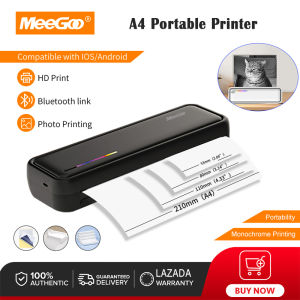
MeeGoo X9 A4 Portable Printer Paper A4 Thermal Roll Paper Can Print 17-18 Sheets Of Paper
Epson Printer Maintenance Box and Waste Ink Tank Sponge Pad Absorber for L360 T664 L350 L358 L380
100 % Original Sealed Epson 372 Ink Cartridge for Epson Picture Mate PM520 PM 520

Canon Ink CLI-726 Series: Guide for PIXMA & MG Printers
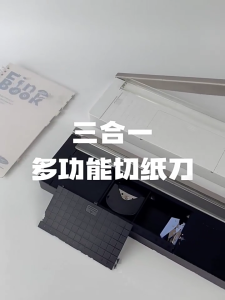
Practical Paper and Photo Cutter Photo Trimming Device Three in One Paper Tool Produced for Easy Use in Any Setting
【PH Ready Stock】L&C Toner Cartridge 305A/CE410A/CE411A/CE412A/CE413A Black Cyan Magenta Yellow For HP Laserjet Pro 400 Color M451DN/M451DW/451NW/MFP M475DW/M475DN Laserjet 300 color MFP M375NW
ETQ Compatible CF283A 83A Toner Cartridge for HP Laser Printer
TK4140 Kyocera Taskalfa TK 4140 2020 2021 TK 4140 Cartridge Toner Reset Chip