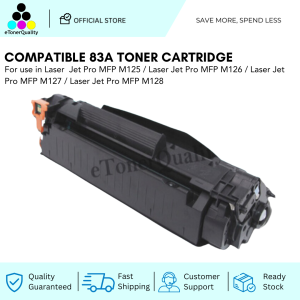
ETQ Compatible CF283A 83A Toner Cartridge for HP Laser Printer
ETQ Compatible CF283A 83A Toner Cartridge for HP Laser Printer
Introduction to High-Capacity Toner Cartridges
High-capacity toner cartridges like the ETQ CF283A provide a cost-effective solution for businesses and individuals who rely on their HP Laser Printers for regular printing needs. With its high-capacity design, this toner cartridge can handle a significant number of pages before needing replacement, reducing downtime and saving money in the long run.
Key Features of ETQ CF283A
The ETQ CF283A toner cartridge is compatible with a wide range of HP Laser Printers, including the popular HP LaserJet Pro series. Some of its key features include:
- High-capacity design for more pages per cartridge
- Compatible with various HP Laser Printers
- Easy installation and removal process
- High-quality print output
Benefits of High-Capacity Toner Cartridges
There are several benefits to using high-capacity toner cartridges like the ETQ CF283A. These include:
- Cost savings due to fewer replacements needed
- Time savings due to reduced downtime
- Consistent print quality
- Environmentally friendly due to less waste
How to Choose the Right Toner Cartridge
Choosing the right toner cartridge for your HP Laser Printer is crucial to ensure optimal performance and print quality. Here are some steps to help you make the right choice:
Understanding Printer Compatibility
Make sure the toner cartridge you choose is compatible with your specific HP Laser Printer model. This information can usually be found on the printer manufacturer's website or in the printer's user manual.
Identifying Your Printer Model
Identify your printer model to ensure compatibility with the toner cartridge. This information can typically be found on the printer itself or in the printer's user manual.
Checking Toner Cartridge Capacity
Check the capacity of the toner cartridge to determine how many pages it can print before needing replacement. This information is usually listed on the product packaging or on the manufacturer's website.
Installation Guide for ETQ CF283A
Installing the ETQ CF283A toner cartridge is a straightforward process. Follow these steps to ensure a successful installation:
Preparing for Installation
Before installing the toner cartridge, make sure your printer is turned off and unplugged from the power source. Also, ensure that the printer's front cover is open.
Installing the Toner Cartridge
- Remove the protective tape from the toner cartridge.
- Insert the toner cartridge into the designated slot in the printer.
- Push the toner cartridge gently until it clicks into place.
Finishing Up
Once the toner cartridge is installed, close the printer's front cover and plug the printer back into the power source. Turn on the printer and run a test print to ensure everything is working correctly.
Troubleshooting Common Issues
Even with proper installation, some issues may arise when using the ETQ CF283A toner cartridge. Here are some common issues and their solutions:
Low Print Quality
If your print quality is low, check the toner cartridge for any signs of damage or wear. Also, make sure the printer's settings are correct and that the toner cartridge is installed correctly.
Jammed Paper
If your printer is jammed, follow the manufacturer's instructions to safely remove the jammed paper. Make sure to check the printer's rollers and other components for any debris or damage.
Toner Cartridge Not Detected
If the printer does not detect the toner cartridge, check to ensure it is installed correctly and that the protective tape has been removed. Also, try restarting the printer and running a test print.
Conclusion & Final Thoughts
In conclusion, the ETQ CF283A toner cartridge is a cost-effective and high-quality solution for businesses and individuals who rely on their HP Laser Printers. With its high-capacity design and compatibility with a wide range of printers, this toner cartridge is a great choice for those looking to save money and time while maintaining consistent print quality.

eTonerQuality Reference Number: 250919-16162227
You May Also Like
727 Premium Compatible Color Tintas Inkjet Reman Ink Cartridge for HP HP727 Designjet T920 Printer
GTCODESTAR 1D 2D Omnidirectional Barcode Scanner: A Comprehensive Guide
MP00 500ml Pigment Ink CUYI Brand (C M Y K)
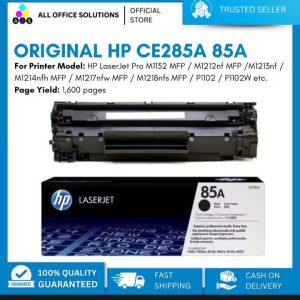
Original HP CE285A 85A Black LaserJet Toner Cartridge
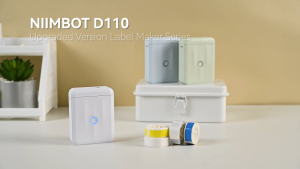
NIIMBOT D110 M Bluetooth Thermal Label Printer - Portable Waterproof Sticker Maker for Retail Shipping Food Packaging
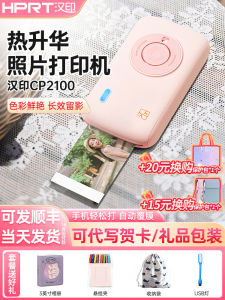
Portable Bluetooth Wireless Color Photo Printer Hanpin CP2100 Thermal Sublimation Printer Home And Outdoor Printing
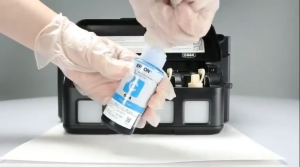
Epson T664 Ink: Compatible & Genuine Options for L-Series Printers
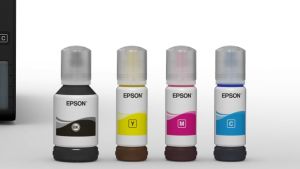
Original Epson 001 Ink for Epson L4150 L4160 L6160 L6170 L6190 L14150: A Comprehensive Guide
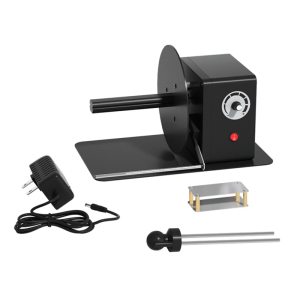
Industrial Label Rewinder Automatic Speed Adjustment 12cm Paper Length Support
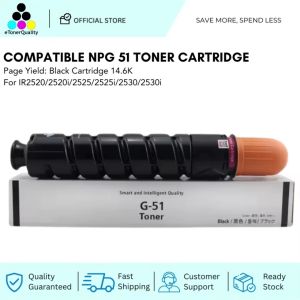
ETQ Compatible NPG51 Toner Cartridge For IR2520 2520i 2525 2525i 2530 2530i

Black LC1D38ML