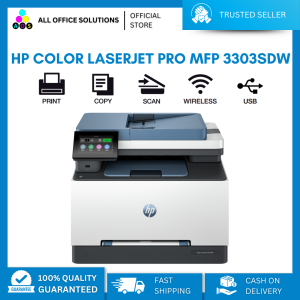
HP Color LaserJet Pro MFP 3303sdw
HP Color LaserJet Pro MFP 3303sdw
Introduction to the 3303sdw Multifunction Printer
The HP Color LaserJet Pro MFP 3303sdw is a multifunction printer designed to meet the needs of small businesses and home offices. This network printer offers high-speed printing, scanning, copying, and faxing capabilities, all in a compact package. The printer is easy to set up and integrate into existing networks, making it an ideal solution for those looking to streamline their printing processes.
What is the HP Color LaserJet Pro MFP 3303sdw?
The HP Color LaserJet Pro MFP 3303sdw is a color laser printer that supports both wired and wireless connectivity. It features a 10.1-inch touchscreen display, allowing users to easily navigate through settings and functions. The printer also includes a variety of connectivity options, including USB, Ethernet, Wi-Fi, and NFC, making it easy to connect to multiple devices and networks.
Key Features and Capabilities
Some of the key features and capabilities of the HP Color LaserJet Pro MFP 3303sdw include:
- High-speed printing: The printer can print up to 28 pages per minute (ppm) in black and white and up to 26 ppm in color.
- Network printer integration: The printer supports both wired and wireless connectivity, allowing it to be easily integrated into existing networks.
- Scanning, copying, and faxing: The printer includes a 20-page automatic document feeder, allowing users to scan, copy, and fax multiple pages at once.
- Mobile printing: The printer supports mobile printing via the HP Smart app, allowing users to print directly from their smartphones or tablets.
High-Speed Printing and Network Printer Integration
One of the standout features of the HP Color LaserJet Pro MFP 3303sdw is its high-speed printing capabilities. The printer can print up to 28 ppm in black and white and up to 26 ppm in color, making it an ideal solution for businesses that require fast and efficient printing.
How to Connect the 3303sdw Multifunction Printer to a Network
Connecting the HP Color LaserJet Pro MFP 3303sdw to a network is easy. The printer supports both wired and wireless connectivity, allowing it to be easily integrated into existing networks. To connect the printer to a network, follow these steps:
- Connect the printer to a power source and turn it on.
- Connect the printer to the network using either a wired Ethernet connection or a wireless Wi-Fi connection.
- Follow the on-screen instructions to complete the setup process.
High-Speed Printing Performance
The HP Color LaserJet Pro MFP 3303sdw is capable of printing up to 28 ppm in black and white and up to 26 ppm in color. This makes it an ideal solution for businesses that require fast and efficient printing. The printer also supports a variety of paper sizes and types, including letter, legal, and A4, making it versatile enough to meet the needs of most businesses.
Optimizing the 3303sdw Multifunction Printer
To get the most out of the HP Color LaserJet Pro MFP 3303sdw, it's important to optimize its performance. Here are some tips for enhancing printer speed and maintaining the printer:
Tips for Enhancing Printer Speed
To enhance the speed of the HP Color LaserJet Pro MFP 3303sdw, consider the following tips:
- Use high-quality paper: Using high-quality paper can help improve printing speed and reduce the risk of jams.
- Clean the printer regularly: Regular cleaning can help prevent clogs and improve printing speed.
- Update the firmware: Keeping the printer's firmware up-to-date can help improve performance and fix any bugs.
Color Laser Printer Maintenance and Troubleshooting
Maintaining the HP Color LaserJet Pro MFP 3303sdw is important to ensure it continues to perform at its best. Here are some tips for maintaining the printer and troubleshooting common issues:
- Clean the printer regularly: Regular cleaning can help prevent clogs and improve printing speed.
- Check the ink levels: Low ink levels can affect print quality and speed.
- Update the firmware: Keeping the printer's firmware up-to-date can help improve performance and fix any bugs.
- Check for errors: If the printer is experiencing issues, check the error messages and troubleshoot accordingly.
In conclusion, the HP Color LaserJet Pro MFP 3303sdw is a high-speed printing solution that offers a range of features and capabilities. With its network printer integration, mobile printing support, and high-speed printing performance, it's an ideal solution for small businesses and home offices looking to streamline their printing processes.

AllOfficeSolutions Reference Number: 250923-161608
Review

You May Also Like

Toner Powder for Bizhub Ineo Minolta: 1kg & 500grams

Paper Tray Paper Stop Compatible with Brother HL-3140CW HL-3170CDW HL-3180CDW MFC-9130CW MFC-9330CDW MFC-9340CDW HL-2220 HL-2230 HL-2240 HL-2240D HL-2270DW HL-2275DW 2250 2130 2132 7290 7460 7360
Toner Powder Refill 100g Compatible for Brother L2540 L2550 TN2560 etc.
T6193 Maintenance Box Chip Resetter for Epson Surecolor F6000 | T3000 | T5000 | T7000 | T3070 | T5070
Niimbot K3 Thermal Label Printer Large Size Multifunctional Bluetooth Label Maker Express Supermarket Logistics Waybill Label Machine Smart Label Machine Included Label Paper
Full Rubber Printing Roller & Woodcut Block Printing: A Comprehensive Guide
ABS Pipe Water Stop Valves Regulator Inks WaterFlow Switches for Printing
For Canon PGI 570 PGI570 Canon CLI 571 571 Ink Cartridge For Canon PIXMA MG5750 MG5752 MG5753 MG6850 MG6851 MG6852 TS8050 TS8051 TS8052 TS8053
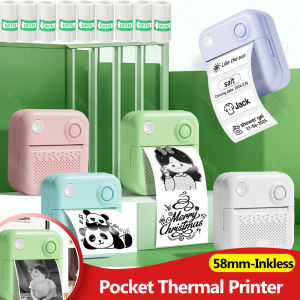
57mm Mini Thermal Printer Portable Bluetooth Label Maker Photo Sticker Label Memo Wrong Question Printing
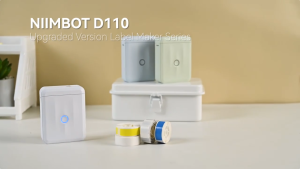
Niimbot D110 Upgraded Version Label Printer Mini Portable Intelligence 12-15mm Home Name Sticker Label Maker
Xp15000 Chip Resetter: Reset Xp-15000 Maintenance Tank for Epson XP 15000 5100 5105 5105 L6170 2800 2860 2865 ET 2700 2750 3700