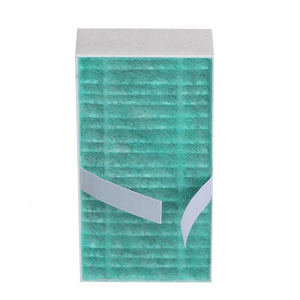
Niimbot D110 Upgraded Version Label Printer Mini Portable Intelligence 12-15mm Home Name Sticker Label Maker
Niimbot D110 Upgraded Version Label Printer Mini Portable Intelligence 12-15mm Home Name Sticker Label Maker
What is the Niimbot D110?
The Niimbot D110 is an advanced mini portable label printer designed for home and office use. It features an upgraded version of the D110 model, offering improved performance, reliability, and customization options. This intelligent label maker allows users to print labels ranging from 12mm to 15mm in width, making it an ideal choice for various applications, including home name stickers, address labels, and product tags.
Key Features & Benefits
The Niimbot D110 boasts several key features and benefits:
- Mini Portable Label Printer: Compact and lightweight design, making it easy to carry around.
- Intelligent Label Maker: Equipped with smart technology, enabling users to create custom labels effortlessly.
- Upgraded Version D110: Improved performance and reliability compared to previous models.
- Home Name Sticker Maker: Perfect for creating personalized name stickers for home use.
Comparison with Other Models
Compared to other label printers on the market, the Niimbot D110 stands out due to its compact size, ease of use, and versatility. It is specifically designed for home and office use, offering a cost-effective solution for users who require a reliable label printer.
How to Use the Niimbot D110
Using the Niimbot D110 is simple and straightforward. Follow these steps to get started:
Setup & Installation
- Unbox the Niimbot D110 and ensure all components are included.
- Connect the power adapter to the printer and plug it into a power outlet.
- Load the label tape into the printer according to the manufacturer's instructions.
- Turn on the printer and wait for it to initialize.
Creating Custom Labels
- Use the built-in keyboard or connect the printer to a computer via USB cable to input your desired label text.
- Select the desired font, size, and alignment options.
- Preview the label before printing to ensure accuracy.
- Press the print button to create your custom label.
Tips for Optimal Performance
- Always ensure the label tape is properly loaded and aligned before printing.
- Clean the printer regularly to maintain optimal performance.
- Keep the printer firmware up-to-date for the best experience.
Why Choose the Niimbot D110?
The Niimbot D110 offers several advantages over other label printers on the market, making it an excellent choice for home and office use.
Versatility & Customization
The Niimbot D110 allows users to create custom labels ranging from 12mm to 15mm in width, offering versatility for various applications. Whether you need address labels, product tags, or personalized name stickers, the Niimbot D110 has got you covered.
Durability & Reliability
Designed for long-term use, the Niimbot D110 features durable construction and reliable performance. With its compact size and lightweight design, it is easy to carry around, making it ideal for both home and office use.
User-Friendly Design
The Niimbot D110 boasts an intuitive user interface, making it easy for users of all skill levels to create custom labels effortlessly. Whether you're a beginner or an experienced label printer user, the Niimbot D110 offers a seamless experience.
In conclusion, the Niimbot D110 is a mini portable label printer that offers improved performance, reliability, and customization options compared to previous models. With its compact size, ease of use, and versatility, it is an excellent choice for home and office use.

Niimbot discount store
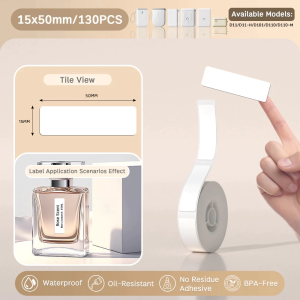
Review
You May Also Like
Printer Cartridge Chip Resetter Reset Genuin Ink for Brother LC203 LC205 LC207 LC209 LC223 LC237 LC239 LC663 LC665 LC667 LC233
Epson L850 Photo All-in-One Ink Tank Printer
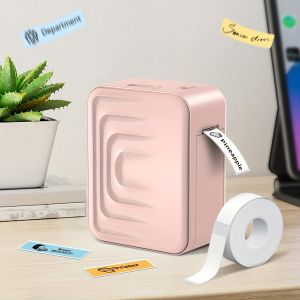
Marklife Portable Wireless Label Printer for Office Home School Small Business Pocket Label Maker Compatible with Smartphones
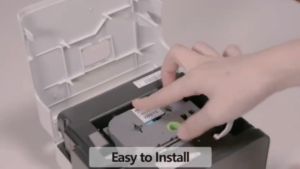
24mm Brother P-Touch Label Tape & Compatible Printers

VisualPrintPH Custom 3D Prints – Where Ideas Take Shape!

Semi-Automatic Date Coding Machine Expiry Batch Date Coding Printer

TK 6329 for Kyocera compatible toner
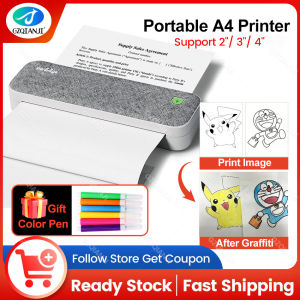
Painting Graffiti Use Color Pen Peripage A40 Therma A4 Printer Wireless Bundle Fold Paper for Office Electronics Computer Printing Maker Painting Graffiti Use Color Pen
A3+ Roll 32.9cm x 30m Inkjet RC Glossy/Luster/Silky Photo Paper Roll
【FREE GIFT】A6 Waybill Printer High Speed USB Portable Thermal Printer 80mm Label Printer Sticker Printer Machine Thermal printer air Waybill Barcode Shipping Label bluetooth usb consignment note stickers
Affordable Kyocera KM-1500 Color Photo Copier Issue Needs Toner / As Is