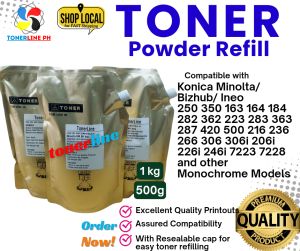
Toner Powder for Bizhub Ineo Minolta: 1kg & 500grams
Toner Powder for Bizhub Ineo Minolta: 1kg & 500grams
Introduction to Toner Powder for Bizhub Ineo Minolta
When it comes to maintaining the quality and performance of your Bizhub Ineo printer, choosing the right toner powder is essential. Minolta toner powder, available in 1kg and 500grams options, offers a reliable solution for your printing needs.
Key Features & Benefits
Minolta toner powder boasts several features and benefits that make it a popular choice among users:
- High-quality printing: The toner powder ensures consistent and sharp prints, providing professional results every time.
- Long-lasting performance: With a large capacity of 1kg and 500grams, the toner powder provides ample printing for extended periods.
- Compatibility: Designed specifically for Bizhub Ineo printers, this toner powder guarantees seamless integration and optimal performance.
Choosing the Right Toner Powder
Selecting the appropriate toner powder for your Bizhub Ineo printer depends on various factors, including print volume and budget. Here are some tips to help you make an informed decision:
- Consider your print volume: If you frequently print large documents or have a high-volume printing environment, the 1kg option may be more suitable. For lower print volumes, the 500grams toner powder might suffice.
- Assess your budget: Compare the cost of both options to determine which one fits within your budget constraints.
How to Use Toner Powder for Bizhub Ineo Minolta
Installing and using Minolta toner powder is a straightforward process. Follow these steps to ensure proper installation and optimal performance:
- Turn off and unplug your Bizhub Ineo printer.
- Open the front cover of the printer to access the toner compartment.
- Remove the old toner cartridge, if necessary.
- Insert the new Minolta toner powder cartridge into the designated slot.
- Close the front cover and turn on the printer.
Troubleshooting Common Issues
If you encounter any issues while using Minolta toner powder, refer to these troubleshooting tips:
- Printer not recognizing the new toner cartridge: Ensure that the cartridge is properly installed and aligned within the printer.
- Print quality issues: Check for any debris or blockages in the toner compartment and clean the area if needed.
Replacement Toner Powder Options
When it comes time to replace your Minolta toner powder, consider these alternatives to Original Equipment Manufacturer (OEM) options:
- Compatible toner cartridges: These cartridges are designed to work with Bizhub Ineo printers and offer a cost-effective alternative to OEM products.
- Remanufactured toner cartridges: These recycled cartridges undergo rigorous testing and refurbishment to meet high-quality standards.
Cost Comparison & Savings
Investing in compatible or remanufactured toner cartridges can lead to significant savings compared to OEM products. By choosing these alternatives, you can enjoy the same printing performance at a fraction of the cost.
Conclusion
In summary, Minolta toner powder for Bizhub Ineo printers offers a reliable and efficient solution for your printing needs. By choosing the right toner powder, following proper installation procedures, and considering replacement options, you can ensure optimal performance and savings in the long run.
Recap of Key Points
- Minolta toner powder is available in 1kg and 500grams options.
- Proper installation ensures seamless integration and optimal performance.
- Troubleshooting tips help resolve common issues.
- Compatible and remanufactured toner cartridges offer cost-effective alternatives.
Final Thoughts
By investing in high-quality toner powder and making informed decisions about replacement options, you can maintain the performance and longevity of your Bizhub Ineo printer. Enjoy professional-grade prints with confidence and reliability.

Hylink Photocopy Services
Review
You May Also Like
Yasen UV Dye Ink 100ml (C/M/Y/K/LM/LC): Refill Ink for Epson Inkjet Printer
Silk Dual Color Coextrusion PLA 3D Filament - 1.75mm (±0.03mm) Compatible with Most 3D Printers 250g×4 Color Pack

Primary Charge Roller PCR + Blade +OPC Drum Compatible and For Use in Aficio MP2550 MP2851 MP4000 MP5000 AF2027
Kosibate Scanner Holster Carry Pouch for Zebra TC77 TC70 TC75x TC75 TC7Ox TC70 TC72 TC77 M60 MC67
4 Meter PVC Profile Cover Flat Seal Enhances Protections of 2020 V Slot Aluminum in 3D Printing
LIOTOG C19 Bluetooth Thermal Printer Photo Printer Mini Printer Paper Printer Sticker Paper Portable Rechargeable Printer for Study Work Storage Lable
AOS Compatible Brother TN3608XL Toner Cartridge For HL-5210DN 5210DW L6210DWT DCP-L5510DN MFC-L5710D
Small Manual Silk Screen Station SMT Manual Stamping Station Solder Paste Screen Printing Machine Screen Printing Machine
ETQ Compatible Toner Cartridge 603HE for Lexmark MX310 410 510 HIGH YIELD
LED Light with Magnetic Control DIY 3D Printing Model Part Rings/Single/Y Shape LED Light Accessories For Voron AD5M
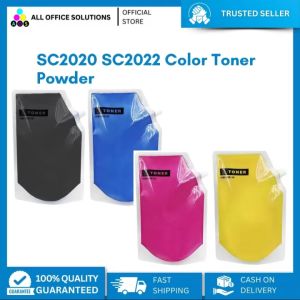
AOS Premium Compatible Fuji Xerox Docucenter SC2020 SC2022 Color Toner Powder