Xp15000 Chip Resetter: Reset Xp-15000 Maintenance Tank for Epson XP 15000 5100 5105 5105 L6170 2800 2860 2865 ET 2700 2750 3700
Xp15000 Chip Resetter: Reset Xp-15000 Maintenance Tank for Epson XP 15000 5100 5105 5105 L6170 2800 2860 2865 ET 2700 2750 3700
Introduction to ifew Maintenance Tank Chip Resetter
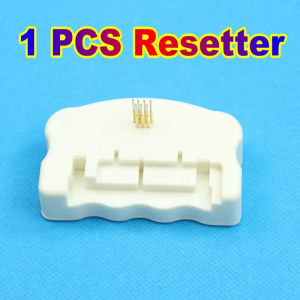
The ifew Maintenance Tank Chip Resetter is a reliable and efficient tool designed to reset the maintenance tank chips of various Epson printers, including the XP 15000 series. It ensures that your printer operates at optimal performance levels by resetting the maintenance tank chip, which is responsible for monitoring ink levels and printer maintenance.
What is the ifew Maintenance Tank Chip Resetter?
The ifew Maintenance Tank Chip Resetter is a high-quality device specifically designed to reset the maintenance tank chip of Epson printers. It helps extend the life of your printer by resetting the maintenance tank chip, allowing you to avoid costly replacements and maintain optimal printer performance.
Compatible Printer Models
The ifew Maintenance Tank Chip Resetter is compatible with the following Epson printer models:
- XP 15000
- L6168
- L6178
- L6170
- L6190
- L6191
- L6171
- ET3750
Key Features of the ifew Resetter
The ifew Maintenance Tank Chip Resetter boasts the following key features:
- High-quality construction
- Easy-to-use interface
- Compatible with multiple Epson printer models
- Effective in resetting maintenance tank chips
Step-by-Step Guide to Resetting Your Epson Printer Maintenance Tank
Resetting your Epson printer maintenance tank is a straightforward process. Follow these steps to reset your maintenance tank chip using the ifew Maintenance Tank Chip Resetter:
Preparation Before Resetting
Before resetting your maintenance tank chip, ensure that your printer is powered off and unplugged from the power source. Also, make sure that the ink cartridges are installed correctly and that the printer is free of any debris or dust.
The Process of Resetting Your Maintenance Tank
To reset your maintenance tank chip, follow these steps:
- Connect the ifew Maintenance Tank Chip Resetter to your computer using a USB cable.
- Power on your printer and connect it to the ifew Maintenance Tank Chip Resetter.
- Follow the on-screen instructions to reset the maintenance tank chip.
- Once the reset process is complete, disconnect the ifew Maintenance Tank Chip Resetter from your computer and printer.
Post-Resetting Tips
After resetting your maintenance tank chip, it is recommended to perform a print test to ensure that your printer is functioning correctly. Also, make sure to store your ink cartridges properly to prevent damage or leakage.
Troubleshooting Common Issues with Epson Printer Maintenance Tank Resetting
If you encounter any issues while resetting your maintenance tank chip, refer to the following troubleshooting guide:
Error Messages During Resetting
If you receive an error message during the reset process, try disconnecting and reconnecting the ifew Maintenance Tank Chip Resetter to your computer and printer. If the issue persists, consult the user manual or contact customer support for assistance.
Incompatibility Issues
If you experience incompatibility issues with your printer model, ensure that the ifew Maintenance Tank Chip Resetter is compatible with your printer model before proceeding with the reset process.
Other Potential Problems
If you encounter any other issues during the reset process, refer to the user manual or contact customer support for assistance.
Conclusion & Recommendations
In conclusion, the ifew Maintenance Tank Chip Resetter is a reliable and efficient tool designed to reset the maintenance tank chips of various Epson printers. It helps extend the life of your printer by resetting the maintenance tank chip, allowing you to avoid costly replacements and maintain optimal printer performance.
Final Thoughts on ifew Maintenance Tank Chip Resetter
The ifew Maintenance Tank Chip Resetter is a must-have tool for Epson printer owners who want to extend the life of their printer and maintain optimal performance levels. It is easy to use and compatible with multiple Epson printer models.
Recommended Replacement Parts for Epson Printers
When replacing ink cartridges or other parts for your Epson printer, it is recommended to purchase genuine Epson replacement parts to ensure optimal printer performance.
Where to Purchase ifew Maintenance Tank Chip Resetter
The ifew Maintenance Tank Chip Resetter can be purchased online from reputable retailers such as Amazon, eBay, and ifew's official website. It is available in a gift package, making it an excellent gift option for Epson printer owners.

Atheism Shop
Review

You May Also Like
Epson Printer EcoTank M2140 Monochrome All-in-One Ink Tank | Fast Print Scan Copy Auto Duplex
Toner Cartridge Replacement for Canon 325 125 725 925
250gx4 PLA Silk Rose Filament Wire 1.75mm 3D Printer Material pink 250g500g1kg 3D Print Refills Filament wire Vacuum Packaging
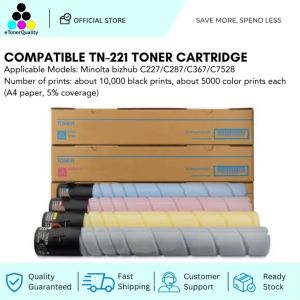
ETQ TN221 Compatible Toner Cartridge for C227, C287, C367, and C7528 Models
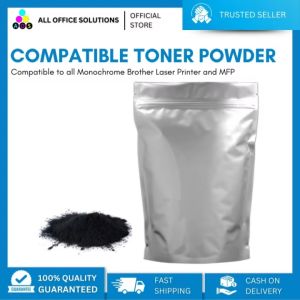
AOS Compatible Toner Powder Refill 1Kg for Use in Brother Printer

PeriPage A40 Mobile Printer: A Comprehensive Guide

Handheld 2D Barcode Scanner USB QR Code Scanner Wired Automatic 1D 2D&PDF417 Data Matrix Bar Code Reader Plug and Play
GT52/GT53 Compatible to Hp ink bottled black and colored
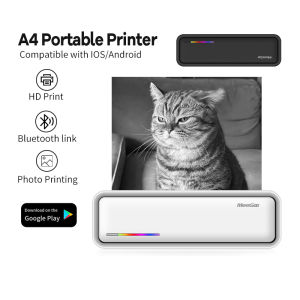
MeeGoo Portable A4 Printer 200DPI Wireless Bluetooth Inkless Thermal Printer for Travel Business
![[COD] CHYIN Universal Ink Bottle For Printer L3110 L4160 L6190 L3150 ET-8550 L8160 L8180 L8050 101 103 105 502 522 544 T552](https://img.lazcdn.com/g/p/0e8c9892cab43e565991135a7d5059b8.jpg_300x300q80.jpg)
[COD] CHYIN Universal Ink Bottle For Printer L3110 L4160 L6190 L3150 ET-8550 L8160 L8180 L8050 101 103 105 502 522 544 T552
(Premium)Widmer Timestamp & Signer Machine Spool