CORSAIR iCUE LINK RGB Fans: White RGB Fans & PC Cooling Solutions
CORSAIR iCUE LINK RGB Fans: White RGB Fans & PC Cooling Solutions
Introduction to CORSAIR iCUE LINK RGB Fans
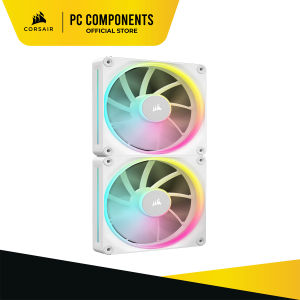
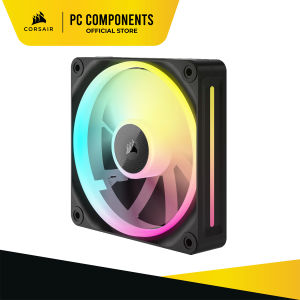
CORSAIR, a leading brand in PC components and peripherals, has introduced its latest range of fans – the CORSAIR iCUE LINK RGB Fans. These fans bring a perfect blend of amazing airflow and lighting to your PC, making them an ideal choice for users looking for a comprehensive cooling solution. In this article, we will explore the features, specifications, installation, and setup of three different models: the CORSAIR iCUE LINK LX140 RGB 140mm PWM Dual Fans Starter Kit, the CORSAIR iCUE LINK LX140 RGB 140mm PWM Single Fan Expansion, and the CORSAIR iCUE LINK LX120 RGB 120mm PWM Triple Fans Starter Kit.
Dual Light Loops & Simplified Connectivity
One of the standout features of these fans is the dual light loops, which offer a mesmerizing lighting effect that complements the overall look of your PC build. Additionally, the iCUE LINK connectivity simplifies the installation process, making it easy for users to integrate these fans into their existing setup.
AirGuide Technology & Magnetic Dome Bearing
The CORSAIR iCUE LINK RGB Fans come equipped with AirGuide technology, which ensures concentrated cooling by directing airflow towards critical components. Furthermore, the magnetic dome bearing minimizes noise, making these fans an excellent choice for users who prioritize a quiet computing experience.
CORSAIR iCUE LINK LX140 RGB 140mm PWM Dual Fans Starter Kit - White CO-9051032-WW
Key Features & Specifications
- 18 RGB LEDs per fan spread across dual light loops
- iCUE LINK System Hub included
- AirGuide technology for concentrated cooling
- Magnetic dome bearing for minimal noise
- Weight: 0.696 lbs
- Fan size: 140mm x 25mm
- LED color: RGB
- Package quantity: 2
- Power draw: 0.45A
- PWM control: Yes
- Sound level: 10 - 36 dBA
- Fan static pressure: 0.11 - 4.86 mm-H20
- LINK compatibility: RGB
- Fan airflow: 10.74 - 84.7 CFM
- Flow type: STATIC PRESSURE
- Speed: 350 - 2000 RPM ±10%
Installation & Setup
To install the CORSAIR iCUE LINK LX140 RGB 140mm PWM Dual Fans Starter Kit, simply connect the fans to the included iCUE LINK System Hub, and then plug the hub into a USB port on your motherboard. Once connected, you can control the fans' speed and lighting effects through the CORSAIR iCUE software.
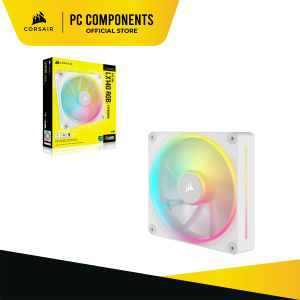
CORSAIR iCUE LINK LX140 RGB 140mm PWM Single Fan Expansion - White CO-9051031-WW
Key Features & Specifications
- 18 RGB LEDs per fan spread across dual light loops
- AirGuide technology for concentrated cooling
- Magnetic dome bearing for minimal noise
- Requires iCUE LINK System Hub (included with LX RGB Starter Kits)
- Weight: 0.324 lbs
- Fan size: 140mm x 25mm
- LED color: RGB
- Package quantity: 1
- Power draw: 0.45A
- PWM control: Yes
- Sound level: 10 - 36 dBA
- Fan static pressure: 0.11 - 4.86 mm-H20
- LINK compatibility: RGB
- Fan airflow: 10.74 - 84.7 CFM
- Flow type: STATIC PRESSURE
- Speed: 350 - 2000 RPM ±10%
Installation & Setup
To install the CORSAIR iCUE LINK LX140 RGB 140mm PWM Single Fan Expansion, connect the fan to an available port on the iCUE LINK System Hub, and then plug the hub into a USB port on your motherboard. Once connected, you can control the fan's speed and lighting effects through the CORSAIR iCUE software.
CORSAIR iCUE LINK LX120 RGB 120mm PWM Triple Fans Starter Kit - White CO-9051026-WW
Key Features & Specifications
- 18 RGB LEDs per fan spread across dual light loops
- iCUE LINK System Hub included
- AirGuide technology for concentrated cooling
- Magnetic dome bearing for minimal noise
- Weight: 0.759 lbs
- Fan size: 120mm x 25mm
- LED color: RGB
- Package quantity: 3
- Power draw: 0.40A
- PWM control: Yes
- Sound level: 10 - 36 dBA
- Fan static pressure: 0.13 - 5.22 mm-H20
- LINK compatibility: RGB
- Fan airflow: 9.75 - 69.9 CFM
- Flow type: STATIC PRESSURE
- Speed: 400 - 2400 RPM
Installation & Setup
To install the CORSAIR iCUE LINK LX120 RGB 120mm PWM Triple Fans Starter Kit, connect the fans to the included iCUE LINK System Hub, and then plug the hub into a USB port on your motherboard. Once connected, you can control the fans' speed and lighting effects through the CORSAIR iCUE software.

Corsair PC Components
Review

You May Also Like

HY510 YJ-G190 Grey Thermal Paste: A Comprehensive Guide
Double Side Print Plate For Printers 4D Temperature Control And High Flatness Enhances Printing Precisions
COMPUTER SET 2 HP SFF I5-4TH GEN 8GB 256GB SSD DELL 22 LED WIDE MONITOR INPLAY STX 200 WHITE
3000W AVR Power Supply Automatic Voltage Regulator AVR Power Supply Surge Protection 3000VA/2500VA/2000VA/1500VA/1000VA/500VA Servo Type AVR Time Delay For Computer TV Home Theater Telephone Fax Gaming High Quality AVR
ROG XG Dedicated Dust Plug Anti-Dust Cover Soft Rubber Flip Version Graphics Card Dock Universal Soft Silicone for Gaming
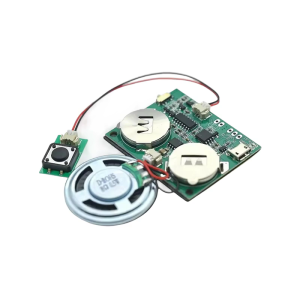
Programmable Voice Recorder Module 4MB Storage USB Rechargeable For Personalize Electronics And Creative Applications
2018 Lenovo XiaoXin Air 15 530S-15 Pressure Strip Screen Axis Cover Compatible Palmrest Parts And Accessories for Notebook

Computer Set Amd A6-7480 fm2+ 16gb ram 240gb ssd Onboard 19"wide led monitor led keyboard mouse headset

LENOVO YOGA 11E INTEL I3 6TH GEN 8GB RAM 128GB M.2 11.6 2 IN1 I REFURBISHED LAPTOP
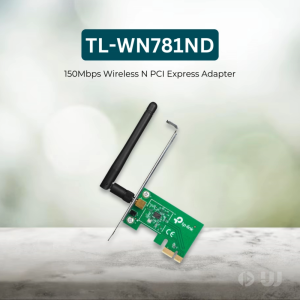
TP-Link Official | TL-WN781ND | 150Mbps WPA / WPA2 Encryptions Wireless N PCI Express WiFi Receiver PCIe Adapter Receiver Dongle for Laptop Desktop PC
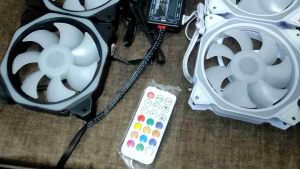
(COD)SGQ-120-02 LED lignt on the center and frame lovingcool 120mm Case Fan RGB QUITE FAN