(COD)SGQ-120-02 LED lignt on the center and frame lovingcool 120mm Case Fan RGB QUITE FAN
(COD)SGQ-120-02 LED lignt on the center and frame lovingcool 120mm Case Fan RGB QUITE FAN
Introduction to the COD LOVINGCOOL 120MM RGB Case Fan
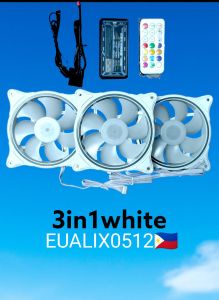
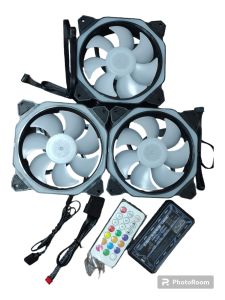
The COD LOVINGCOOL 120MM RGB Case Fan is a quiet 3-in-1 fan kit designed to enhance your computer build with LED lighting on the center and frame. This fan kit includes a hub controller and remote screws, making it easy to install and customize the RGB effects. With its sleek design and powerful performance, the COD LOVINGCOOL 120MM RGB Case Fan is the perfect addition to any PC build.
What is the COD LOVINGCOOL 120MM RGB Case Fan?
The COD LOVINGCOOL 120MM RGB Case Fan is a high-quality case fan that features LED lighting on both the center and frame. This fan kit comes with a hub controller and remote screws, allowing users to easily connect and control the RGB effects. The fan is designed to be quiet, making it ideal for users who value a peaceful computing experience.
Key Features & Benefits
- Quiet Performance: The COD LOVINGCOOL 120MM RGB Case Fan is designed to be quiet, providing a peaceful computing experience.
- LED Lighting: The fan features LED lighting on both the center and frame, adding a touch of style to your PC build.
- RGB Effects: With the included hub controller, users can easily customize the RGB effects to suit their preferences.
- Easy Installation: The fan kit includes remote screws, making installation a breeze.
How to Install the Quiet 3-in-1 Fan Kit
Installing the COD LOVINGCOOL 120MM RGB Case Fan is simple and straightforward. Follow these steps to get started:
Preparing Your Computer Case
Before installing the fan, make sure your computer case is clean and free of any debris. This will help ensure proper airflow and prevent dust buildup.
Mounting the 120mm RGB Case Fan
Mount the fan in the desired location on your computer case. Be sure to align the fan properly and secure it with the included remote screws.
Connecting the Hub Controller & Remote Screws
Connect the hub controller to the fan and the remote screws to the computer case. Follow the included instructions for detailed guidance.
Enhancing Your PC Build with LED Lighting on Fan
Adding LED lighting to your PC build can greatly enhance its aesthetic appeal. The COD LOVINGCOOL 120MM RGB Case Fan features center and frame lighting, providing a unique and stylish look.
Center & Frame Lighting: Aesthetic Appeal
The center and frame lighting on the COD LOVINGCOOL 120MM RGB Case Fan adds a touch of style to your PC build. The bright, colorful lights will catch the eye and make your build stand out.
RGB Effects: Customization & Control
With the included hub controller, users can easily customize the RGB effects on the fan. Choose from a variety of preset modes or create your own custom effects to match your personal style.
Frequently Asked Questions & Troubleshooting
Common Issues & Solutions
Q: My fan isn't working. What should I do? A: Check that all connections are secure and that the fan is properly installed. If the issue persists, contact customer support for further assistance.
Q: Can I control the RGB effects from my motherboard? A: Yes, the COD LOVINGCOOL 120MM RGB Case Fan is compatible with most motherboards. Check your motherboard's manual for instructions on how to connect and control the fan.
Customer Support & Warranty Information
If you experience any issues with your COD LOVINGCOOL 120MM RGB Case Fan, please contact customer support for assistance. The fan comes with a limited warranty, so be sure to keep your receipt for proof of purchase.

Eualix Computer Parts and Accessories Trading
Review

You May Also Like
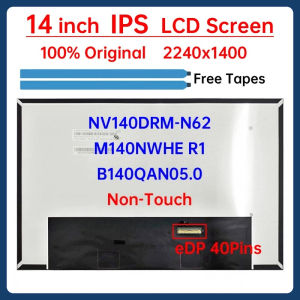
14" Laptop LCD Screen NV140DRM-N62 B140QAN05.0 M140NWHE R1 For Lenovo ThinkBook 14p G2 ACH G3 ARH Display Matrix Panel Non-Touch
![[Vodool Flagship Store]12cm 4 Pin High Speed Desktop Chassis Fan Large Air Volume PC Case Radiator](https://img.lazcdn.com/g/ff/kf/S3f26e1f6c2a64a5d8920b4e9e613afbfO.jpg_300x300q80.jpg)
[Vodool Flagship Store]12cm 4 Pin High Speed Desktop Chassis Fan Large Air Volume PC Case Radiator
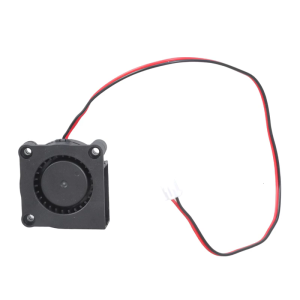
12V PC Router Fan 40mm Cooling Fan Brushless Portable Cooling Fan Replacement for Router Modem TV Box Electronics
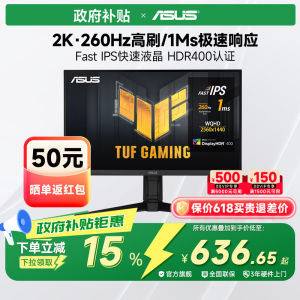
Samsung | Asus 27 Inch 2K 300Hz High Refresh Rate Esports Monitor Curved Non-Touchscreen No Built-In Speakers New Condition 36 Month Warranty
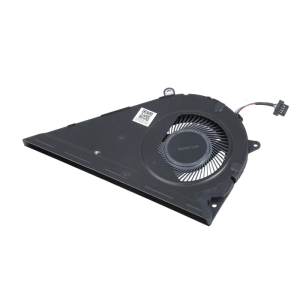
CPU Fan Replacement For 15EG 15MEG 15EH 15eg2000TU CS10S9A 1C290S9A Laptops Enhanced Cooling Performances Metal Build
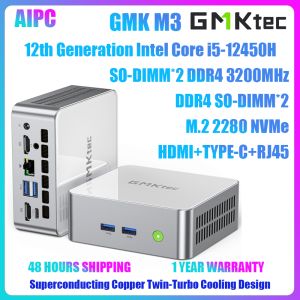
GMKtec M3 Intel Core i5-12450H Win11Pro DDR4 3200MHz NVMe SSD WiFi6 BT5.2 Triple Display Gaming Office Computer MINI PC
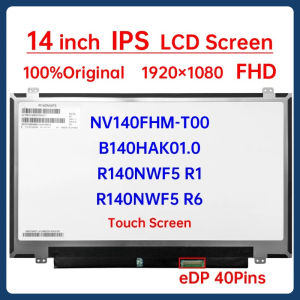
14 Inch LCD Touch Screen B140HAK01.0 NV140FHM-T00 R140NWF5 R1 R6 For Lenovo ThinkPad T470P T470s T470 T480 T480s Display Panel

Xiaomi Monitor 27 inch Desktop Display 1080P HD Computer Monitor IPS Wide-Angle
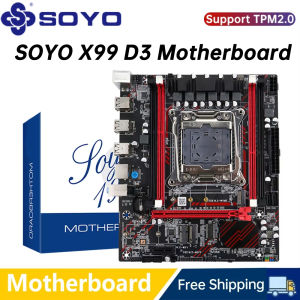
SOYO X99 LGA 2011-3 XEON X99 Motherboard Support Intel E5 2696 2678 2676 2673 2666 V3 DDR3 Memory Support M.2 NVME SATA3 M-ATX
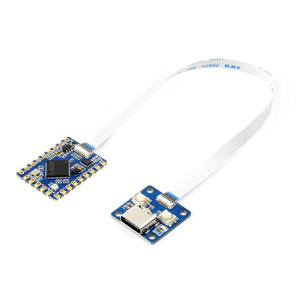
RP2350 Tiny Development Board With Double Cored Processors And 28 GPIO Pins For IoT And Robotics Projects
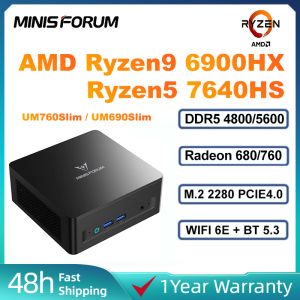
MINISFORUM UM760Slim Ryzen5 7640HS/UM690Slim Ryzen9 6900HX DDR5 PCIE4.0 WIN11 Gaming MINI PC