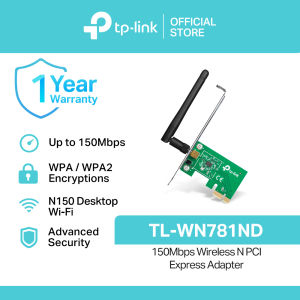
TP-Link Official | TL-WN781ND | 150Mbps WPA / WPA2 Encryptions Wireless N PCI Express WiFi Receiver PCIe Adapter Receiver Dongle for Laptop Desktop PC
TP-Link Official | TL-WN781ND | 150Mbps WPA / WPA2 Encryptions Wireless N PCI Express WiFi Receiver PCIe Adapter Receiver Dongle for Laptop Desktop PC
Introduction to the TP-Link TL-WN781ND
The TP-Link TL-WN781ND is a 150Mbps PCI Express WiFi receiver designed specifically for laptop and desktop PCs. This versatile adapter offers advanced security features, including WPA/WPA2 encryption, and comes bundled with a utility that simplifies management. With its fast wireless transmission rate and ease of use, the TL-WN781ND is an ideal choice for enhancing your internet connectivity.
Key Features of the TL-WN781ND
-
Up to 150Mbps wireless transmission rate: Experience faster internet speeds with the TP-Link TL-WN781ND, which supports up to 150Mbps data transfer rates.
-
PCI Express interface: The adapter features a PCI Express interface, allowing it to be easily installed in most laptops and desktop PCs.
-
Advanced secure connection with WPA/WPA2 encryption: The TL-WN781ND supports WPA and WPA2 encryption protocols, ensuring secure connections and protecting your data from unauthorized access.
-
Bundled utility enables easy management: The included utility makes it simple to configure and manage your wireless network settings, allowing you to quickly set up and optimize your connection.
Benefits of Using the TL-WN781ND
-
Enhanced internet connectivity: With its fast wireless transmission rate and support for WPA/WPA2 encryption, the TL-WN781ND provides reliable internet access for a wide range of applications, from browsing and streaming to gaming and remote work.
-
Easy installation and management: The adapter’s PCI Express interface and bundled utility make it simple to install and configure, even for users with limited technical expertise.
-
Compatibility with laptops and desktop PCs: The TL-WN781ND is compatible with most laptops and desktop PCs, making it a versatile choice for enhancing your internet connectivity.
Setting Up the TL-WN781ND
Step-by-Step Installation Guide
-
Power off your computer: Before installing the TL-WN781ND, ensure your computer is powered off to avoid any potential damage.
-
Locate an available PCI Express slot: Identify an open PCI Express slot on your laptop or desktop PC.
-
Install the adapter: Carefully insert the TL-WN781ND into the PCI Express slot, ensuring it is securely seated.
-
Power on your computer: Turn on your computer and allow it to boot up normally.
-
Install the driver software: Follow the on-screen prompts to install the driver software included with the TL-WN781ND.
Connecting to Wi-Fi Networks
Once the TL-WN781ND is installed and the driver software is installed, you can connect to Wi-Fi networks using the following steps:
-
Open the network settings: Navigate to your computer’s network settings to view available Wi-Fi networks.
-
Select a network: Choose the desired Wi-Fi network and enter the necessary credentials if prompted.
-
Connect to the network: Click “Connect” to establish a connection with the selected Wi-Fi network.
Configuring WPA/WPA2 Encryption
To configure WPA or WPA2 encryption on your Wi-Fi network, follow these steps:
-
Open the bundled utility: Launch the utility included with the TL-WN781ND to access the network settings.
-
Select the network: Choose the Wi-Fi network you wish to configure.
-
Configure encryption settings: Select WPA or WPA2 encryption, then enter the necessary credentials if prompted.
-
Save the changes: Click “Save” to apply the new encryption settings.
Managing the TL-WN781ND
Utilizing the Bundled Utility
The bundled utility included with the TL-WN781ND simplifies management by providing an easy-to-use interface for configuring network settings, monitoring network activity, and troubleshooting common issues.
Troubleshooting Common Issues
If you encounter any issues with the TL-WN781ND, refer to the troubleshooting guide included with the adapter for step-by-step instructions on resolving common problems.
Extending the Life of Your TL-WN781ND
To extend the life of your TL-WN781ND, follow these tips:
-
Keep the adapter clean: Regularly clean the adapter to prevent dust buildup, which can affect performance.
-
Update the driver software: Ensure the driver software is up to date to maintain optimal performance.
-
Use the bundled utility: Take advantage of the bundled utility to simplify management and troubleshooting.

TP-Link
Review
You May Also Like

Comprehensive Guide to MEAN WELL LPV-20 & TDR-240 Series
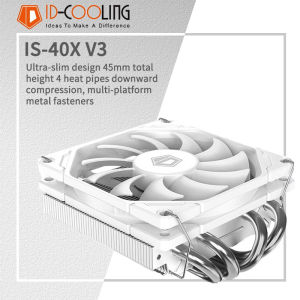
ID-COOLING IS-40X 4 Heat Pipes Down-pressure CPU Air-cooling Cooler 45MM High 9CM Fan for LGA1200/1700/AM4/5 ITX Chassis
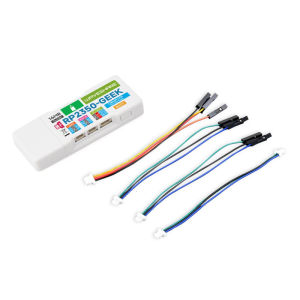
RP2350 Development Board with 14Inch LCD and USB Debugging Support for Educational and DIY Innovations
PC Fan PWM Hub for DC 5V 3pin Port Power Supply 12V 4pin Molex Fan ARGB Light Strip Temperature Control for Motherb
TPU Shell Cover Enclosure for RG 34XX Gaming Device Offer Full Access to All Port&Button With Heat Dissipation Designing
GenMachine MINI PC AMD Ryzen 3 5425U Max 4.1GHz LPDDR4X 8G Windows 11 Pro 15W 4*2.5G LAN WIFI6E BT5.2 1 Year Warranty
TCL L40F10F power supply # 4-L182C0-PWB1XG

ORIGINAL!!! Hp Chromebook 11 G3 LAPTOP upgraded to WIN 10 | 3 MONTHS WARRANTY REFURBISHED
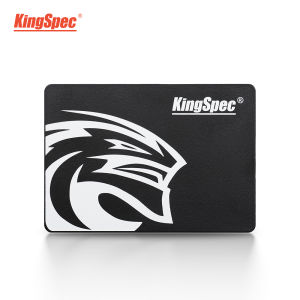
KingSpec 2.5 SATA3 SSD: A Comprehensive Guide
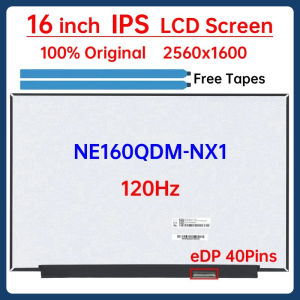
16 Inch 120Hz Laptop LCD Screen NE160QDM NX1 NE160QDM-NX1 Display Matrix Panel Replacement 2560x1600 eDP 40 Pins Non-Touch
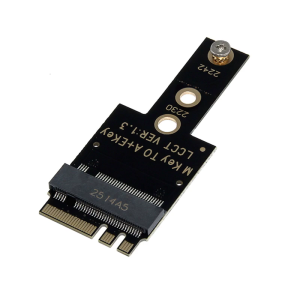
M.2 A+E to PCIE Adapters for NVMe SSDs PCIe4.0 Host Controller Expansion Supports 2242 NVME SSDs