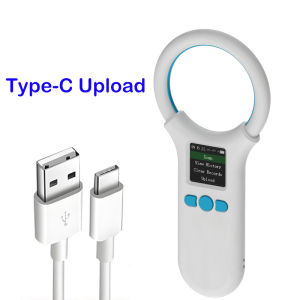
Microchip Scanner RFID 134.2KHz/125KHz Animal Chip ID Reader EMID FDX-B (ISO11784/11785) 500 Data Storage Type-C Cable Uploading to PC
Microchip Scanner RFID 134.2KHz/125KHz Animal Chip ID Reader EMID FDX-B (ISO11784/11785) 500 Data Storage Type-C Cable Uploading to PC
Introduction to Microchip Scanners
What is a Microchip Scanner?
A microchip scanner, also known as an RFID reader, is a device designed to read and identify unique identification codes embedded within animal microchips. These microchips are implanted beneath the skin of animals, such as cats and dogs, to aid in their identification and tracking.
How Does a Microchip Scanner Work?
Microchip scanners work by emitting radio waves at specific frequencies, such as 134.2KHz or 125KHz, which activate the microchip embedded within the animal. Once activated, the microchip transmits its unique identification code back to the scanner, which then displays the information on its screen.
Key Features of the 134.2KHz/125KHz Chip Reader
Data Storage Capacity
The Microchip Scanner RFID Reader has a storage capacity of up to 500 data entries, making it suitable for managing large numbers of animals in a veterinary clinic or shelter setting.
Type-C Cable Uploading to PC
The scanner is equipped with a Type-C cable that allows for seamless data transfer to a computer, streamlining the process of managing animal records and updating databases.
Compatibility with EMID FDX-B
The Microchip Scanner RFID Reader is compatible with EMID FDX-B microchips, which adhere to the ISO11784/11785 standards, ensuring compatibility with a wide range of microchips used in the veterinary industry.
Benefits of Using a Microchip Scanner RFID Reader
Improved Animal Identification
By using a microchip scanner, veterinarians and animal welfare professionals can quickly and accurately identify animals, reducing the risk of misidentification and improving overall animal care.
Enhanced Data Management
The ability to store and transfer large amounts of data makes the Microchip Scanner RFID Reader an invaluable tool for managing animal records and maintaining accurate databases.
Cost-Effective Solution
Compared to other methods of animal identification, such as tattoos or ear tags, microchipping is a cost-effective solution that provides long-term benefits for both animal owners and professionals in the veterinary industry.
How to Use the Microchip Scanner RFID Reader
Setting Up Your Microchip Scanner
To set up your microchip scanner, simply connect the Type-C cable to your computer and install the necessary software. Once connected, the scanner will be ready to use.
Scanning Animal Chips
To scan an animal chip, hold the scanner close to the implanted microchip and wait for the unique identification code to appear on the screen. This process is quick and painless for the animal.
Transferring Data to PC
Once you have scanned an animal chip, you can easily transfer the data to your computer using the Type-C cable. This allows you to update animal records and maintain accurate databases.

Tool Room
You May Also Like
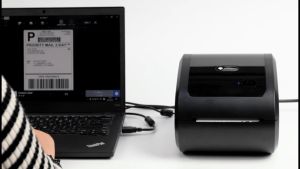
DRPDA D520 Bluetooth Thermal Printer: A6 Barcode Shipping Label & Consignment Note Printing Solution

Resin 3D Printer ACF Film – ANYCUBIC 10.1-Inch High-Speed Sheet for Fast 12K/14K Printing
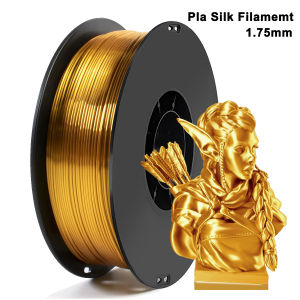
250g 500g 1Kg 3D Printer Filament PLA Silk Gold 1.75mm For 3D Printer Material pla gold silk Filament wire Vacuum Packaging
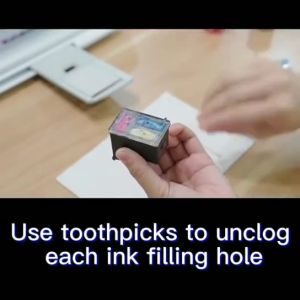
Refillable Ink Solutions for Compatible Canon Printers

pg 745 cl 746 ink pg745xl cl 746xl 30ml ink compatible for Canon MG3077 IP2870 MG2470 MG25 MG2470/MG2570/MG2570s/MG2577/MG2970

AOS Compatible MP2014 MP2014AC 18132 2501 2013 Copier Developer for RICOH

Epson Surecolor T3270 & T7270 Matte Black 700ml C13T694500
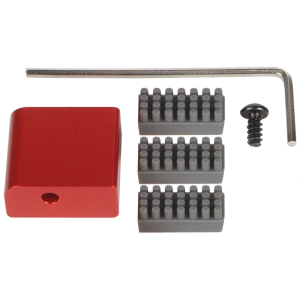
Functional 3D Printing Nozzle Maintenance Tool set Produced for Daily Use in Educational and Professional Setting

Fuji Docucentre SC2110 S2320 S1810 S2011 Fuser Roller Compatible
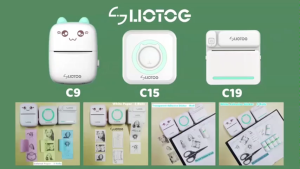
LIOTOG C9 Portable Smart Bluetooth Thermal Printer Original Label Printer Photo Printer No-Ink-Required App Control Mini Printer

Risefully 100ml Quaff DYE Ink Inkjet Printer Universal DYE Ink for Photo and Document Printing