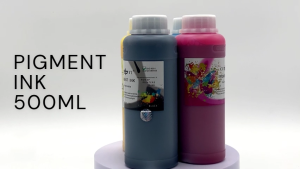
Epson Printer Carriage Motor: A Comprehensive Guide
Epson Printer Carriage Motor: A Comprehensive Guide
What is an Epson Printer Carriage Motor?
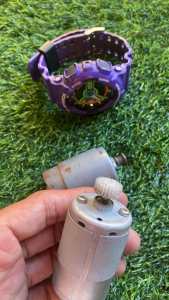
The Epson Printer Carriage Motor is a critical component responsible for moving the printer's print head across the page during printing. It ensures accurate and consistent printing by controlling the movement of the print head along the carriage.
Key Features & Functions
- Accurate Printing: The Epson Printer Carriage Motor ensures precise movement of the print head, resulting in high-quality prints.
- Longevity: Designed to last, this motor can withstand frequent use and is built to handle heavy workloads.
- Compatibility: Available for various Epson printer models, including T60, L805, and L800.
Common Issues & Troubleshooting
Some common issues with Epson Printer Carriage Motors include:
- Noisy Operation: If your printer is making unusual noises, it may be time to replace the motor.
- Slow Printing: A malfunctioning carriage motor can cause slow printing speeds.
- Print Head Not Moving: If the print head is not moving during printing, the carriage motor may be faulty.
How to Replace Your Epson Printer Carriage Motor
Replacing your Epson Printer Carriage Motor is a straightforward process, but it requires some technical knowledge.
Tools Needed
- Screwdriver set
- Tweezers
- Anti-static wrist strap
Step-by-Step Guide
- Power Off: Turn off your printer and unplug it from the power source.
- Remove the Print Head: Carefully remove the print head from the printer.
- Access the Carriage Motor: Locate the carriage motor and remove any screws or clips holding it in place.
- Remove the Old Motor: Gently disconnect the old motor from the printer's circuit board.
- Install the New Motor: Connect the new motor to the circuit board and secure it in place.
- Reassemble the Printer: Replace the print head and reassemble the printer.
- Power On: Plug in the printer and turn it on.
Tips for Successful Replacement
- Follow the Manufacturer's Instructions: Refer to your printer's manual for specific instructions on replacing the carriage motor.
- Work in a Static-Free Environment: Wear an anti-static wrist strap to prevent damage to sensitive components.
- Handle Components Gently: Be careful when handling the print head and other components to avoid damage.
Compatible & Refurbished Epson Printer Parts
Finding compatible and refurbished Epson Printer Parts can save you money while still providing reliable performance.
Benefits of Refurbished Parts
- Cost-Effective: Refurbished parts are often less expensive than brand-new ones.
- Environmentally Friendly: By choosing refurbished parts, you're reducing waste and supporting sustainable practices.
- Quality Assurance: Refurbished parts undergo rigorous testing to ensure they meet the manufacturer's standards.
Where to Find Compatible Parts
- Epson Authorized Dealers: Visit authorized dealers for genuine Epson parts.
- Online Marketplaces: Websites like Amazon and eBay offer a wide selection of compatible and refurbished parts.
- Local Print Shops: Many print shops carry compatible parts for Epson printers.
Important Considerations Before Purchase
- Compatibility: Ensure the part is compatible with your specific printer model.
- Warranty: Check if the part comes with a warranty or return policy.
- Reviews: Read customer reviews to gauge the quality and reliability of the part.
FAQs About Epson Printer Carriage Motor Replacement
Still have questions about replacing your Epson Printer Carriage Motor? Here are some common questions and answers.
Common Questions & Answers
Q: Can I replace the carriage motor myself? A: Yes, replacing the carriage motor can be done by following the manufacturer's instructions and using the appropriate tools.
Q: What if the new motor doesn't work? A: If the new motor doesn't work, double-check that it's compatible with your printer model and that it was installed correctly.
Q: Can I return the part if it doesn't work? A: Check the return policy before purchasing the part. Many retailers offer a satisfaction guarantee.
Additional Resources
- Epson Support: Visit Epson's official support page for troubleshooting tips and technical assistance.
- YouTube Tutorials: Watch video tutorials on YouTube for step-by-step guidance on replacing the carriage motor.

t3chguyph
Review

You May Also Like

For Jolimark FP-312K Printer Color Ribbon Frame
AOS Compatible Fuji M375z Fixing Film Replacement Sleeve With Grease

HP Smart Ink Tank Printers: A Comprehensive Guide
Samsung 100g Premium Compatible Toner Powder for Mono Samsung Laser Printer

Epson Surecolor P20070 Vivid Light Magenta 700ml C13T809600
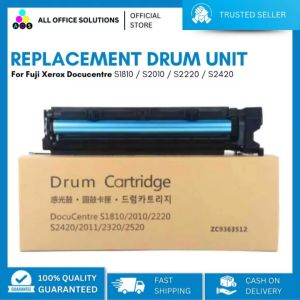
AOS Replacement Drum Unit for Fuji Xerox docucentre S2011/S2010/S2520/S2320
355x346mm 3D Printer Cold Plate Double Sided Epoxy Coated Printing Strong Adhesion For H2D 3D Printer Accessories
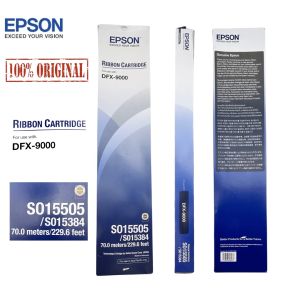
100 % Sealed Original Epson S015505 / SO15384 Ribbon Cartridge for DFX-9000 70.0 meters / 229.6 feet

100CM 3D Printer X Y Z Axes Profile Fixing Bumpers Strips Flexible Protections for 3D Printer and Engraving Machine

Date Coding Machine Expiry Date Printer: A Comprehensive Guide

LOVOON Sample 3D Printer Pen Filament: Small Spool PLA for Kids & Gift Ideas