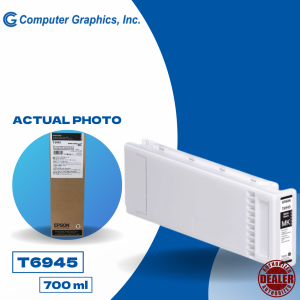
Epson Surecolor T3270 & T7270 Matte Black 700ml C13T694500
Epson Surecolor T3270 & T7270 Matte Black 700ml C13T694500
Introduction to Epson Surecolor T3270 & T7270
The Epson Surecolor T3270 and T7270 printers are among the top choices for professionals seeking high-quality printing solutions. These models are compatible with the C13T694500 ink cartridge, which provides a robust 700ml matte black ink capacity, ensuring reliable printing performance and cost-effective solutions for your projects.
Key Features & Benefits
Both the Epson Surecolor T3270 and T7270 printers boast a range of features that make them ideal for various applications:
- High-Quality Printing: The printers deliver exceptional print quality with sharp details and vibrant colors, making them perfect for printing photographs, posters, and banners.
- Cost-Effective Solutions: With a large ink capacity, these printers offer significant savings on ink costs compared to smaller ink cartridges.
- User-Friendly Design: Both models feature an intuitive interface that simplifies setup, maintenance, and troubleshooting.
Compatibility with C13T694500 Ink Cartridge
The Epson Surecolor T3270 and T7270 printers are compatible with the C13T694500 ink cartridge, which provides a generous 700ml matte black ink capacity. This compatibility ensures consistent print quality and cost savings, making these printers ideal for businesses and professionals who rely on high-volume printing.
High-Quality Printing with 700ml Matte Black Ink
The Epson Surecolor T3270 and T7270 printers deliver exceptional print quality with their 700ml matte black ink capacity. This ink type provides a smooth, non-glossy finish that is perfect for printing photographs, posters, and banners.
Printing Performance & Quality
Both models boast impressive printing speeds and resolutions, ensuring that you can produce high-quality prints quickly and efficiently. With a resolution of up to 2880 x 1440 dpi, these printers deliver sharp details and vibrant colors, making them ideal for various applications.
Cost-Effective Printing Solutions
The large ink capacity of the C13T694500 ink cartridge ensures significant savings on ink costs compared to smaller ink cartridges. This cost-effective solution makes the Epson Surecolor T3270 and T7270 printers ideal for businesses and professionals who rely on high-volume printing.
Setup & Maintenance Guide
Setting up and maintaining your Epson Surecolor T3270 or T7270 printer is simple and straightforward. Follow these steps to ensure optimal performance:
Installation & Setup Process
- Unpack the printer and remove any packaging materials.
- Connect the power cord and turn on the printer.
- Install the C13T694500 ink cartridge if it is not already installed.
- Connect the printer to your computer using a USB cable or Wi-Fi.
- Install the necessary software and drivers on your computer.
Regular Maintenance Tips
To keep your Epson Surecolor T3270 or T7270 printer running smoothly, follow these maintenance tips:
- Clean the print head regularly to prevent clogging.
- Replace the ink cartridge when the ink level is low.
- Keep the printer clean and free from dust and debris.
Troubleshooting Common Issues
If you encounter any issues with your Epson Surecolor T3270 or T7270 printer, follow these troubleshooting steps:
Ink Cartridge Replacement
If your printer is not printing properly, check the ink level and replace the C13T694500 ink cartridge if necessary. To replace the ink cartridge:
- Turn off the printer and unplug the power cord.
- Open the ink cartridge compartment and remove the old ink cartridge.
- Insert the new ink cartridge and close the compartment.
- Turn on the printer and install the new ink cartridge using the software.
Resolving Printing Issues
If your printer is still not printing properly after replacing the ink cartridge, try the following steps:
- Check the print queue and clear any stuck jobs.
- Update the printer software and drivers.
- Reset the printer settings to default.
With these troubleshooting steps, you can resolve most common issues and get your Epson Surecolor T3270 or T7270 printer working again.

Computer Graphics Inc
Review

You May Also Like
Mini HD Portable Label Thermal Printer Endurance Bluetooth Printer for Student Error Title Note Wrong Pocket Inkless Printing
For EPSON L1800 P400 P640 P600 R1800 R1900 R2000 R2400 4800 R3000 R3880 F2000 F2100 F2200 4720 Printer DTF ink For Direct Transfer Film for PET Film Textile Pigment Ink
LC233 LC 233 231 LC231 Premium Color Compatible Ink Cartridge for Brother MFC-J5720/J4120/ J4620/J5320/DCP-J562DW/ MFC-J480DW/
Original Epson - 664 Ink Bottle 70mL:L655 / L605 / L565 / L550 / L486 / L455 / L386 / L382 / L365 / L360 / L355 / L310 / L300 / L220 / L210 / L1455 / L1300 / L120 / L110
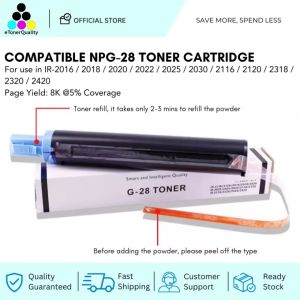
ETQ Compatible Toner Cartridge NPG28 for Canon ir2020 2016 2018 2022 NPG-28
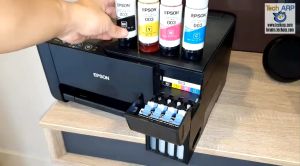
Epson 003 Inks for L1110, L3150, L3110 & L5190 Printer - BK/CY/MG/YW
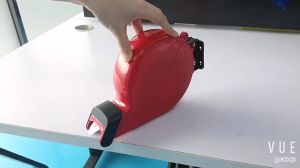
Fast Delivery Take a Number System Ticket Machine for Counter Queuing System with 3 Digit Roll Paper
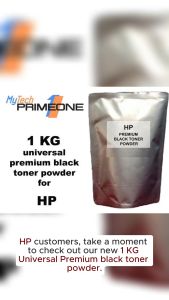
Universal HP Premium Black Toner Powder - 1 KG (1000 grams) - Compatible with HP Monochrome Printers - Grade A Quality - 90% Cost Savings
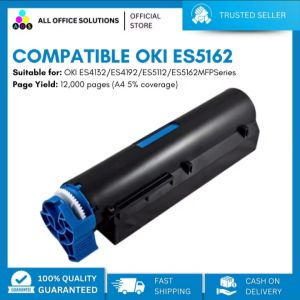
AOS Compatible ES5162 Toner Cartridge for use in OKI MFP
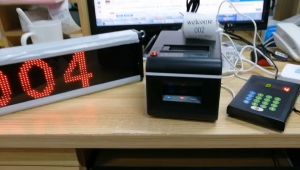
(LAZ) - Set Hospital clinic ticket printer wireless queue call system wireless clinic queue management system ticket printer with
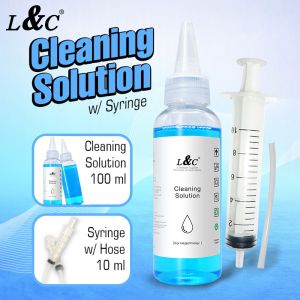
【PH Ready Stock】L&C Cleaning Solution For Inkjet Printer & Syringe With Hose Bundle Package 100ML