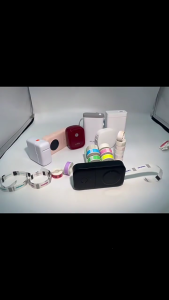
Refillable Ink Solutions for Compatible Canon Printers
Refillable Ink Solutions for Compatible Canon Printers
Introduction to Refillable Inks & Their Benefits
Refillable ink solutions have gained popularity among printer users due to their cost-effectiveness and environmental benefits. This article will focus on refillable ink options for compatible Canon printers, specifically the models MG2470, MG2570, MG2570S, MG2970, MG3070, MG3070S, MG3077, IP2870, MX4970, TS207, MG2570S TR4570S, and TS307. We will discuss how to choose the right refillable ink for your printer, key features of refillable inks for Canon printers, and troubleshooting and maintenance tips.
How to Choose the Right Refillable Ink for Your Printer
When selecting a refillable ink solution for your Canon printer, consider the following factors:
- Compatibility: Ensure that the refillable ink is compatible with your specific printer model. In this case, we will focus on the models listed above.
- Quality: Look for refillable ink solutions that offer high-quality print results and minimal smudging or bleeding.
- Cost-effectiveness: Compare the cost of refillable ink solutions to original ink cartridges. Refillable inks often provide significant savings over time.
- Environmental impact: Refillable ink solutions help reduce waste and minimize the environmental impact associated with disposable ink cartridges.
Key Features of Refillable Inks for Canon Printers
Refillable ink solutions for Canon printers offer several advantages, including:
- Cost savings: Refillable inks can save you up to 80% on printing costs compared to original ink cartridges.
- High-quality prints: Many refillable ink solutions provide excellent print quality, rivaling that of original ink cartridges.
- Environmentally friendly: Refillable ink solutions help reduce waste and minimize the environmental impact associated with disposable ink cartridges.
- Easy to use: Refillable ink solutions are designed to be user-friendly, with simple instructions and easy-to-follow steps.
Compatible Canon Printers & Their Refillable Ink Options
This section will focus on refillable ink options for the following Canon printer models:
- Canon MG2470
- Canon MG2570
- Canon MG2570S
- Canon MG2970
- Canon MG3070
- Canon MG3070S
- Canon MG3077
- Canon IP2870
- Canon MX4970
- Canon TS207
- Canon MG2570S TR4570S
- Canon TS307
Refillable Ink for Canon MG2470, MG2570, MG2570S, MG2970, MG3070, MG3070S, MG3077, IP2870, MX4970, TS207, MG2570S TR4570S, TS307 Printers
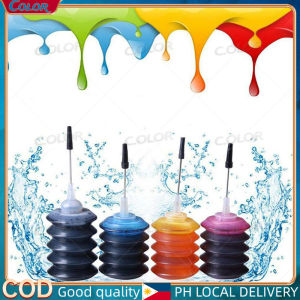
The PG 745/CL 746 ink and PG745XL/CL746XL refillable ink solutions are compatible with the Canon printer models listed above. These refillable ink options offer cost savings, high-quality prints, and environmental benefits.
How to Refill Your Canon Printer with Compatible Refillable Ink
Refilling your Canon printer with compatible refillable ink is a straightforward process. Follow these steps:
- Purchase a compatible refillable ink solution for your specific Canon printer model.
- Carefully remove the original ink cartridge from your printer.
- Clean the ink cartridge thoroughly before refilling.
- Follow the instructions provided with your refillable ink solution to refill the ink cartridge.
- Reinsert the refilled ink cartridge into your printer.
- Print a test page to ensure proper functionality.
Troubleshooting & Maintenance Tips for Refillable Inks
To maintain optimal performance of your refillable ink system, follow these tips:
- Regularly clean your printer's print head and ink cartridge to prevent clogging and ensure consistent print quality.
- Store your refillable ink solutions in a cool, dry place away from direct sunlight.
- Use high-quality refillable ink solutions to minimize the risk of print quality issues.
Common Issues When Using Refillable Inks & How to Fix Them
Some common issues that may arise when using refillable ink solutions include:
- Clogged print heads: Clean your printer's print head regularly to prevent clogging.
- Smudging or bleeding: Use high-quality refillable ink solutions and clean your ink cartridge before refilling.
- Poor print quality: Check your printer settings and adjust as needed to improve print quality.
Best Practices for Maintaining Your Refillable Ink System
To ensure optimal performance of your refillable ink system, follow these best practices:
- Regularly clean your printer's print head and ink cartridge.
- Store your refillable ink solutions properly.
- Use high-quality refillable ink solutions.
- Monitor your printer's ink levels and refill as needed.

C.olor
You May Also Like
Transparent Label For NIIMBOT B1 / B21 / B3S / B203 Label Printing Paper
Epson Printer Maintenance Box and Waste Ink Tank Sponge Pad Absorber for L360 T664 L350 L358 L380
Brother ink DCP-T300/DCP-T428W/DCP-T500W Refill ink Compatible T220 T420W T425W T428 T810

005 ink bottled with box compatible to printers: Monochrome M1100 Monochrome M1120
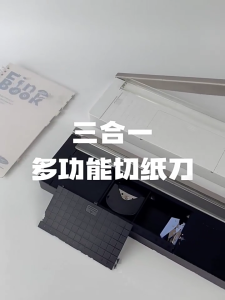
Practical Paper and Photo Cutter Photo Trimming Device Three in One Paper Tool Produced for Easy Use in Any Setting
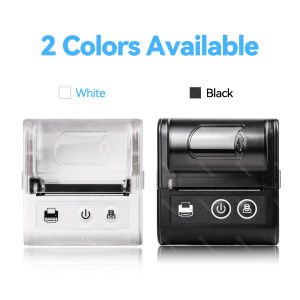
Mini 58mm Thermal Portable Receipt Wireless Ticket Printer Mobile Bluetooth For Android IOS Thermal Bill Maker Machine
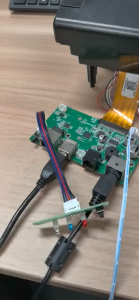
80mm POS Printer With Auto Cutter USB/LAN/Serial/WIFI/Bluetooth Interface Option Connect With Cash Box Kitchen Printer
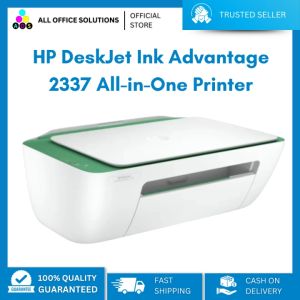
HP Deskjet IA 2337 Palm Print Copy Scan
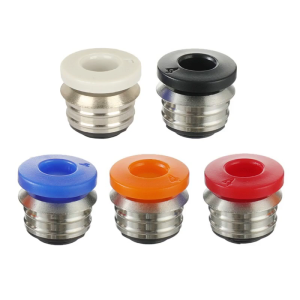
3D Printer Pneumatic Straight Connector Fitting Straight Push for V6 BP6 2IN1 Nozzle Pneumatic Connector StainlessSteel
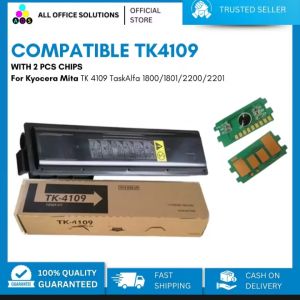
AOS Compatible Toner Cartridge for Kyocera mita TK4109 with bundle of 2pcs Chips
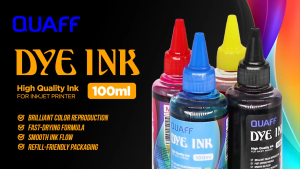
Print Digital QUAFF Dye Ink for All Types of Inkjet Printer 100ml