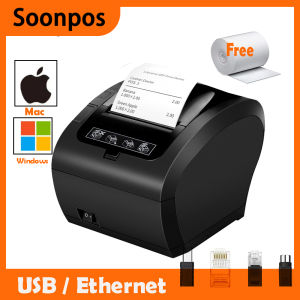
Soonpos Auto-Cutter USB Ethernet Receipt POS Printer: A Comprehensive Guide
Soonpos Auto-Cutter USB Ethernet Receipt POS Printer: A Comprehensive Guide
Introduction to Soonpos Auto-Cutter POS Printer
The Soonpos Auto-Cutter POS Printer is a versatile, high-quality receipt printer designed to meet the needs of businesses of all sizes. This powerful POS machine comes equipped with cutting-edge features that make it easy to integrate into your existing retail setup. The printer supports 58mm and 80mm thermal paper, providing a flexible solution for various business needs.
Key Features
- Auto-Cutter: The Soonpos Auto-Cutter POS Printer features an automatic paper cutter, ensuring that receipts are cleanly cut and easy to read.
- USB/Ethernet Connectivity: This printer offers both USB and Ethernet connectivity options, allowing seamless integration with Windows, Mac, and Android devices.
- Loyverse Integration: The Soonpos Auto-Cutter POS Printer is compatible with Loyverse, a popular point-of-sale software platform, making it easy to manage your business operations.
Compatibility with Windows, Mac, and Android Devices
The Soonpos Auto-Cutter POS Printer is compatible with a wide range of operating systems, including Windows, Mac, and Android. This ensures that businesses can easily integrate the printer into their existing systems without the need for costly upgrades or modifications.
Loyverse Integration
The Soonpos Auto-Cutter POS Printer is compatible with Loyverse, a popular point-of-sale software platform. This integration allows businesses to streamline their operations by managing inventory, sales, and customer data directly from the printer.
Setting Up the Soonpos Auto-Cutter POS Printer
Setting up the Soonpos Auto-Cutter POS Printer is a straightforward process that can be completed in just a few simple steps.
Connecting to Cash Drawer
To connect the printer to a cash drawer, simply plug the provided cable into the back of the printer and connect the other end to the cash drawer. This allows the printer to automatically open the cash drawer when a sale is made.
Installing Software & Drivers
To install the necessary software and drivers for the Soonpos Auto-Cutter POS Printer, visit the manufacturer's website and download the latest version of the software. Follow the on-screen instructions to complete the installation process.
Configuring Print Settings
Once the printer is connected and the software is installed, configure the print settings to meet your specific needs. This includes adjusting the paper size, print speed, and other settings to optimize performance.
Using the Soonpos Auto-Cutter POS Printer in Retail
The Soonpos Auto-Cutter POS Printer is an ideal solution for businesses operating in retail environments, such as kitchens, malls, and queue management systems.
Wall-mounting the Printer
For added convenience, the Soonpos Auto-Cutter POS Printer can be wall-mounted using the included mounting bracket. This frees up valuable counter space and keeps the printer organized and easily accessible.
Handling 58mm & 80mm Thermal Paper
The Soonpos Auto-Cutter POS Printer supports both 58mm and 80mm thermal paper, providing businesses with the flexibility to choose the best option for their specific needs.
Optimizing for Kitchen, Mall, and Queue Management
The Soonpos Auto-Cutter POS Printer is designed to work seamlessly in a variety of retail environments, including kitchens, malls, and queue management systems. By optimizing print settings and configuring the printer to meet specific needs, businesses can improve efficiency and streamline operations.
Troubleshooting Common Issues
Despite its advanced features, the Soonpos Auto-Cutter POS Printer may occasionally experience issues. Here are some common problems and their solutions:
Printer Not Responding
If the printer is not responding, check the power cord and make sure it is securely connected. Also, verify that the printer is properly connected to the computer or network.
Incorrect Paper Size
If the printer is printing receipts with incorrect paper sizes, check the print settings and adjust the paper size accordingly. Also, make sure that the correct type of thermal paper is being used.
Network Connectivity Problems
If the printer is experiencing network connectivity issues, check the Ethernet cable and make sure it is securely connected. Also, verify that the printer's IP address is correctly configured and matches the network settings.
Conclusion & Future Prospects
In conclusion, the Soonpos Auto-Cutter USB Ethernet Receipt POS Printer is a powerful and versatile solution for businesses of all sizes. With its advanced features, compatibility with a wide range of operating systems, and seamless integration with Loyverse, this printer offers a flexible and efficient solution for managing retail operations.
Summary of Benefits
- Versatile solution for businesses of all sizes
- Advanced features, including auto-cutter and USB/Ethernet connectivity
- Compatible with Windows, Mac, and Android devices
- Loyverse integration for streamlined business operations
Potential Improvements & Upgrades
While the Soonpos Auto-Cutter POS Printer is already a powerful solution, there are always opportunities for improvement and upgrades. Future versions may include additional features, such as enhanced security measures and improved connectivity options.

Soonpos Store
You May Also Like
【Spots!!!】Niimbot B1 Label Printer Portable Handheld Thermal Printer Mini Barcode QR Code Sticker Paper Color Rolls Maker Cable
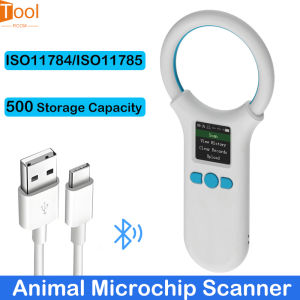
Microchip Scanner RFID 134.2KHz/125KHz Animal Chip ID Reader EMID FDX-B (ISO11784/11785) 500 Data Storage Type-C Cable Uploading to PC
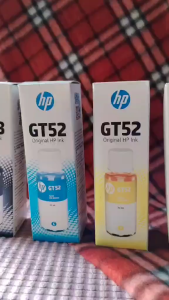
GT52/GT53 Compatible to Hp ink bottled black and colored
Metal Textured Bed Plate Cold Plate Strong Adhesion Double Sided Epoxy Coated For H2D 3D Printer Accessories
YUWO 50PCS CISS Hollow Plug Transparent Ink Rubber Plug Empty Connector for
300Pcs Sparkling Thermal Label Water Resistant Adhesive Label Sticker Address Labels Labels Roll For Retail Parcels
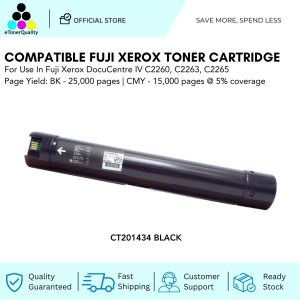
ETQ Compatible Fuji Xerox Toner Cartridge for Xerox DocuCentre IV C2260/C2263/C2265
SUNLU Filament Connector FC01 Fusion Splicer Weldable to 1.75mm PLA ABS PETG PCL PA and PC Fil
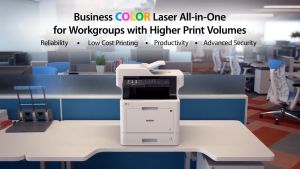
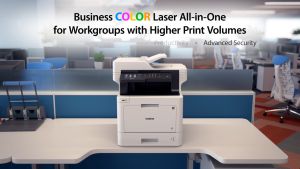
Brother MFC-L8900CDW Laser Printer
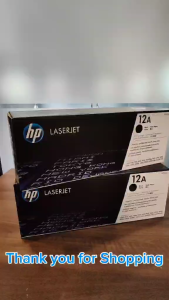
HPee 12A (Q2612A) Laser Jet Black Original Toner Cartridge
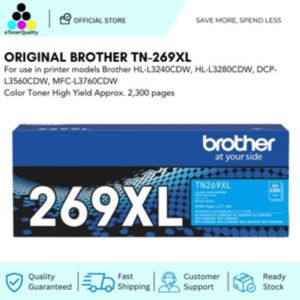
Original Brother TN-269XL Toner Cartridge: A Comprehensive Guide