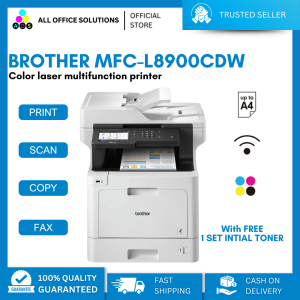
Brother MFC-L8900CDW Laser Printer
Brother MFC-L8900CDW Laser Printer
Introduction to Brother MFC-L8900CDW
The Brother MFC-L8900CDW is a high-speed laser printer and network scanner that offers excellent print quality and efficiency. Designed for businesses and individuals alike, this color laser printer combines print, scan, copy, and fax functionalities in one compact device. With its fast printing speed and advanced features, the Brother MFC-L8900CDW is a top choice for those seeking a reliable and efficient printing solution.
Overview of the Brother MFC-L8900CDW Laser Printer
The Brother MFC-L8900CDW is a powerful and versatile color laser printer that delivers outstanding print quality and performance. It supports both wired and wireless connectivity, making it easy to integrate into existing networks. With a maximum print speed of up to 45 pages per minute, the MFC-L8900CDW is capable of handling large workloads efficiently.
Key Features of the Color Laser Printer
- High-speed printing: Up to 45 pages per minute
- Network connectivity: Wired and wireless options
- Print, scan, copy, and fax capabilities
- Auto-duplex printing
- Mobile printing support
- USB direct printing
How to Set Up Your Brother MFC-L8900CDW
Setting up your Brother MFC-L8900CDW is a straightforward process that involves connecting the printer to your network and installing the necessary drivers and software.
Connecting the Printer to Your Network
To connect your Brother MFC-L8900CDW to your network, follow these steps:
- Connect the power cord to the printer and plug it into a power outlet.
- Connect the Ethernet cable to the printer and your router or switch.
- Turn on the printer and wait for it to initialize.
- Access the printer's setup menu and configure the network settings according to your network environment.
Alternatively, you can connect the printer wirelessly by following the on-screen instructions during the initial setup process.
Installing Printer Drivers and Software
After connecting the printer to your network, install the necessary drivers and software on your computer or mobile device to ensure optimal functionality.
- Visit the Brother website and download the latest drivers and software for your operating system.
- Follow the installation wizard to install the drivers and software on your computer or mobile device.
- Configure the printer settings according to your preferences.
Maximizing Productivity with the Brother MFC-L8900CDW
With its advanced features and capabilities, the Brother MFC-L8900CDW is designed to maximize productivity and efficiency.
Print & Scan in One Device
The Brother MFC-L8900CDW combines print, scan, copy, and fax functionalities in one compact device, eliminating the need for separate machines. This all-in-one solution streamlines your workflow and saves valuable desk space.
Optimizing Print Quality & Speed
To optimize print quality and speed, consider the following tips:
- Use high-quality paper and toner cartridges for best results.
- Adjust print settings according to your document type and desired output.
- Regularly clean the printer's components to maintain optimal performance.
Troubleshooting Common Issues
If you encounter any issues with your Brother MFC-L8900CDW, refer to the following troubleshooting tips.
Resolving Network Connectivity Problems
If you experience network connectivity problems, try the following solutions:
- Check the physical connections and ensure they are secure.
- Restart the printer and your network devices.
- Verify the network settings and make sure they match your network environment.
Fixing Paper Jam Errors
To fix paper jam errors, follow these steps:
- Turn off the printer and unplug it from the power source.
- Open the access panel and carefully remove any stuck paper.
- Close the access panel and turn the printer back on.
Conclusion
The Brother MFC-L8900CDW Laser Printer is a powerful and versatile color laser printer that offers high-speed printing, network connectivity, and a range of advanced features. With its ability to print, scan, copy, and fax, this all-in-one solution is ideal for businesses and individuals seeking a reliable and efficient printing solution. By following the setup and troubleshooting tips outlined in this article, you can maximize the benefits of the Brother MFC-L8900CDW and streamline your workflow.

AllOfficeSolutions Reference Number: 250923-161608
Review

You May Also Like
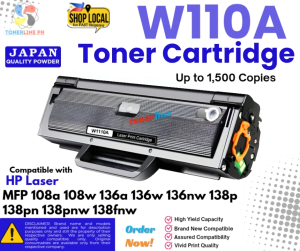
W110A 110A Toner Cartridge Compatible with HP Laser MFP 108a 108w 136a 136w 136nw 138p 138pn 138pn
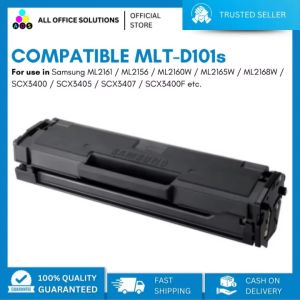
Brand New Compatible Laser Toner Cartridge MLT-D101 MLT D101S for use in Samsung Printer

INKSCRIBED DR263 DR-263 Compatible Drum Kit for Brother HL-L3230CDN HL-L3270CDW DCP-L3551CDW MFC-L3750CDW MFC-L3770CDW Printer
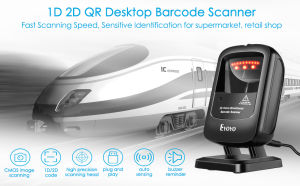
Eyoyo Handsfree Omnidirectional Barcode Scanner: A Seller Recommended Fast Delivery Solution
3D Printing Magnetic Plate Dual Sided Steel Bed with PEI+Magnetic Printing Hotbed Parts for Ender 3 3D Printers
Phomemo M08F Portable Thermal Printer: Support A4/Letter Size Wireless Bluetooth Mini Inkless Printer
ORIGINAL TRODAT INK 28ML
![[Portable Mini Printer] Portable Thermal Mini Printer | Inkless Pocket Photo Printer for Pictures Photos Journals DIY57*25mm](https://img.lazcdn.com/g/ff/kf/S0a4f060fa2c143bfbee37ed62bc2b85aE.jpg_300x300q80.jpg)
[Portable Mini Printer] Portable Thermal Mini Printer | Inkless Pocket Photo Printer for Pictures Photos Journals DIY57*25mm
Tianwei Neutral OKI Printer Ribbon Rack 5600f 5700f Ribbon Strip 7700f 7500f 5200f 5250f Needle Printer Ribbon Core Ribbon Frame
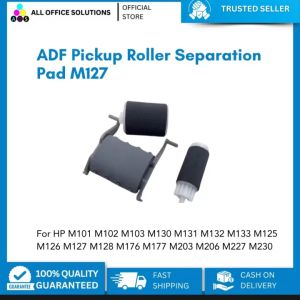
AOS ADF Pickup Roller Separation Pad for HP M101 M102 M103 M130 M131 M132 M133 M125 M126 M127 M128 M176 M177 M203 M206 M227 M230
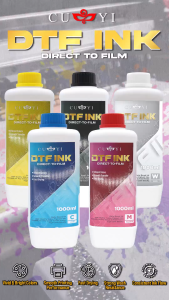
SaleZone - CUYI DTF Ink 1000ml Black | Cyan | Magenta | Yellow | White