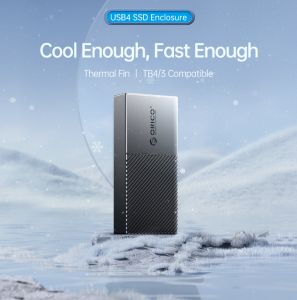
ORICO M.2 NVMe SATA SSD Case Enclosure: A Comprehensive Guide
ORICO M.2 NVMe SATA SSD Case Enclosure: A Comprehensive Guide
Introduction
The ORICO M.2 NVMe SATA SSD Case Enclosure is a versatile and high-performance external enclosure designed specifically for M.2 NVMe and SATA SSDs. This compact and portable device supports various SSD sizes, including 2230, 2242, 2260, and 2280, making it suitable for a wide range of applications. It features a 10Gbps USB 3.2 Gen2 USB-C connection, which ensures fast data transfer rates and seamless integration with modern devices.
Why Choose the ORICO M.2 NVMe SATA SSD Case Enclosure?
The ORICO M.2 NVMe SATA SSD Case Enclosure is an ideal choice for professionals, gamers, and enthusiasts who require a reliable and efficient external storage solution. Its compact design, fast data transfer speeds, and broad compatibility make it a valuable addition to any tech-savvy individual's toolkit.
Key Features
Support for M and M&B Keys
One of the standout features of the ORICO M.2 NVMe SATA SSD Case Enclosure is its support for both M and M&B keys. This compatibility ensures that users can easily integrate their existing SSDs into the enclosure, regardless of their specific configuration.
Compatibility with 2230/2242/2260/2280 SSDs
The enclosure is compatible with a wide range of SSD sizes, including 2230, 2242, 2260, and 2280. This flexibility allows users to maximize their storage capacity and choose the most suitable SSD for their needs.
10Gbps USB 3.2 Gen2 USB-C Connection
The ORICO M.2 NVMe SATA SSD Case Enclosure features a 10Gbps USB 3.2 Gen2 USB-C connection, which guarantees fast data transfer rates and optimal performance. This high-speed interface ensures that users can quickly access and transfer large files, making it an ideal choice for professionals and enthusiasts alike.
Installation and Setup
How to Install the ORICO M.2 NVMe SATA SSD Case Enclosure
Installing the ORICO M.2 NVMe SATA SSD Case Enclosure is a straightforward process. First, open the enclosure by removing the screws and separating the top and bottom halves. Next, insert your SSD into the appropriate slot, making sure to align the keys correctly. Finally, reassemble the enclosure and connect it to your computer using the USB-C cable.
Connecting Your SSD to the Enclosure
Once your SSD is securely installed in the enclosure, connect it to your computer using the included USB-C cable. Ensure that the connection is secure and that the USB port is functioning correctly before proceeding.
Configuring Your System for Optimal Performance
To ensure optimal performance, it's essential to configure your system settings accordingly. This may include enabling USB 3.2 Gen2 support, updating your drivers, and adjusting power settings. Consult your computer's documentation or online resources for specific instructions on how to optimize your system for the ORICO M.2 NVMe SATA SSD Case Enclosure.
Maintenance and Troubleshooting
Regular Cleaning and Maintenance Tips
To maintain the performance and longevity of your ORICO M.2 NVMe SATA SSD Case Enclosure, it's crucial to keep it clean and free from dust and debris. Regularly inspect the enclosure for any signs of wear or damage, and clean it using a soft, lint-free cloth. Avoid using harsh chemicals or abrasive materials, as they can damage the enclosure's surface.
Common Issues and Solutions
If you encounter any issues with your ORICO M.2 NVMe SATA SSD Case Enclosure, consult the troubleshooting guide included in the product documentation. Common issues may include connectivity problems, slow data transfer rates, or system crashes. Follow the recommended solutions to resolve these issues and ensure optimal performance.
Contacting ORICO Support
If you require further assistance or have any questions about your ORICO M.2 NVMe SATA SSD Case Enclosure, don't hesitate to contact their customer support team. They can provide guidance, troubleshoot issues, and offer solutions to help you get the most out of your enclosure.
In conclusion, the ORICO M.2 NVMe SATA SSD Case Enclosure is a versatile and high-performance external storage solution that offers broad compatibility, fast data transfer speeds, and reliable performance. With its compact design, easy installation process, and comprehensive support, it's an excellent choice for professionals, gamers, and enthusiasts who require a reliable and efficient external storage solution.

OricoCN
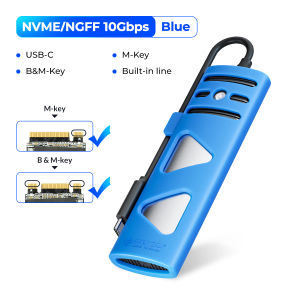
You May Also Like
Popcorn 128GB microSDXC UHS-I Memory Card with Adapter - Up to 100MB/s C10 U3 V30 4K 5K A2 Micro SD Card - SDSQXAA-128G-GN6MA
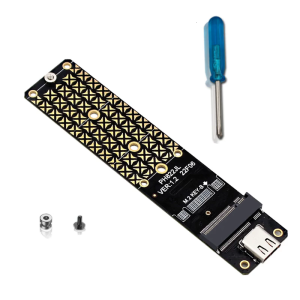
M.2 Solid States Disk SSDs To USB C Adapter 10Gbps Speed Hard Disk Adapter JMS580 Chip for 2230/2242/2260/2280

TERRAMASTER D9-320 Hard Drive Enclosure - 9Bay USB 3.2 Gen2 10Gbps Type-C External HDD Storage Independent Power Control for Each Bay Hot Swappable Plug and Play US Plug (Diskless)
Sandisk Extreme Go USB 3.2: High-Speed Portable Storage
Samsung Evo Plus V10 Nand Class 10 w/ Adapter microSDXC Memory Card | Capacity: 64GB 128GB 256GB 512GB 1TB Micro SD | Samsung SD Card
SanDisk SDCZ50 Cruzer Blade USB2.0 Flash Disk 16GB/32GB/64GB/128GB Flash Stick Pen Drive
【E-WOITD】 mSATA SSD to 2.5 SATA 6.0 adapter converter card module board mini pcie ssd

70s Music Video Set 6 in 64GB USB Flash Drive 192TV Show from 1970 1973 1974 1976 1977 1979 MP4 File Collection Very Rare Music Video Show Plus Free Surprise Gift Plus Free Android OTG

The Midnight Special TV show V4 from the 1970s Episodes 30 to 39 Video Collection English DUBBED on 32GB Flash Drive Includes Free Surprise Gift

Laptop Bag Carrying Bags for 11 12 13 14 15 16in Computer Notebook Sleeve Protective Business Shockproof Bags
Durable Metal Screws for P5 Gaming Host SSD Easy Install Mounting Screw Nut Set Replacement Repair Spare Accessories