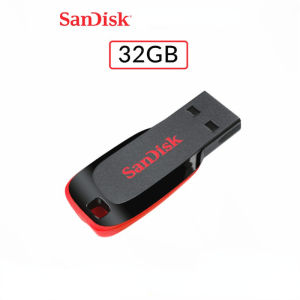
SanDisk SDCZ50 Cruzer Blade USB2.0 Flash Disk 16GB/32GB/64GB/128GB Flash Stick Pen Drive
SanDisk SDCZ50 Cruzer Blade USB2.0 Flash Disk 16GB/32GB/64GB/128GB Flash Stick Pen Drive
Introduction to SanDisk Cruzer Blade USB2.0 Flash Drive
The SanDisk Cruzer Blade USB2.0 Flash Drive is a high-speed data transfer and compact storage device designed for users who value portability, durability, and affordability. Available in four storage options - 16GB, 32GB, 64GB, and 128GB - this flash drive is perfect for storing and transferring files, documents, photos, and videos.
Key Features of SanDisk Cruzer Blade USB2.0 Flash Drive
-
High-Speed Data Transfer: Experience lightning-fast data transfer speeds with the SanDisk Cruzer Blade USB2.0 Flash Drive. It supports USB2.0 technology, allowing you to quickly copy and paste files between devices.
-
Compact Pen Drive Storage: The Cruzer Blade is small enough to fit in your pocket, making it easy to carry around and store important files on-the-go.
-
Durable Design: Built to last, the Cruzer Blade features a robust design that can withstand daily wear and tear, ensuring long-term use.
-
Affordable Price Point: With its competitive pricing, the SanDisk Cruzer Blade USB2.0 Flash Drive offers excellent value for money, making it an ideal choice for budget-conscious consumers.
How to Use SanDisk Cruzer Blade USB2.0 Flash Drive
Connecting the Flash Drive to Your Device
To connect the SanDisk Cruzer Blade USB2.0 Flash Drive to your computer, simply plug it into an available USB port. Your device will automatically detect the flash drive, and you can start using it immediately.
Transferring Files to and from the Flash Drive
Transferring files to and from the Cruzer Blade is simple. Simply drag and drop the desired files from your computer to the flash drive, or vice versa. Remember to properly disconnect the flash drive before removing it from your device.
Properly Disconnecting the Flash Drive
Before unplugging the SanDisk Cruzer Blade USB2.0 Flash Drive, make sure to safely eject it from your computer. On Windows, click the Safely Remove Hardware icon in the system tray, select the Cruzer Blade, and wait for the confirmation message before removing it. On Mac, drag the flash drive icon to the Trash or Eject button in Finder.
Advantages of SanDisk Cruzer Blade USB2.0 Flash Drive
Fast Data Transfer Speeds
The SanDisk Cruzer Blade USB2.0 Flash Drive offers fast data transfer speeds, allowing you to quickly copy and paste files between devices. With its support for USB2.0 technology, you can enjoy seamless file transfers without waiting for long periods.
Durable Design for Long-Term Use
Designed to last, the Cruzer Blade features a robust construction that can withstand daily wear and tear. Its compact size makes it easy to carry around, while its durable design ensures long-term use.
Affordable Price Point
With its competitive pricing, the SanDisk Cruzer Blade USB2.0 Flash Drive offers excellent value for money. Available in four storage options - 16GB, 32GB, 64GB, and 128GB - there's a Cruzer Blade to suit every budget.
Frequently Asked Questions About SanDisk Cruzer Blade USB2.0 Flash Drive
What is the difference between USB2.0 and USB3.0?
USB2.0 and USB3.0 are two different versions of the Universal Serial Bus (USB) standard. USB2.0 supports data transfer rates up to 480 Mbps, while USB3.0 offers significantly faster transfer rates of up to 5 Gbps. The SanDisk Cruzer Blade USB2.0 Flash Drive is compatible with both USB2.0 and USB3.0 ports, but will operate at USB2.0 speeds if connected to a USB3.0 port.
Can I use this flash drive on both Windows and Mac computers?
Yes, the SanDisk Cruzer Blade USB2.0 Flash Drive is compatible with both Windows and Mac operating systems. You can use it to transfer files between different devices, regardless of the operating system.
What is the warranty period for this product?
SanDisk offers a limited lifetime warranty for the Cruzer Blade USB2.0 Flash Drive. This means that if the product fails due to manufacturing defects, SanDisk will repair or replace it free of charge during the warranty period.

BOVE HDD
You May Also Like

90s Non-Stop Music Videos Remix V2 in 32GB USB. 380+ Music Videos Remix with complimentary gifts
Ready Stock + FREE Shipping + COD: HP USB Flash Drive & Metal Waterproof USB2.0 Pen Drive
High Speed Solid State Mobile Hard Drive High Speed Transfer Large Capacity Practical Mobile Hard Portable External Extended Hard Drive
SanDisk Ultra Fit CZ430: High-Speed Performance USB Drive with SecureAccess & RescuePRO Deluxe Software
ORICO Portable SSD 3500MB/s External Solid State Drive 4TB 2TB 1TB Type- C Aluminum Alloy PSSD Built-in Cooling Fan (R40)

The Soul Train Music TV Show Vol. 1 2 and 3 Music Video Collection English DUBBED on 32GB Flash Drive Includes Free Surprise Gift
SanDisk 32GB Ultra Dual Drive OTG USB Type C SDDDC2 Black USB3.1 Type C Reversible Connector Retractable Design On-the-Go Storage Device for Type-C Enabled Android devices 5-Year Limited Warranty / SDDDC2-032G-G46
SANDISK® Extreme SD Card UHS-I ~ 32GB (SDSDXVT)
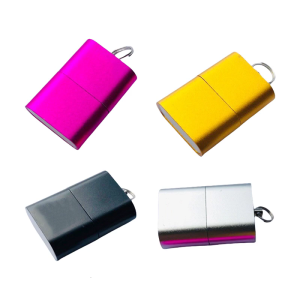
USB2.0 Reader Memory Stick Adapter USB to TF Reader for Camera Phone Laptop Computer Memory Reader
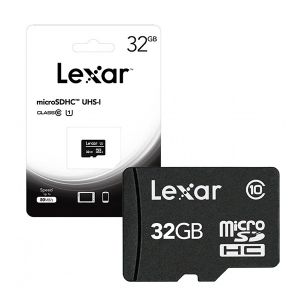
Lexar MicroSD Card: A Reliable Choice for Surveillance Cameras & More
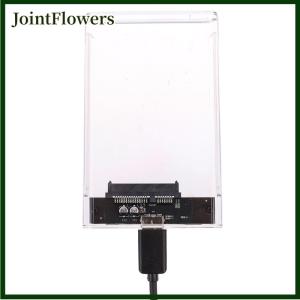
JointFlowers 2.5 USB 3.0 to SATA SSD HDD Hard Drive Disk External Case Enclosure