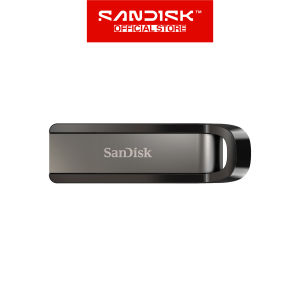
Sandisk Extreme Go USB 3.2: High-Speed Portable Storage
Sandisk Extreme Go USB 3.2: High-Speed Portable Storage
Introduction to Sandisk Extreme Go USB 3.2
The SanDisk Extreme Go USB 3.2 flash drive is a portable storage device designed for high-speed data transfer. It comes in two capacities: 256GB and 128GB, making it suitable for users who require ample storage space for their files, documents, and multimedia content.
Key Features
- High-speed data transfer: The SanDisk Extreme Go USB 3.2 offers sequential read speeds up to 400MB/s and sequential write speeds up to 240MB/s, making it ideal for transferring large files quickly.
- Compact design: With dimensions of 0.41" x 0.71" x 2.38", the flash drive is small enough to carry around in your pocket or bag.
- Limited lifetime warranty: SanDisk provides a limited lifetime warranty, giving users peace of mind knowing their investment is protected.
Comparing 256GB & 128GB Models
The primary difference between the two models lies in their storage capacity. The 256GB model offers double the storage space compared to the 128GB model, making it suitable for users who require more storage for their files, documents, and multimedia content.
How to Maximize Your Experience with Sandisk Extreme Go USB 3.2
To get the most out of your SanDisk Extreme Go USB 3.2, it's essential to understand how to optimize its performance and data transfer speed.
Understanding Sequential Read & Write Performance
Sequential read and write performance refers to the speed at which data is transferred to and from the flash drive. The SanDisk Extreme Go USB 3.2 offers sequential read speeds up to 400MB/s and sequential write speeds up to 240MB/s, making it ideal for transferring large files quickly.
Tips for Optimal Data Transfer Speed
- Use a USB 3.2 port: To achieve the maximum speed, connect the flash drive to a USB 3.2 port on your computer or device.
- Use a compatible host device: The speed of the flash drive depends on the capacity and speed of the host device. To achieve the maximum speed, use a host device that supports USB 3.2 and has sufficient processing power.
Sandisk Extreme Go USB 3.2: A Comprehensive Guide
To get started with your SanDisk Extreme Go USB 3.2, follow these steps:
Unboxing & Setup
- Remove the flash drive from the packaging.
- Connect the flash drive to a USB 3.2 port on your computer or device.
- Follow the on-screen instructions to format the flash drive if necessary.
Warranty & Support Information
SanDisk provides a limited lifetime warranty for the Extreme Go USB 3.2 flash drive. For more information on warranty coverage and support, visit the SanDisk website or contact their customer service team.
Conclusion & Final Thoughts
The SanDisk Extreme Go USB 3.2 is a high-speed portable storage device that offers excellent performance and reliability. With its compact design, high-speed data transfer capabilities, and limited lifetime warranty, it's an ideal choice for users who require ample storage space and fast data transfer speeds.

Sandisk
Review
You May Also Like

💕 Store opening 💕 2 5 10pcs M.2 SSD Hard Disk Buckle For M710q M910q M910X M720q M920q M920X M730q M930q M70q M80q M90q M740q P330 P340 Etc
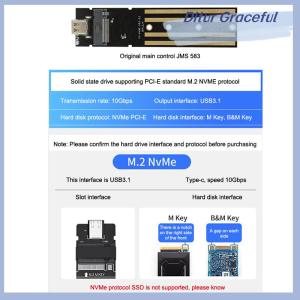
Ditur M.2 NVME PCIe NGFF SATA Protocol Case Clear USB Type C 10Gbps PCI-E Transparent External Hard Disk Box Case For Laptop Phone
【Local Delivery】Toshiba original External Hard Drive USB3.0 High Speed Expansion Hard Drive 1TB/2TB Portable 2.5"HDD
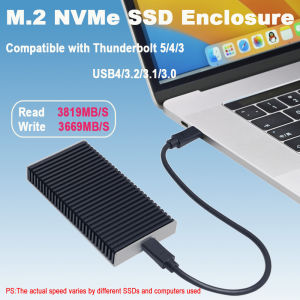
40Gbps USB4 M.2 NVMe SSD Enclosure Compatible with Thunderbolt 5/4/3 USB3.2/3.1/3.0 Support M/B+M Key for MacBook M1 M2 Pro/Max

PRINT ONLY 1pc Customized/Personalized PVC card with NFC Chip NTAG 213

ULTIMATE PLAYLIST MUSIC COLLECTION | USB FLASH DRIVE / MEMORY CARD | MP3 320 KBPS QUALITY + OTG
MicroPowerTech V380 PRO MicroSD Card 32GB-128GB - 100MB/s High Speed for Phone & Camera
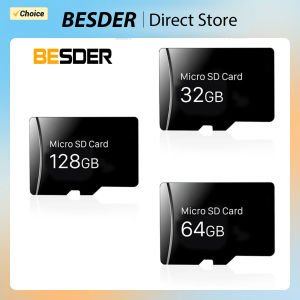
BESDER 128GB 64GB 32GB Class 10 TF Card Memory card Micro SD card for Security Camera IP Camera TF card For WiFi Camera IP
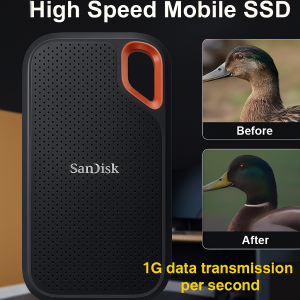
Mobile Solid State Drives High Speed Solid State Mobile Drives Solid State Mobile Drives
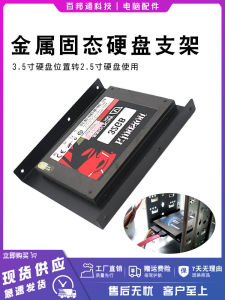
Metal Thickening 2.5 to 3.5 Hard Disk Rack & 2.5-Inch SSD Bracket
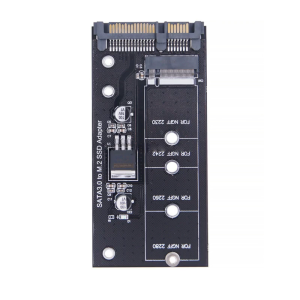
Hard Disk M.2 Adapter M.2 SATA3 Adapter Risers M.2 to SATA3 Adapter M.2 Converter SATA3 for 2230-2280 M.2 SATA3 Hard Disk