ORICO Super Fast Speed 3.0 Type-C USB4 NVMe SSD Enclosure: Key Features & Benefits
ORICO Super Fast Speed 3.0 Type-C USB4 NVMe SSD Enclosure: Key Features & Benefits
Introduction to ORICO M.2 SSD Case
An M.2 SSD Case is a protective enclosure designed to house an M.2 Solid State Drive (SSD), providing a convenient way to access its storage capacity through external interfaces. These cases offer enhanced performance, reliability, and compatibility with various devices.
What is an M.2 SSD Case?
An M.2 SSD Case is a compact, portable device that houses an M.2 SSD, allowing users to connect it to their computers via external interfaces like USB Type-C. This makes it easy to transfer files, store data, and enjoy faster read/write speeds compared to traditional hard drives.
Why Choose ORICO M.2 SSD Case?
ORICO's M.2 SSD Case offers exceptional value, combining durability, reliability, and compatibility with various interfaces. With its aluminum construction, support for Thunderbolt 3, and high-speed transfer rates, this case is perfect for professionals and enthusiasts alike.
Key Features & Specifications
High-Speed Transfer Rates
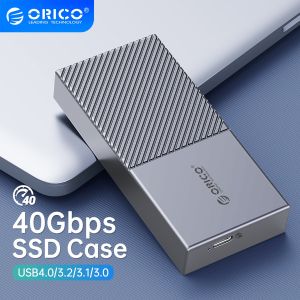
The ORICO M.2 SSD Case supports 40Gbps PCIe3.0 transfer rates, enabling ultra-fast read/write speeds of up to 2700MB/s and 1400MB/s, respectively. This ensures seamless data transfer and reduced wait times.
Compatibility with Various Interfaces
This case is compatible with Thunderbolt 3, Thunderbolt 4, USB3.2, USB 3.1, and USB 3.0 Type-C interfaces, making it versatile and adaptable to different devices. It even comes with a 2-in-1 cable (USB C to C and USB C to A) to accommodate various connection needs.
Durability & Reliability
Constructed from high-quality aluminum, the ORICO M.2 SSD Case provides excellent protection for your M.2 SSD. Its robust design ensures longevity and stability, while the sleek silver/gold/grey finish adds a touch of style.
How to Use ORICO M.2 SSD Case
Connecting the Enclosure to Your Device
To connect the ORICO M.2 SSD Case to your device, simply plug the included USB C to C or USB C to A cable into both the enclosure and your computer. The case will automatically detect and initialize the M.2 SSD, allowing you to access its storage capacity.
Installing Your M.2 SSD
Installing your M.2 SSD in the ORICO M.2 SSD Case is straightforward. First, remove the case's top cover by unscrewing the provided screws. Next, carefully insert your M.2 SSD into the designated slot, ensuring proper alignment with the connectors. Finally, secure the top cover back onto the case and reconnect the cable to your device.
Troubleshooting Common Issues
If you encounter any issues with the ORICO M.2 SSD Case, try the following troubleshooting steps:
- Verify that the M.2 SSD is properly installed and aligned within the case.
- Check that the cable is securely connected to both the enclosure and your device.
- Try using a different cable or port to rule out connectivity issues.
- If problems persist, consult the ORICO support documentation or contact their customer service for assistance.

Orico Transmission Mall
Review
You May Also Like

COFFEE SHOP MUSIC COLLECTION | JAZZ INSTRUMENTAL | USB Flash Drive with Song Music | MP3 320 KBPS HIGH QUALITY MUSIC
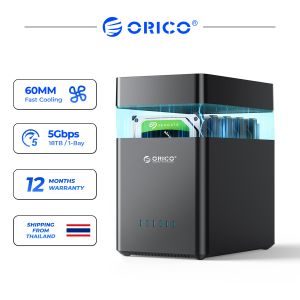
ORICO DS Series 2 Bay 3.5 USB3.0 Type C Hard Drive Enclosure HDD Case Support UASP 12V4A Power
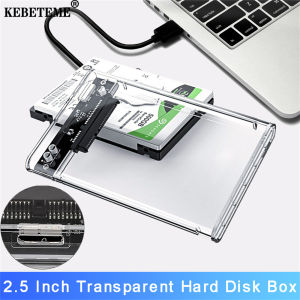
KEBETEME Hard Disk Boxs USB 3.0 2.5 Inch HDD SSD Enclosure External 5 Gbps Support 2TB
![🔥HOT🔥 [🇵🇭 Stock&COD] Android OTG Phone Keybaord and Mouse Kit with PU Leather Phone Case Compatible with All OTG OPPO Vivo Huawei Xiaomi Android Phone](https://img.lazcdn.com/g/p/1826a0836880c2762a8a80b986ea41f7.jpg_300x300q80.jpg)
🔥HOT🔥 [🇵🇭 Stock&COD] Android OTG Phone Keybaord and Mouse Kit with PU Leather Phone Case Compatible with All OTG OPPO Vivo Huawei Xiaomi Android Phone

60s Music Set 7 In 32GB USB Famous Old Music Artist from The Cowsills The Move The New Colony Six The Peppermint Rainbow The Peppermint Trolley Company The Yellow Balloon Wayne Fontana & The Mindbenders with Free OTG Adapter and Surprise Gift
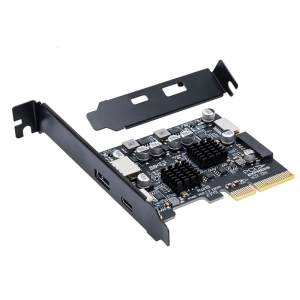
USB PCIE Type C Adapter PCIE 4X To USB 3.2 10Gbps Data Transfer Expansion for Desktop Motherboard
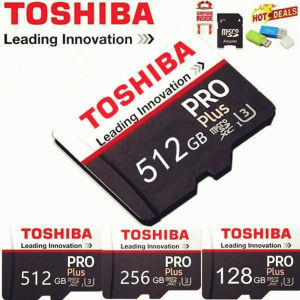
🔥100% Original Product + FREE Shipping + Free Send Adapter + Card Reader 🔥
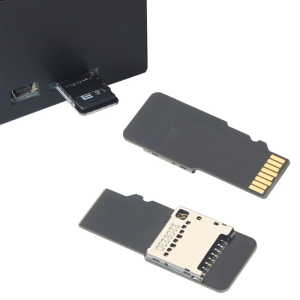
Extension Extender Adapters Memory for SDXC 3D Printer TV

U&H V004 Cat Paws USB Pendrive Student Gifts Flash Disk Pen Drive 8GB/16GB/32GB/64GB/128GB/265GB For Desktops Laptops Keychain
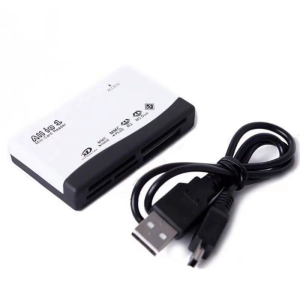
6 in 1 TF CF XD MS Memory Reader Home Office Portable External USB Adapter Reading Writing Converter

KODAK Professional SD Memory Card V60 Class 10 U3 UHS-II 128GB 256GB 512GB SDXC UP to 280MB/s Memory Card for Camera 4K HD