


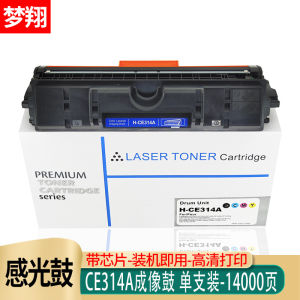
(HD1) Applicable to Hp 1025 Imaging drum ce314a cp1025nw m176n m177fw m275nw Photosensitive Drum
Brand: Mengxiang Compatible with HP 1025 imaging drum, HP CP1025nw M175nw M176n M177fw photoconductor drum, CE314A imaging toner cartridge, LBP7010C 7018C CRG-029 toner cartridge Compatible product name: Suitable for HP CE314 Compatible machines: HP Laserjet ProCP1021/CP1022/CP1023/CP1025/CP1025nw/CP1026nw/CP1027nw/CP1028nw,HP LaserJet 200 color MFP M175nw/M175a/ M175b/ M175c/ M175e/M175p/M175r/M275s/M275t/M275u/M275nw,Canon LBP 7010C/7018C Print yield: Approximately 14,000 pages under DreamX/IEC 19752 5% average coverage Printing effect: Natural colors! We offer OEM processing services, with discounts available for large quantities Packaging: Bubble bag packaging/Mengxiang brand packaging/All-English neutral color After-sales service: This product is a compatible consumable. If there are quality issues with the product, it can be returned or exchanged, and the return shipping cost will be borne by our company.
Company Profile: Zhongshan Mengcai Printing Supplies Co., Ltd. has been dedicated to the production, development, and sales of printing supplies and copier supplies.The product line covers nine major categories, including inkjet printer cartridges, laser printer toner cartridges, copier toner cartridges, toner, continuous ink systems, ink, and ribbons, with more than 3000 varieties. 2. Company Purpose In 2012, adhering to the principle of customer value-oriented, we independently developed and designed product structures.Zhongshan Mengcai boldly innovates its business model, launching an industry-leading marketing service center that integrates telemarketing, e-commerce, and advanced trading platforms. Through a consultant-based marketing team and a comprehensive, personalized service system, it provides customers with one-stop customized marketing services, ranging from product consultation and ordering to after-sales service, significantly enhancing customer satisfaction. Company size After years of meticulous work, Zhongshan Mengcai Printing Supplies Co., Ltd. has established a marketing network covering major provinces and cities across the country and built a strong sales and technical support team. It serves more than 1,000 distributors and sales outlets worldwide and, in collaboration with distributors, has jointly established Mengcai as a powerful global provider of printing solutions. In today's market, where competition is increasingly fierce, we firmly believe that a sufficient quality-price ratio is the fundamental guarantee for our further development.We meticulously select raw materials, are meticulous in the processing steps, and strictly control the testing process, thereby ensuring the high quality of every product. Corporate Culture
1.Corporate mission: Create value for society, provide services to customers, and realize the dreams of employees. 2.Enterprise Spirit: Loyalty, Realism, Innovation, and Win-Win. 3.Business Philosophy: Pay attention to customer needs, focus on product quality, and win the market through credibility. 4.Management system: People-oriented, rigorous and complete, clear responsibilities, efficiency first, team cooperation, common development 5. Talent Philosophy: There are no boundaries to talent standards, no limits to talent requirements, and outstanding employees are key to the development of the company 6. Fundamental Motivation; Only what shines is gold; talent needs to be discovered and even more so, it needs to be cultivated 7. Business Ethical Standards: Comply with laws and regulations, operate with integrity, maintain professional conduct, and engage in fair competition. 8. Corporate image slogan: Dream翔打印科技,创造精彩生活。 9. Company product slogan: Dream翔/ZSMC - Colors of Dreams
How to use the toner cartridge: 1Open the printer's top cover and remove the used toner cartridge. 2Use a vacuum cleaner or a soft cloth to clean the visible areas of the printer where toner and paper scraps have fallen. 3Open the new toner cartridge packaging and remove the bubble wrap and black plastic bag. 4Gently shake the handheld toner cartridge left and right in parallel5-6Next, to loosen the toner powder in the powder chamber. 5Place the toner cartridge on a level surface with the protective cover facing up, remove the protective paper, and ensure the seal is in a horizontal position. Pull the seal straight out in a horizontal direction.It is normal for a small amount of toner to be released when sealing the bag; this is not a toner leak, so please use it with confidence. 6Insert the toner cartridge into the printer and close the printer cover.Turn on the machine power, and it will function normally Note:
- Please do not touch the surface of the photosensitive drum or rotate the photosensitive drum to avoid affecting print quality.
- During the initial printing, if you notice blurry text or periodic white lines, you can print several sheets of text paper in succession to eliminate this phenomenon.
- The shelf life of this toner cartridge is24months, please use it as soon as possible within the shelf life.
- If the toner cartridge has not been used for a long time, please shake it evenly before use. Common Problems and Solutions for Toner Cartridges:
- Toner leakage from the toner cartridge: First, check if the casing is damaged. This may be due to damage during transportation or because some customers have accumulated toner powder on the magnetic rod inside the toner cartridge during use.The solution is to turn the drum core a few times in the correct direction.
- Vertical thin black lines appear on the printout: The reason is that the scraper or the small blade on the scraper edge has picked up dirt or paper scraps.
- Horizontal black bars appear in the printed document: The reason is that the magnetic roller in the toner cartridge has accumulated toner powder; rotating it a few times can resolve the issue.
- If there is obvious background graying on the printed document: there may be a problem with the drum core or the toner, please replace it promptly.
- The printed documents have uneven colors and visible white streaks: Remove the toner cartridge, shake it well, and then reinsert it into the printer for use. If the problem persists, it indicates that the toner cartridge is depleted. Please replace the cartridge or refill it promptly. Tips for Using Toner Cartridges:
- When installing or removing the toner cartridge, the printer should first be powered off. 2. Before installing the new toner cartridge into the printer, shake it gently several times to loosen and evenly distribute the toner, ensuring proper printing performance. 3. Avoid direct exposure of the photosensitive drum core to light, and do not touch the photosensitive drum core with your hands. 4. When the toner is running low and the print quality is no longer clear and uniform, take out the toner cartridge and shake it a few times, and you can continue printing for several dozen pages. 5. To avoid affecting normal office operations, users should always keep a new toner cartridge as a backup. 6. Used empty selenium containers should be properly packaged and stored to avoid polluting the environment. (2) Common Phenomenons and Solutions for Toner Cartridges
- Toner leakage from the toner cartridge: In addition to damage to the outer casing, this is usually caused by the accumulation of toner powder on the magnetic rod inside the cartridge during transportation or by some customers during use. The solution is simple: just rotate the drum core in the correct direction a few times.
- When the same number of vertically running black lines of equal width appear on both the printed document and the drum core, customers generally assume it is a toner leakage: this indicates a problem with the scraper, which prevents the toner on the drum core from being scraped off cleanly.
- Vertical thin black lines appear on the printed document: This is usually because the scraper and the small scraper on the edge of the scraper have accumulated dirt or paper scraps.
- Horizontal black lines appear in the printed document: This is usually because the magnetic roller in the toner cartridge is clogged with toner powder; just rotate it a few times and it should resolve the issue.
- The appearance of obvious background gray on printed documents: This usually indicates a problem with the drum core or toner.
- The printed document's color is uneven, with obvious white streaks: Check if the toner is still visible on the magnetic roller from the outside. If you see that some areas of the magnetic roller have toner while others do not, it indicates that the toner in this toner cartridge has run out.
- If the printer prints a blank page: first check if there is a problem with the printer. If there is no problem, it means there was an issue with the toner cartridge during assembly.
- Apart from the above issues, it can usually be considered that the printer has a problem. (3) Warranty Details:The toner cartridges produced by our company are covered under warranty if the following conditions occur during normal use:1. Unusual noise caused by a malfunction of the toner cartridge itself;2. The printout shows issues affecting print quality, such as background gray, black edges, black stripes, and white stripes; (White stripes caused by running out of toner are not covered under warranty. When there are light colors or white areas, simply remove the drum unit from the machine, shake it horizontally a few times, and then reinsert it into the machine. If the white areas change position or a few more pages can still be printed normally, it indicates that the toner is running low. If large white pages appear, it indicates that the toner is completely used up.)
- The quality guarantee period for the toner cartridges produced by our company is one usage cycle, and the toner capacity is not less than 30% (4) During the use of this product by the user, if the product exhibits the following conditions, the company will not be liable for warranty obligations;
- Privately removing or damaging the company's fragile seal paper;2. Due to the use of adhesive or related sticky paper, there are obvious glue marks or scratches on the photosensitive drum;3. The surface of the photosensitive drum has obvious signs of human-made scratches, scratches or damage caused by foreign objects, or signs of being dropped4. The surface of the toner cartridge has obvious signs of damage and impact marks;5. The seal has been broken, but there are no quality issues with the printout;6. The drum shell is broken, recycled and reinforced with powder, the drum shell is perforated, destroying the original structure, and the drum shell falls apart;7. The toner is about to run out; (5) Return and Exchange Policy (If the following issues are found upon testing, the product will not be exchanged):
- Damage or scratches on the drum core surface caused by human actions, damage caused by improper use, or damage caused by replacing the drum core with a product not from our company.
- The toner cartridge's casing is damaged, and the user refills it with toner and damages the original structure.
- The user has applied a seal, and there are no quality issues when printing on the machine, or quality issues are caused by the user printing on special materials or paper (excluding sulfuric acid paper).4. Users are not allowed to privately tear or alter the product code.If there is any unauthorized tearing or alteration of the product number, our company will treat it as a non-company product and issue a severe warning.
- Toner cartridges that have been refilled with toner by the user.
- For toner cartridges requested for return or exchange by the user, the distributor must inspect and confirm that the issue is with the toner cartridge. When returning to our company, the cartridge must be properly packaged in its original packaging and accompanied by a defect sample, along with a description of the fault. Otherwise, the return will not be accepted.
- For toner that is requested to be returned or exchanged, the distributor must inspect and confirm that it is a quality issue with the toner, and return it to our company in its original packaging, along with a defective sample and a description of the defect. Otherwise, the return will not be accepted. 8. If the user returns the product without using the company's original packaging for protection, causing damage to the toner cartridge during transportation, the company will not accept returns or exchanges. (6) Friendly Reminder
- This product has passed factory quality inspections, with a defect rate controlled within 0.01%! If you unfortunately purchase a defective toner cartridge, we offer free returns within 7 days of your receipt (the return shipping cost is borne by our store)! 2,We solemnly declare that this product is a brand new, domestically produced, compatible toner cartridge, not an original toner cartridge.
- Our factory only promises to ship within the time frame requested by the buyer! The provided delivery times are for reference only under normal circumstances.If you do not receive it in time, please contact us, and we will assist you in contacting the courier! Since we cannot guarantee the efficiency of the courier company, nor can we know the quality and service attitude of the courier company in your area, we hope this will not become a subjective factor in buyer reviews. Please bear with us.
- If the shop owner is not available, you can place the order and pay on your own. The goods will be shipped as soon as possible upon their return. If there is a price difference, you can apply for a refund after receiving the goods.5. Profit margins are limited, please do not negotiate prices, thank you for your understanding.6. Due to differences in monitor resolution and various factors such as lighting when taking photos, there may be slight color differences between the picture and the actual product. Color differences are not considered quality issues; quality issues refer to defects in the product itself, such as broken lines in printing, black borders, or complete darkness7. Regarding shipping, our store defaults to Yunda Express and Zhongtong Express. For areas where these services are not available, we will use EMS, and you will need to pay the price difference. Therefore, before making a purchase, please make sure to check whether Yunda and Zhongtong Express are available in your area, or you can consult me for assistance in checking.Shipping rates are calculated for items within 1kg kg, and additional charges apply for overweight items.Nowadays, prices are rising, oil prices are rising, wages are increasing, and shipping costs are also rising. Please understand.If the package cannot be delivered due to personal reasons and is returned, please handle the return shipping costs yourself.Dear, if you want to use a different courier service, please contact me to pay the price difference.Those who place an order but do not pay will affect the store's Alipay usage rate, which is crucial to the store's ability to continue operating. Please be considerate. If payment is not made within 48 hours of placing an order, the store will terminate the transaction!8. When you receive the goods, please open the package and inspect the items before signing for them. If you are dissatisfied with our products, please refuse to sign for them and contact me promptly. I will strive to meet your reasonable demands, as a negative review and low rating can have a significant impact on our store. Please understand us.

CoreDigital
Review

You May Also Like
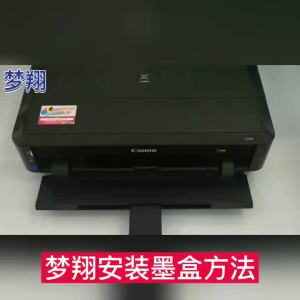
(HD1) Suitable for Canon PGI-270PGBK CLI-271 Refillable ink cartridge MG7720 TS9020 TS8020

C50 Mini Tatto Transfer Printer Wireless Portable Label Printer With Transfer Paper For LOGO Mini Pattern Entry-leve Printing
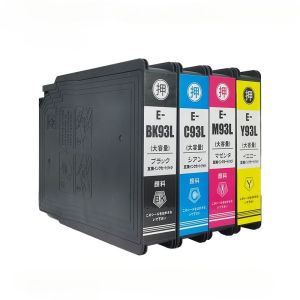
Compatible ICBK93L ICC93L ICM93L ICY93L Ink Cartridges Replacement for Epson PX-M7050F PX-M7050FP PX-M7050FT PX-S7050 Japanese Printers Pigment Ink Black 120ML/Color 62ML
Canon MC-G02 Repair Ink Cartridge Canon G2820 G3020 G1820 G386 0 Waste Ink Bin
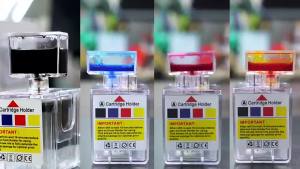
(HD1) Suitable for Canon PG140 CL141 145 146 840 841 845 846 Ink Refill Tool Set
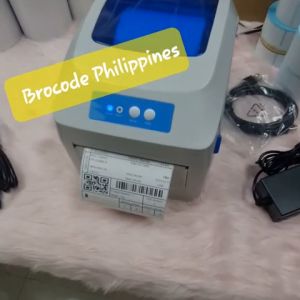
Thermal Printer Gprinter GP-1324D

YILONG Wireless Tattoo Transfer Stencil Printer Machine Papers ATS886

(HD1) Applicable EPSON ICBK80 IC80L IC6CL80 EP-808AW EP-707A Printer Ink Cartridge
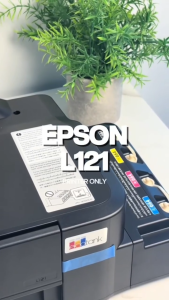
Epson EcoTank L121 Ink Tank Printer USB Connection Compact High Yield Inkjet Printer for Home Office School Business

Canon TM5200 TM5300 TM5250 Black 300mL PFI8320
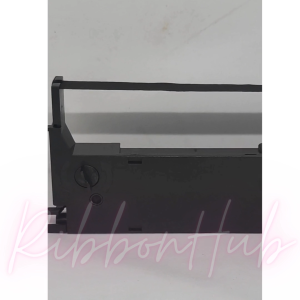
Epson LQ-350 LQ350 Epson LQ-100 LQ100 Ribbon Cartridge S015633