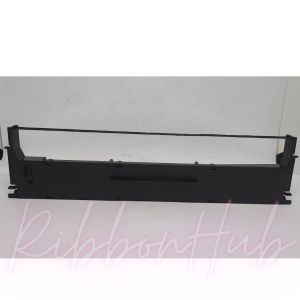
Epson LQ-350 & LQ-100 Ribbon Cartridge S015633 Explained
Epson LQ-350 & LQ-100 Ribbon Cartridge S015633 Explained
What is an Epson LQ-350 & LQ-100 Ribbon Cartridge?
The Epson LQ-350 and LQ-100 printers are popular dot matrix printers known for their durability and reliability. To ensure optimal printing performance, these printers require compatible ribbon cartridges like the S015633 Epson ribbon. This article will guide you through understanding the S015633 ribbon, choosing the right replacement ribbon, installing it, and extending its lifespan.
Understanding the S015633 Epson Ribbon
The S015633 ribbon cartridge is a high-quality replacement ribbon specifically designed for Epson LQ-350 and LQ-100 printers. It offers excellent print quality and durability, ensuring consistent results for various printing tasks. The S015633 ribbon is known for its compatibility, making it a reliable choice for users who want to maintain their printer's performance.
Key Features of LQ-350 & LQ-100 Compatible Ribbons
When selecting a compatible ribbon for your Epson LQ-350 or LQ-100 printer, consider the following features:
- High-quality print output: Look for ribbons that offer consistent, high-quality prints.
- Compatibility: Ensure the ribbon is compatible with your specific printer model.
- Durability: Choose ribbons that last longer to reduce replacement frequency.
- Cost-effective: Compare prices to find the best value for your budget.
How to Choose the Right Ribbon for Your Epson Printer
Selecting the right ribbon cartridge for your Epson LQ-350 or LQ-100 printer involves evaluating quality, compatibility, and cost considerations.
Evaluating Quality & Compatibility
To choose the right ribbon, consider the following factors:
- Quality: Look for ribbons that offer high-quality print output and consistent performance.
- Compatibility: Verify that the ribbon is compatible with your specific printer model.
- Durability: Opt for ribbons that last longer to reduce replacement frequency.
Cost Considerations
When choosing a ribbon cartridge, weigh the cost against the quality and durability. While cheaper options might seem attractive, they could result in frequent replacements and poor print quality. It's essential to find a balance between cost and performance.
How to Install an Epson LQ-350 & LQ-100 Ribbon Cartridge
Installing a new ribbon cartridge is a straightforward process. Follow this step-by-step guide to ensure proper installation:
- Turn off your printer and unplug it from the power source.
- Open the printer cover and locate the ribbon cartridge holder.
- Remove the old ribbon cartridge by pulling it out gently.
- Insert the new ribbon cartridge into the holder, ensuring it locks into place.
- Close the printer cover and reconnect the power source.
- Turn on your printer and perform a test print to verify proper installation.
Troubleshooting Common Issues
If you encounter issues during installation or printing, try the following troubleshooting steps:
- Check ribbon cartridge alignment: Ensure the ribbon cartridge is properly aligned in the holder.
- Clean the ribbon cartridge: If prints are blurry or faded, clean the ribbon cartridge with a soft, lint-free cloth.
- Replace the ribbon cartridge: If the ribbon cartridge is worn out or damaged, replace it with a new one.
How to Extend the Lifespan of Your Epson LQ-350 & LQ-100 Ribbon Cartridge
To maximize the lifespan of your ribbon cartridge, follow these storage and maintenance tips:
Proper Storage Tips
- Store in a cool, dry place: Keep the ribbon cartridge away from direct sunlight and moisture.
- Keep the cartridge sealed: Store the ribbon cartridge in its original packaging until ready for use.
- Avoid extreme temperatures: Do not expose the ribbon cartridge to extreme heat or cold.
Maintenance & Cleaning Techniques
- Clean the ribbon cartridge regularly: Use a soft, lint-free cloth to remove dust and debris from the ribbon cartridge.
- Check for damage: Inspect the ribbon cartridge for signs of wear or damage before each use.
- Replace the ribbon cartridge when needed: Regularly replace the ribbon cartridge to maintain optimal print quality.
By following these guidelines, you can ensure that your Epson LQ-350 and LQ-100 printers continue to produce high-quality prints while extending the lifespan of your ribbon cartridges.

RibbonHub.ph
Review

You May Also Like
Painting Graffiti Use Color Pen Peripage A40 Therma A4 Printer Wireless Bundle Fold Paper for Office Electronics Computer Printing Maker Painting Graffiti Use Color Pen
Applicable to Hp 652 Ink Cartridge HP DeskJet HP1115 HP2135 HP3635 HP1118 Printer
Enhances Precisions Nylon Drag Chain For Plus 3D Printing Machines Prevents Abrasion And Cable Damage

Tulco Stripper (Screen Printing Supply)
Bambu Cool Plate (SuperTack) Bambu Lab X1 P1 A1 Series FAP023
PPS Ink Cartridge Sub Tank with Floater for Large Format Solvent Printer 220ml (4 pieces) Ppss Cartridge Plastisol Ink - Lazada

SUNLU PLA + Filaments Series 1.75mm 1KG

24in glossy photo paper roll for dye printer without self adhesive
ETQ Compatible Kyocera Toner Powder Monochrome 1Kg
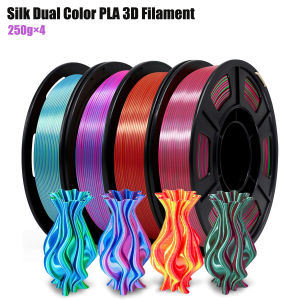
Silk Dual Color Coextrusion PLA 3D Filament - 1.75mm (±0.03mm) Compatible with Most 3D Printers 250g×4 Color Pack
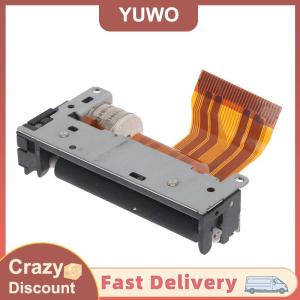
YUWO LTP01-245-11 LTP01-245-01 LTP01-245-08 Thermal print head for receipt printing