ABS Shell for TTGO T-Display ESP32 WiFi Bluetooth-compatible Module 1.14-inch LCD Development Board
ABS Shell for TTGO T-Display ESP32 WiFi Bluetooth-compatible Module 1.14-inch LCD Development Board
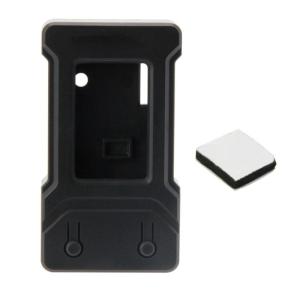
The ABS Shell for TTGO T-Display is a sleek and sturdy enclosure designed specifically for the popular 1.14-inch LCD Development Board, which comes equipped with an ESP32 WiFi Bluetooth module. This article will delve into the key features, benefits, installation process, troubleshooting tips, and compatible devices and accessories associated with this innovative product.
What is the ABS Shell for TTGO T-Display?
The T-Display Shell is made of black ABS and can be adapted to the current TTGO T-Display and TTGO T-Display RP2040. This robust shell provides excellent protection against dust, moisture, and accidental damage while maintaining a sleek and professional appearance.
Key Features
- Durable Construction: Made from high-quality black ABS material, the shell ensures long-lasting durability and resistance to wear and tear.
- Customized Design: Tailored specifically for the TTGO T-Display and TTGO T-Display RP2040, the shell offers a perfect fit and seamless integration.
- Compact Size: With dimensions optimized for the 1.14-inch LCD Development Board, the shell allows for easy portability and convenient handling.
Benefits of Using the ABS Shell
- Enhanced Protection: The ABS Shell shields the sensitive components of the development board from external elements, ensuring optimal performance and longevity.
- Improved Aesthetics: The sleek and professional appearance of the shell elevates the overall look of the project, making it suitable for both personal and commercial applications.
- Ease of Use: The customized design of the shell simplifies the installation process, allowing users to focus on their projects without worrying about compatibility issues.
How to Use the ABS Shell with TTGO T-Display
Installation Process
- Prepare the Development Board: Ensure that the TTGO T-Display or TTGO T-Display RP2040 is clean and free from any debris or dust.
- Align the Shell: Carefully align the shell with the development board, making sure that all the ports and connectors are properly positioned.
- Secure the Shell: Gently press the shell onto the development board until it clicks into place, securing it firmly.
Troubleshooting Tips
- Check for Proper Alignment: If the shell does not fit snugly, double-check that the development board is aligned correctly before attempting to secure it.
- Inspect for Damage: If the shell becomes loose or detached, inspect both the shell and the development board for any signs of damage or wear and tear.
- Refer to the User Manual: For more detailed guidance on installation and troubleshooting, refer to the user manual provided with the ABS Shell.
Compatible Devices & Accessories
Development Board Accessories
- USB Cable: Connect the development board to a computer or power source using a USB cable.
- MicroSD Card: Expand the storage capacity of the development board by inserting a MicroSD card.
- External Sensors: Enhance the functionality of the development board by connecting external sensors, such as temperature or humidity sensors.
Compatible with TTGO T-Display
- TTGO T-Display: The ABS Shell is specifically designed to fit the TTGO T-Display, offering seamless integration and optimal protection.
- TTGO T-Display RP2040: In addition to the TTGO T-Display, the shell is also compatible with the TTGO T-Display RP2040, providing a versatile solution for various projects.
Conclusion
The ABS Shell for TTGO T-Display ESP32 WiFi Bluetooth-compatible Module 1.14-inch LCD Development Board offers a perfect combination of durability, aesthetics, and ease of use. With its customized design and robust construction, this shell provides excellent protection for the development board while enhancing its overall appearance. By following the installation process and troubleshooting tips outlined in this article, users can easily integrate the ABS Shell into their projects and enjoy the benefits of enhanced performance and longevity.

Skin Sanctuary1
Review

You May Also Like
Jungle Leopard Prism6Pro Computer Case Cooling Fan 12cm ARGB Double-Sided Leaf Silent White Infinity Mirror Computer Hardware
15.6" Intel Core i7 8500Y Laptop Computer PC Windows 11 Pro 16GB DDR 1TB SSD i7 Laptops Office Fingerprint Unlock Notebook PC
15.6" IPS Laptop LCD Touch Screen B156HAK02.3 NV156FHM-T06 LP156WFD-SPK1 Display Matrix Panel Replacement 1920x1080 eDP 40 Pins
10PCS/Lot CPU Cooler Holder Tower Heatsink Bracket Base Backplane for Intel LGA 2011/1366/1700/1200 Motherboard Computer Part
How to Replace the Motherboard for Your TCL LED29F5450
Reliable 4x4Tactile Keypad Board 16Button Input Module For Raspberry DIY Electronics Hobbyists Usage Integration
140W PD3.1 TYPE-C USB PD Voltage Trigger Adapter 5V 9V 12V 15V 20V 28V Fast Charging Protocol Male USB QC/ PD TO DC Power Supply
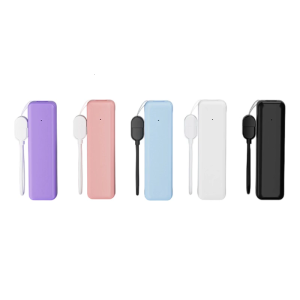
Tiny Transportable Device with Double USB Outputs 21700 Structure Permanent Plastic Housing Multiple Dyes
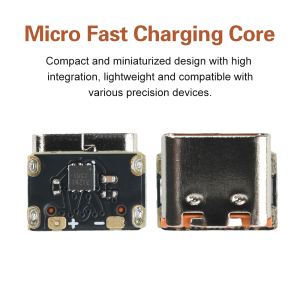
100W 5A TYPE-C PD QC Decoy Voltage Triggers Adapter 9V 12V 15V 20V PD3.0 PD3.1 QC2.0 to DC Fast Charging Power Supply Module
NO.1 Dismantled Desktop Graphics Card HD7750 R7 260X R9 370X HD6570 1G 2G Office Game 4G AMD GDDR3 Chipset Warranty 3 Months
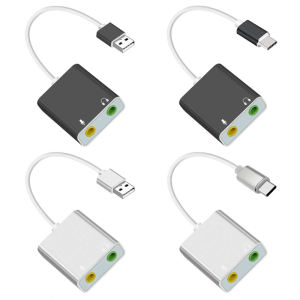
USB Sound Adapter External Stereo Sound Card with 3.5mm Headphone and Microphones Jacks for Win PC Laptop Desktops