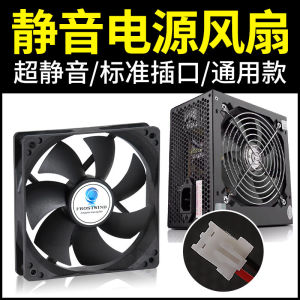
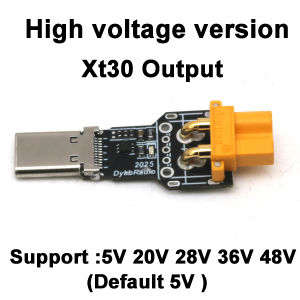
140W PD3.1 TYPE-C USB PD Voltage Trigger Adapter 5V 9V 12V 15V 20V 28V Fast Charging Protocol Male USB QC/ PD TO DC Power Supply
140W PD3.1 TYPE-C USB PD Voltage Trigger Adapter 5V 9V 12V 15V 20V 28V Fast Charging Protocol Male USB QC/ PD TO DC Power Supply
Introduction to 140W PD3.1 Type-C Voltage Trigger Adapter
The 140W PD3.1 TYPE-C USB PD Voltage Trigger Adapter is a high-performance DC power supply designed specifically for fast charging devices. This adapter supports multiple voltage levels, including 5V, 9V, 12V, 15V, 20V, and 28V, ensuring compatibility with a wide range of devices. Its advanced PD3.1 protocol guarantees efficient and safe charging, providing users with a seamless and reliable experience.
Key Features & Benefits
- High-speed charging for various devices
- Compatibility with PD3.1 protocol
- Support for multiple voltage levels
- Safe and efficient charging experience
Compatibility with Various Devices
The 140W PD3.1 Type-C Voltage Trigger Adapter is compatible with a wide range of devices, including laptops, tablets, smartphones, and other USB-C enabled devices. Its versatility makes it an ideal choice for users looking for a reliable and efficient charging solution.
How to Choose the Right Power Supply for Fast Charging
Selecting the right power supply for fast charging requires understanding the specifications of both the power supply and the device being charged. By considering factors such as voltage, wattage, and charging protocol, users can ensure they choose the optimal power supply for their needs.
Understanding Power Supply Specifications
Power supply specifications include voltage, wattage, and charging protocol. Voltage refers to the electrical potential difference between two points, measured in volts (V). Wattage represents the power output of the adapter, measured in watts (W). Charging protocol refers to the communication standard used by the adapter and device during the charging process.
Selecting the Right Voltage & Wattage
When choosing a power supply, it is essential to match the voltage and wattage requirements of the device being charged. For example, a laptop may require a higher voltage and wattage compared to a smartphone. Refer to the device's user manual or manufacturer's website for specific voltage and wattage requirements.
Setting Up & Using the 140W PD3.1 Adapter
Proper installation and usage of the 140W PD3.1 Type-C Voltage Trigger Adapter are crucial for ensuring optimal performance and safety.
Connection & Installation Guide
To connect and install the adapter, follow these steps:
- Locate the USB-C port on your device.
- Connect the adapter's cable to the USB-C port.
- Plug the adapter into a power outlet.
- Allow the device to charge until the battery reaches its desired level.
Troubleshooting Common Issues
If you encounter any issues while using the adapter, refer to the following troubleshooting tips:
- Ensure the adapter is properly connected to both the device and power outlet.
- Verify that the device's USB-C port is functioning correctly.
- Check if the adapter is compatible with the device's charging protocol.
Conclusion & Next Steps
In conclusion, the 140W PD3.1 TYPE-C USB PD Voltage Trigger Adapter offers a high-performance and versatile DC power supply solution for fast charging devices. By understanding power supply specifications and selecting the right voltage and wattage, users can ensure optimal performance and safety. For further resources on fast charging solutions, consult the device's user manual or manufacturer's website.

GlobalLifestyle
You May Also Like

CORSAIR FRAME 4500X RS-R ARGB Panoramic Glass Mid-Tower PC Case CC-9011314-WW/CC-9011315-WW

Summer Bamboos Fan With Willow Pattern Cooling Accessories Lightweight Silk Fabric Chinese Styles Decorative Craft
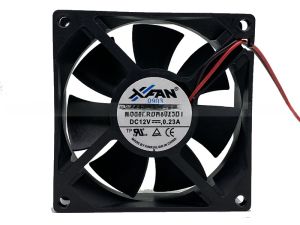
New Original XFAN RDH8025B1 Silent Power Supply Case Fan 12V 0.23A 8cm Computer Hardware Monitor Accessories Cooling Fan

Ehomewei Portable Display 4kQLED R-Type 17-Inch Stroke Computer Cellphone Office Connection Expansion Screen: A Comprehensive Guide
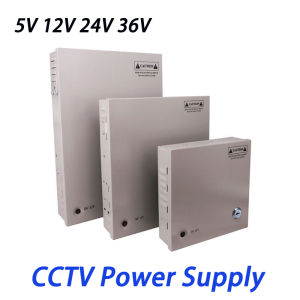
4CH 9CH 18CH DC Power Distribution CCTV Power Supply Box PCB Board Terminal Block 5V 12V 24V 36V 60W/120W/180W/240W/300W/360W Switch Power Supply
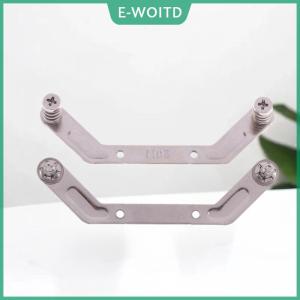
【E-WOITD】 1Set Computer CPU Radiator Mounting Bracket Backplane Accessories For LGA2011 X99 X79 E5 1700 1366 115X 1200 AMD AM2 AM3 AM4 AM5
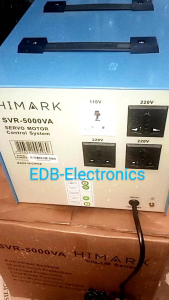
Original SVR Himark AVR Automatic Voltage Regulator AVR 5000watts SVR-5000VA Servo Type AVR Time Delay
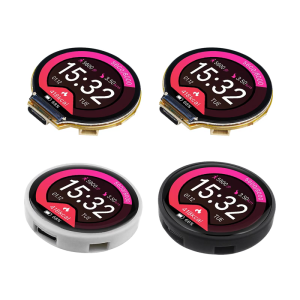
1.28inch Round Screen C3 Control 2424S012 Development Board For Remote IoT Application Development
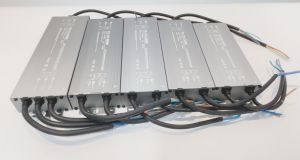
Lighting transformer AC190-240V to DC12V 24V 200W-600W Aluminum outdoor IP67 waterproof switching power supply for LED lighting advertising light boxes
Rechargeable Energy Enhancer Module Power Boost Conversion Board 3.7V to 12V Multiple Level Output Controller

18W/Mk Laptop Thermal Putty Fehonda LTP81 Liquid Thermal Pad 12g 50g 100g Thermal Putty For Pc Vga Gpu Cpu