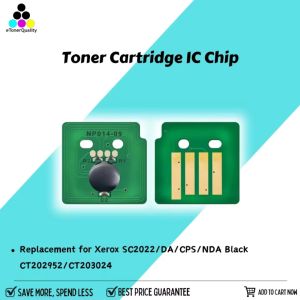
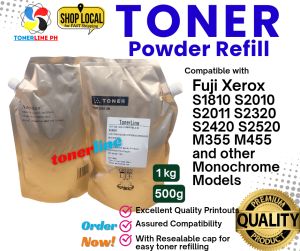
Toner Powder Fuji S1810 S2010 S2110 S2320 S2420 Compatible 1kg/500grams
Toner Powder Fuji S1810 S2010 S2110 S2320 S2420 Compatible 1kg/500grams
Background Context
Fuji printers are widely used in both home and office environments due to their high quality and reliability. Toner powder is a crucial component of these printers, as it determines the print quality and the overall performance of the printer. Compatible toner powder, like the one we will discuss in this article, offers a cost-effective alternative to original Fuji toner cartridges while maintaining excellent print quality.
Importance of Using Compatible Toner Powder
Using compatible toner powder has several advantages over original Fuji toner cartridges:
- Cost-effective: Compatible toner powder is generally cheaper than original cartridges, saving you money in the long run.
- High-quality prints: Compatible toner powder is designed to meet the same standards as original cartridges, ensuring high-quality prints.
- Environmentally friendly: Compatible toner powder helps reduce waste by extending the life of your printer and reducing the number of cartridges sent to landfills.
Choosing the Right Toner Powder
When selecting compatible toner powder for your Fuji printer, consider the following factors:
- Printer model compatibility: Ensure the toner powder is specifically designed for your printer model, such as the S1810, S2010, S2110, S2320, or S2420 models.
- Toner powder capacity: Compatible toner powder is available in different capacities, including 1kg and 500 grams. Choose the capacity that best suits your printing needs.
How to Use Compatible Toner Powder
Follow this step-by-step guide to use compatible toner powder in your Fuji printer:
- Turn off the printer and unplug it from the power source.
- Open the toner cartridge compartment and remove the original cartridge.
- Carefully pour the compatible toner powder into the empty cartridge, ensuring it is evenly distributed.
- Close the toner cartridge compartment and plug the printer back in.
- Turn on the printer and allow it to calibrate before printing.
Tips for Optimal Results
To achieve the best print quality with compatible toner powder:
- Store the toner powder in a cool, dry place to prevent clumping.
- Use the toner powder within its expiration date to ensure optimal performance.
- Clean the printer regularly to remove any dust or debris that may affect print quality.
Troubleshooting Common Issues
If you encounter any issues while using compatible toner powder, try the following solutions:
- Low print quality: Check if the toner powder is evenly distributed in the cartridge and if the printer needs cleaning.
- Printer errors: Ensure the toner cartridge is properly installed and the printer is calibrated correctly.
Conclusion
In conclusion, compatible toner powder is a cost-effective and environmentally friendly alternative to original Fuji toner cartridges. By considering factors such as printer model compatibility and toner powder capacity, you can select the right compatible toner powder for your Fuji printer. Following our step-by-step guide and tips will help you achieve optimal print quality and troubleshoot any issues that may arise.
Final Thoughts on Compatible Toner Powder for Fuji Printers
Compatible toner powder offers a practical solution for those looking to save money on printing costs without compromising on print quality. By choosing the right compatible toner powder and following our guidelines, you can enjoy high-quality prints from your Fuji printer while reducing waste and saving money.

Hylink Photocopy Services
Review
You May Also Like
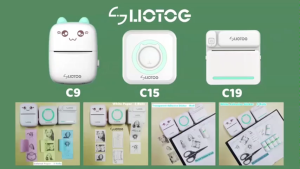
LIOTOG C15 Portable Smart Bluetooth Thermal Printer Original Label Printer Photo Printer No-Ink-Required App Control Mini Printer
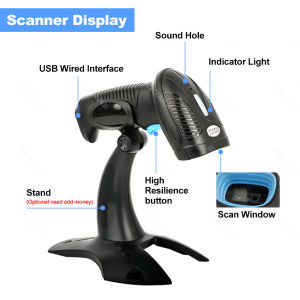
Handheld 2D Barcode Scanner Bluetooth Wireless 2.4G USB QR Code Scanner Wired 1D 2D&PDF417 Data Matrix Bar Code Reader or Stand
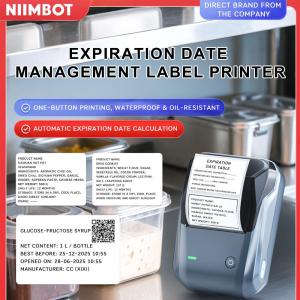
NIIMBOT B1 Inkless Label Printer Direct Thermal 203dpi 20-50mm/s Print Speed Bluetooth USB Connectivity Portable Medical Food Label Maker 1500mAh Battery 132.2 x 91.2 x 61.6mm
T6716 C13T671600 Compatible Ink Maintenance for Epson WorkForce Pro WF-C5290DW WF-C5790 Waste Ink Tank
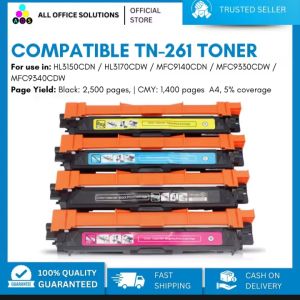
AOS Brand New Compatible Toner Cartridge TN261 TN-261 TN 261 CMYK TN221 TN-221 TN 221 for Brother Color Printer\\n\\n What is AOS Compatible Toner Cartridge TN261 & TN221?\\n\\nThe AOS compatible toner cartridge TN261 and TN221 is a high-quality replacement option for Brother color printers. These cartridges come in CMYK (Cyan, Magenta, Yellow, and Black) colors and offer a cost-effective solution for printing tasks.\\n\\n Key Features\\n\\n- High-quality output: AOS compatible toner cartridges TN261 and TN221 provide excellent print quality, rivaling original Brother cartridges.\\n- Cost-effective: These cartridges offer a more affordable alternative to the OEM (Original Equipment Manufacturer) options, without compromising on print quality.\\n- Easy installation: Installing these cartridges is simple and straightforward, even for users who are not familiar with printer maintenance.\\n\\n Compatibility\\n\\nAOS compatible toner cartridge TN261 and TN221 are designed to work seamlessly with Brother color printers, providing reliable performance and consistent results.\\n\\n Cost-effectiveness\\n\\nThe AOS compatible toner cartridge TN261 and TN221 offer significant cost savings compared to OEM alternatives, allowing users to enjoy high-quality printing without breaking the bank.\\n\\n How to Install AOS Compatible Toner Cartridge TN261 & TN221\\n\\nInstalling AOS compatible toner cartridges TN261 and TN221 is a simple process that can be completed in just a few steps.\\n\\n Preparing the Printer\\n\\nBefore installing the new toner cartridge, make sure the printer is powered on and connected to a power source. Open the front cover of the printer to access the toner compartments.\\n\\n Installing the Toner Cartridge\\n\\n1. Remove the old toner cartridge from its compartment by gently pulling it out.\\n2. Take the new AOS compatible toner cartridge TN261 or TN221 out of its packaging and remove any protective tape or seals.\\n3. Insert the new cartridge into the appropriate compartment, making sure it clicks into place.\\n\\n Final Steps\\n\\nAfter installing the new toner cartridge, close the front cover of the printer and allow the printer to initialize. The printer will automatically detect the new cartridge and adjust settings accordingly.\\n\\n How to Maintain AOS Compatible Toner Cartridge TN261 & TN221\\n\\nTo ensure optimal performance and longevity of AOS compatible toner cartridges TN261 and TN221, follow these maintenance tips.\\n\\n Cleaning Tips\\n\\n- Keep the printer clean and free of dust to prevent clogging and ensure smooth operation.\\n- Clean the toner compartments regularly using a soft, lint-free cloth.\\n\\n Storage Recommendations\\n\\n- Store unused cartridges in a cool, dry place away from direct sunlight and moisture.\\n- Keep cartridges in their original packaging until ready for use.\\n\\n Troubleshooting Common Issues\\n\\nIf you encounter any issues with your AOS compatible toner cartridge TN261 or TN221, refer to the troubleshooting guide included with the product or consult the manufacturer's website for further assistance.\\n\\n Why Choose AOS Compatible Toner Cartridge TN261 & TN221?\\n\\nThere are several reasons why users should consider choosing AOS compatible toner cartridges TN261 and TN221 for their Brother color printers.\\n\\n High-Quality Output\\n\\nThese cartridges provide excellent print quality, rivaling OEM options and ensuring consistent results for all printing tasks.\\n\\n Easy Installation\\n\\nInstalling AOS compatible toner cartridges TN261 and TN221 is simple and straightforward, even for users who are not familiar with printer maintenance.\\n\\n Eco-Friendly Solution\\n\\nBy choosing AOS compatible toner cartridges TN261 and TN221, users can reduce their environmental impact and contribute to a more sustainable future.\n}
Soonpos 6G+64GB Android 13 Handheld PDA Scanner with 2D Mobile Data Collector Terminal Hot-swappable Rugged PDA Device 4G Network NFC Google GMS 5200mah Battery
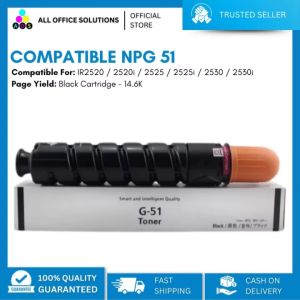
AOS Toner Cartridge: An Alternative to NPG51 for Canon IR2520 & 2525
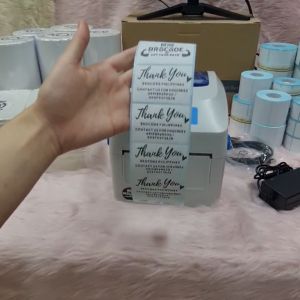
Xprinter XP-420B (USB UNIT) Thermal Printer
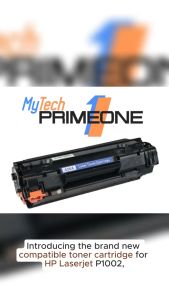
35A Brand New Compatible Toner Cartridge (CB435A) A for HP LaserJet P1002 P1003 P1004 P1005 P1006 LaserJet P1009 1500 pages

LIOTOG C22 Bluetooth Thermal Printer for Student Mini RGB Photo Printer Sticker Paper Printer 1200mAh Rechargeable Study Machine with Free 1 Roll White Paper

Mini Label Printer Marklife P50 Portable Thermal Printer Self Adheisve Sticker Machine Bluetooth Wireless Label Maker No Ink