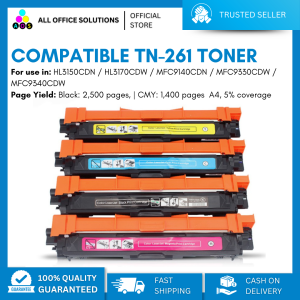
AOS Brand New Compatible Toner Cartridge TN261 TN-261 TN 261 CMYK TN221 TN-221 TN 221 for Brother Color Printer\\n\\n What is AOS Compatible Toner Cartridge TN261 & TN221?\\n\\nThe AOS compatible toner cartridge TN261 and TN221 is a high-quality replacement option for Brother color printers. These cartridges come in CMYK (Cyan, Magenta, Yellow, and Black) colors and offer a cost-effective solution for printing tasks.\\n\\n Key Features\\n\\n- High-quality output: AOS compatible toner cartridges TN261 and TN221 provide excellent print quality, rivaling original Brother cartridges.\\n- Cost-effective: These cartridges offer a more affordable alternative to the OEM (Original Equipment Manufacturer) options, without compromising on print quality.\\n- Easy installation: Installing these cartridges is simple and straightforward, even for users who are not familiar with printer maintenance.\\n\\n Compatibility\\n\\nAOS compatible toner cartridge TN261 and TN221 are designed to work seamlessly with Brother color printers, providing reliable performance and consistent results.\\n\\n Cost-effectiveness\\n\\nThe AOS compatible toner cartridge TN261 and TN221 offer significant cost savings compared to OEM alternatives, allowing users to enjoy high-quality printing without breaking the bank.\\n\\n How to Install AOS Compatible Toner Cartridge TN261 & TN221\\n\\nInstalling AOS compatible toner cartridges TN261 and TN221 is a simple process that can be completed in just a few steps.\\n\\n Preparing the Printer\\n\\nBefore installing the new toner cartridge, make sure the printer is powered on and connected to a power source. Open the front cover of the printer to access the toner compartments.\\n\\n Installing the Toner Cartridge\\n\\n1. Remove the old toner cartridge from its compartment by gently pulling it out.\\n2. Take the new AOS compatible toner cartridge TN261 or TN221 out of its packaging and remove any protective tape or seals.\\n3. Insert the new cartridge into the appropriate compartment, making sure it clicks into place.\\n\\n Final Steps\\n\\nAfter installing the new toner cartridge, close the front cover of the printer and allow the printer to initialize. The printer will automatically detect the new cartridge and adjust settings accordingly.\\n\\n How to Maintain AOS Compatible Toner Cartridge TN261 & TN221\\n\\nTo ensure optimal performance and longevity of AOS compatible toner cartridges TN261 and TN221, follow these maintenance tips.\\n\\n Cleaning Tips\\n\\n- Keep the printer clean and free of dust to prevent clogging and ensure smooth operation.\\n- Clean the toner compartments regularly using a soft, lint-free cloth.\\n\\n Storage Recommendations\\n\\n- Store unused cartridges in a cool, dry place away from direct sunlight and moisture.\\n- Keep cartridges in their original packaging until ready for use.\\n\\n Troubleshooting Common Issues\\n\\nIf you encounter any issues with your AOS compatible toner cartridge TN261 or TN221, refer to the troubleshooting guide included with the product or consult the manufacturer's website for further assistance.\\n\\n Why Choose AOS Compatible Toner Cartridge TN261 & TN221?\\n\\nThere are several reasons why users should consider choosing AOS compatible toner cartridges TN261 and TN221 for their Brother color printers.\\n\\n High-Quality Output\\n\\nThese cartridges provide excellent print quality, rivaling OEM options and ensuring consistent results for all printing tasks.\\n\\n Easy Installation\\n\\nInstalling AOS compatible toner cartridges TN261 and TN221 is simple and straightforward, even for users who are not familiar with printer maintenance.\\n\\n Eco-Friendly Solution\\n\\nBy choosing AOS compatible toner cartridges TN261 and TN221, users can reduce their environmental impact and contribute to a more sustainable future.\n}
AOS Brand New Compatible Toner Cartridge TN261 TN-261 TN 261 CMYK TN221 TN-221 TN 221 for Brother Color Printer\
\
What is AOS Compatible Toner Cartridge TN261 & TN221?\
The AOS compatible toner cartridge TN261 and TN221 is a high-quality replacement option for Brother color printers. These cartridges come in CMYK (Cyan, Magenta, Yellow, and Black) colors and offer a cost-effective solution for printing tasks.
\
Key Features\
\
- High-quality output: AOS compatible toner cartridges TN261 and TN221 provide excellent print quality, rivaling original Brother cartridges.\
- Cost-effective: These cartridges offer a more affordable alternative to the OEM (Original Equipment Manufacturer) options, without compromising on print quality.\
- Easy installation: Installing these cartridges is simple and straightforward, even for users who are not familiar with printer maintenance.
\
Compatibility\
AOS compatible toner cartridge TN261 and TN221 are designed to work seamlessly with Brother color printers, providing reliable performance and consistent results.
\
Cost-effectiveness\
The AOS compatible toner cartridge TN261 and TN221 offer significant cost savings compared to OEM alternatives, allowing users to enjoy high-quality printing without breaking the bank.
\
How to Install AOS Compatible Toner Cartridge TN261 & TN221\
Installing AOS compatible toner cartridges TN261 and TN221 is a simple process that can be completed in just a few steps.
\
Preparing the Printer\
Before installing the new toner cartridge, make sure the printer is powered on and connected to a power source. Open the front cover of the printer to access the toner compartments.
\
Installing the Toner Cartridge\
\
- Remove the old toner cartridge from its compartment by gently pulling it out.\
- Take the new AOS compatible toner cartridge TN261 or TN221 out of its packaging and remove any protective tape or seals.\
- Insert the new cartridge into the appropriate compartment, making sure it clicks into place.
\
Final Steps\
After installing the new toner cartridge, close the front cover of the printer and allow the printer to initialize. The printer will automatically detect the new cartridge and adjust settings accordingly.
\
How to Maintain AOS Compatible Toner Cartridge TN261 & TN221\
To ensure optimal performance and longevity of AOS compatible toner cartridges TN261 and TN221, follow these maintenance tips.
\
Cleaning Tips\
\
- Keep the printer clean and free of dust to prevent clogging and ensure smooth operation.\
- Clean the toner compartments regularly using a soft, lint-free cloth.
\
Storage Recommendations\
\
- Store unused cartridges in a cool, dry place away from direct sunlight and moisture.\
- Keep cartridges in their original packaging until ready for use.
\
Troubleshooting Common Issues\
If you encounter any issues with your AOS compatible toner cartridge TN261 or TN221, refer to the troubleshooting guide included with the product or consult the manufacturer's website for further assistance.
\
Why Choose AOS Compatible Toner Cartridge TN261 & TN221?\
There are several reasons why users should consider choosing AOS compatible toner cartridges TN261 and TN221 for their Brother color printers.
\
High-Quality Output\
These cartridges provide excellent print quality, rivaling OEM options and ensuring consistent results for all printing tasks.
\
Easy Installation\
Installing AOS compatible toner cartridges TN261 and TN221 is simple and straightforward, even for users who are not familiar with printer maintenance.
\
Eco-Friendly Solution\
By choosing AOS compatible toner cartridges TN261 and TN221, users can reduce their environmental impact and contribute to a more sustainable future.
}

AllOfficeSolutions Reference Number: 250923-161608
Review
You May Also Like
Jinchao Md1300 Light Curing 3D Printer Consumables LCD Neutral Photosensitive Resin Standard Rigid Resin Material
NIIMBOT B1 Bluetooth Thermal Label Printer2 Inch 50mm Auto Identification Waterproof TapeMultiple Templates Compatible with Phone PC Home Office School Business with Free Label Multi Color Options 【Ready Stock】】Christmas Gift Stickers Card
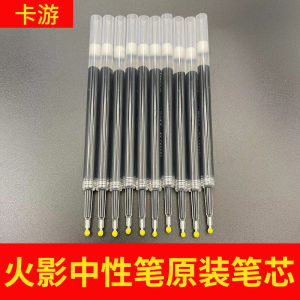
Original Black Blue Ink Cartridge for Naruto Ninja Neutral Pen Smooth Writing 0.5mm Point Cartoon Style Business Supplies

INKSCRIBED DR261 DR-261 Compatible Toner Brother HL-3140CW MFC-9140CDW MFC-9330CDW MFC-9340CDW
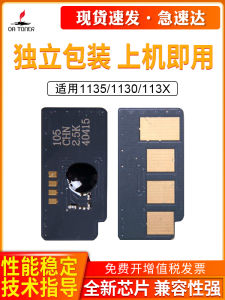
Applicable to Dell 1135 Chip Dell 1130n Count Chip 113X 1133 1135 Toner Chip Counter Dell 1130n 1133 1135n Printer Toner Cartridge Counting Chip Count Chip
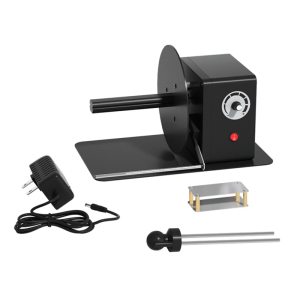
Industrial Label Rewinder Automatic Speed Adjustment 12cm Paper Length Support
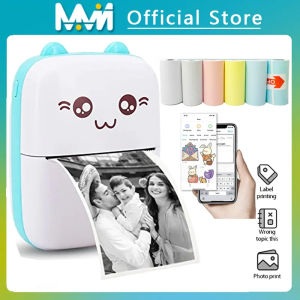
EKLEVA Portable Thermal Printer MINI Wirelessly BT 203dpi Photo Label Memo Wrong Question Printing With USB Cable Imprimante Portable

2D Barcode Scanner Desktop Omnidirectional Automatic 1D 2D QR code Data Matrix PDF417 Bar code Reader Usb for Retail Supermarket

Original 3D Printer Pen Full Set: A Fun & Creative Tool for Kids
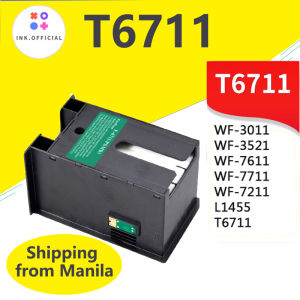
Epson T6711 L1455 Ink Maintenance Box: A Comprehensive Guide

Polymaker Panchroma PolyTerra Matte PLA Filament (1.75mm & 2.85mm Eco-Friendly 3D Printing Filament)