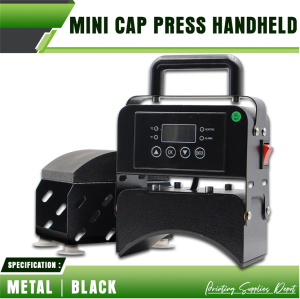
PSD - Mini Cap Press Machine Black Portable Handheld Heat Press for Net Cap Printing
PSD - Mini Cap Press Machine Black Portable Handheld Heat Press for Net Cap Printing
Understanding the Mini Cap Press Machine
Key Features of the Mini Cap Press Machine
The Mini Cap Press Machine, also known as the portable handheld heat press, is a compact and efficient device designed specifically for net cap printing. This innovative machine offers a range of features that make it an ideal choice for small businesses and individuals looking to print custom designs on caps.
-
Compact Design: The Mini Cap Press Machine has a sleek and portable design, making it easy to transport and store.
-
Easy to Use: With its intuitive interface, the Mini Cap Press Machine is easy to operate, even for beginners.
-
High-Quality Printing: This machine produces sharp and vibrant prints, ensuring that your custom designs look great on any cap.
-
Versatile: The Mini Cap Press Machine can be used to print on a variety of cap types, including baseball caps, trucker hats, and snapbacks.
Comparison with Traditional Cap Press Machines
Compared to traditional cap press machines, the Mini Cap Press Machine offers several advantages:
-
Cost-Effective: The Mini Cap Press Machine is much more affordable than traditional cap press machines, making it an ideal choice for small businesses and individuals.
-
Increased Mobility: Unlike traditional cap press machines, the Mini Cap Press Machine is portable and easy to transport, allowing you to print custom designs on-the-go.
-
Easy Setup: The Mini Cap Press Machine requires minimal setup, making it easy to get started quickly.
-
Low Maintenance: The Mini Cap Press Machine has a low maintenance requirement, reducing the need for frequent repairs and replacements.
How to Use the Portable Handheld Heat Press
Setting Up the Heat Transfer Printing Device
Before using the Mini Cap Press Machine, it's important to set up the heat transfer printing device properly. Here are the steps to follow:
-
Connect the power cord to the Mini Cap Press Machine and plug it into a power outlet.
-
Adjust the temperature settings according to the material you're printing on.
-
Place the heat transfer paper on top of the cap, making sure it's centered and aligned.
-
Position the Mini Cap Press Machine over the heat transfer paper and apply pressure evenly.
-
Hold the Mini Cap Press Machine in place for the recommended time, depending on the material and design.
-
Remove the Mini Cap Press Machine and allow the cap to cool down before handling.
Step-by-Step Guide to Net Cap Printing
Now that you've set up the heat transfer printing device, it's time to learn how to print custom designs on net caps using the Mini Cap Press Machine. Follow these steps:
-
Choose a design and print it onto heat transfer paper using a compatible printer.
-
Place the heat transfer paper on top of the net cap, making sure it's centered and aligned.
-
Position the Mini Cap Press Machine over the heat transfer paper and apply pressure evenly.
-
Hold the Mini Cap Press Machine in place for the recommended time, depending on the material and design.
-
Remove the Mini Cap Press Machine and allow the cap to cool down before handling.
-
Inspect the printed design to ensure it's sharp and vibrant.
Benefits of Using the Compact Cap Press
Increased Mobility & Flexibility
One of the biggest advantages of the Mini Cap Press Machine is its increased mobility and flexibility. Unlike traditional cap press machines, the Mini Cap Press Machine is portable and easy to transport, allowing you to print custom designs on-the-go. This makes it an ideal choice for small businesses and individuals who need to print custom designs in different locations.
Cost-Effective Solution for Small Businesses
Another advantage of the Mini Cap Press Machine is its cost-effectiveness. Compared to traditional cap press machines, the Mini Cap Press Machine is much more affordable, making it an ideal choice for small businesses and individuals who don't have a large budget. Additionally, the Mini Cap Press Machine has a low maintenance requirement, reducing the need for frequent repairs and replacements, further saving costs.

Printing Supplies Depot
Review

You May Also Like
Konica TN-217 Compatible Toner Cartridge: A High-Quality Choice for BizHub 223 & 283 Printers

Original Brother TN-269XL TN 269XL Toner Cartridge
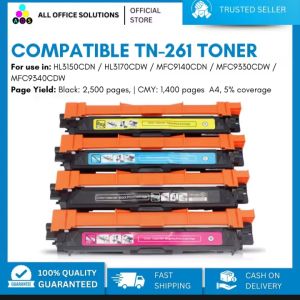
AOS Brand New Compatible Toner Cartridge TN261 TN-261 TN 261 CMYK TN221 TN-221 TN 221 for Brother Color Printer\\n\\n What is AOS Compatible Toner Cartridge TN261 & TN221?\\n\\nThe AOS compatible toner cartridge TN261 and TN221 is a high-quality replacement option for Brother color printers. These cartridges come in CMYK (Cyan, Magenta, Yellow, and Black) colors and offer a cost-effective solution for printing tasks.\\n\\n Key Features\\n\\n- High-quality output: AOS compatible toner cartridges TN261 and TN221 provide excellent print quality, rivaling original Brother cartridges.\\n- Cost-effective: These cartridges offer a more affordable alternative to the OEM (Original Equipment Manufacturer) options, without compromising on print quality.\\n- Easy installation: Installing these cartridges is simple and straightforward, even for users who are not familiar with printer maintenance.\\n\\n Compatibility\\n\\nAOS compatible toner cartridge TN261 and TN221 are designed to work seamlessly with Brother color printers, providing reliable performance and consistent results.\\n\\n Cost-effectiveness\\n\\nThe AOS compatible toner cartridge TN261 and TN221 offer significant cost savings compared to OEM alternatives, allowing users to enjoy high-quality printing without breaking the bank.\\n\\n How to Install AOS Compatible Toner Cartridge TN261 & TN221\\n\\nInstalling AOS compatible toner cartridges TN261 and TN221 is a simple process that can be completed in just a few steps.\\n\\n Preparing the Printer\\n\\nBefore installing the new toner cartridge, make sure the printer is powered on and connected to a power source. Open the front cover of the printer to access the toner compartments.\\n\\n Installing the Toner Cartridge\\n\\n1. Remove the old toner cartridge from its compartment by gently pulling it out.\\n2. Take the new AOS compatible toner cartridge TN261 or TN221 out of its packaging and remove any protective tape or seals.\\n3. Insert the new cartridge into the appropriate compartment, making sure it clicks into place.\\n\\n Final Steps\\n\\nAfter installing the new toner cartridge, close the front cover of the printer and allow the printer to initialize. The printer will automatically detect the new cartridge and adjust settings accordingly.\\n\\n How to Maintain AOS Compatible Toner Cartridge TN261 & TN221\\n\\nTo ensure optimal performance and longevity of AOS compatible toner cartridges TN261 and TN221, follow these maintenance tips.\\n\\n Cleaning Tips\\n\\n- Keep the printer clean and free of dust to prevent clogging and ensure smooth operation.\\n- Clean the toner compartments regularly using a soft, lint-free cloth.\\n\\n Storage Recommendations\\n\\n- Store unused cartridges in a cool, dry place away from direct sunlight and moisture.\\n- Keep cartridges in their original packaging until ready for use.\\n\\n Troubleshooting Common Issues\\n\\nIf you encounter any issues with your AOS compatible toner cartridge TN261 or TN221, refer to the troubleshooting guide included with the product or consult the manufacturer's website for further assistance.\\n\\n Why Choose AOS Compatible Toner Cartridge TN261 & TN221?\\n\\nThere are several reasons why users should consider choosing AOS compatible toner cartridges TN261 and TN221 for their Brother color printers.\\n\\n High-Quality Output\\n\\nThese cartridges provide excellent print quality, rivaling OEM options and ensuring consistent results for all printing tasks.\\n\\n Easy Installation\\n\\nInstalling AOS compatible toner cartridges TN261 and TN221 is simple and straightforward, even for users who are not familiar with printer maintenance.\\n\\n Eco-Friendly Solution\\n\\nBy choosing AOS compatible toner cartridges TN261 and TN221, users can reduce their environmental impact and contribute to a more sustainable future.\n}

BROTHER BT D60 AND BT 5000 CYAN/MAGENTA/YELLOW
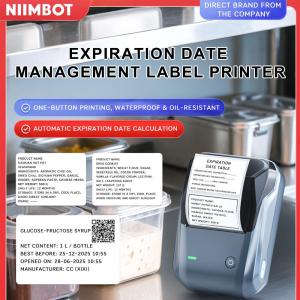
NIIMBOT B1 Inkless Label Printer Direct Thermal 203dpi 20-50mm/s Print Speed Bluetooth USB Connectivity Portable Medical Food Label Maker 1500mAh Battery 132.2 x 91.2 x 61.6mm
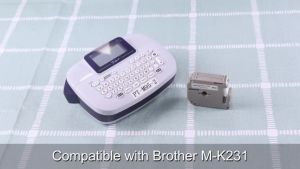
BYZ TAPE MK231 12MM For M-K231 131 Label 12Mm Compatible Brother Mk-231 Mk231 P Touch Maker Pt-90 Pt80 Pt70 Pt65

Niimbot D11 Label Printer: Portable Inkless Thermal Smart Label Maker
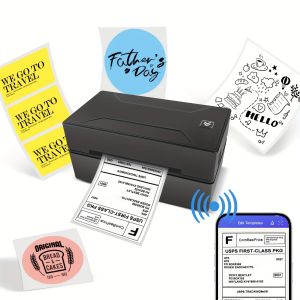
Marklife D100 Bluetooth Thermal Label Printer Wireless Small Shipping Label Printer 4X6 Compatible with iOS Android Mac Window
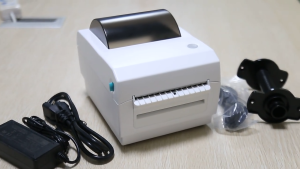
4 Inch Shipping Thermal Printer Support Receipt And Label Printing USB+BT+WIFI Label Maker AWB Air Way Bill Sticker Printer
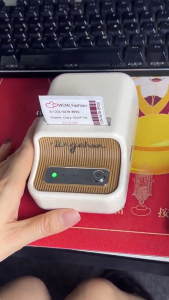
Niimbot B21Pro Label thermal Printer 300dpi Wireless Photos commercial household label Waterproof
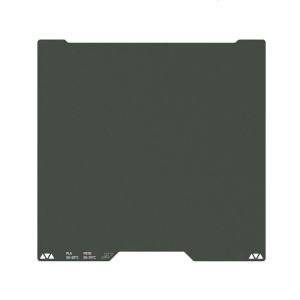
355x346mm 3D Printer Cold Plate Double Sided Epoxy Coated Printing Strong Adhesion For H2D 3D Printer Accessories