Compatible Brother Ink Cartridges: LC462 & LC3619 for MFC-J Printers
Compatible Brother Ink Cartridges: LC462 & LC3619 for MFC-J Printers
Ink cartridges play a vital role in ensuring the optimal performance of Brother MFC-J printers. In this article, we will discuss two compatible ink cartridges: Brother LC462 and Brother LC3619. We will cover the installation process, benefits, and the compatible printers for both cartridges.
Brother LC462 Ink Cartridge Overview
What is the Brother LC462 Ink Cartridge?
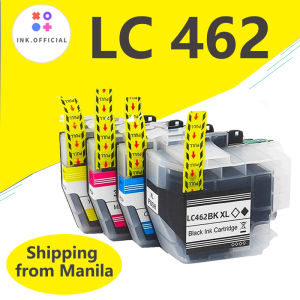
The Brother LC462 ink cartridge is a compatible ink cartridge designed specifically for Brother MFC-J printers. It is engineered to deliver consistent and reliable print quality, ensuring that your documents and images come out looking their best.
How to Install Brother LC462 Ink Cartridge
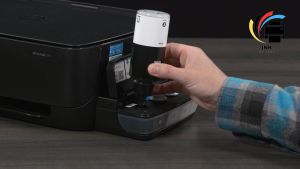
Installing the Brother LC462 ink cartridge is a simple process. Follow these steps:
- Turn on your printer and open the front cover.
- Locate the empty ink cartridge slot and gently remove the old cartridge.
- Carefully remove the protective tape from the new Brother LC462 ink cartridge.
- Insert the new cartridge into the designated slot and close the front cover.
- Follow the on-screen instructions to complete the installation process.
Benefits of Using Brother LC462 Ink Cartridge
Using the Brother LC462 ink cartridge offers several advantages, such as:
- High-quality prints with vibrant colors and sharp text
- Long-lasting performance with reduced downtime
- Cost-effective alternative to original Brother ink cartridges
Brother LC3619 Ink Cartridge Overview
What is the Brother LC3619 Ink Cartridge?
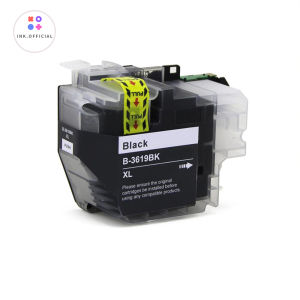
The Brother LC3619 ink cartridge is another compatible ink cartridge designed for Brother MFC-J printers. It provides excellent print quality and is suitable for both home and office use.
How to Install Brother LC3619 Ink Cartridge
Installing the Brother LC3619 ink cartridge is similar to the process for the Brother LC462 ink cartridge. Follow these steps:
- Turn on your printer and open the front cover.
- Locate the empty ink cartridge slot and gently remove the old cartridge.
- Carefully remove the protective tape from the new Brother LC3619 ink cartridge.
- Insert the new cartridge into the designated slot and close the front cover.
- Follow the on-screen instructions to complete the installation process.
Benefits of Using Brother LC3619 Ink Cartridge
Using the Brother LC3619 ink cartridge offers several advantages, such as:
- High-quality prints with vibrant colors and sharp text
- Long-lasting performance with reduced downtime
- Cost-effective alternative to original Brother ink cartridges
Compatible Printers for Brother LC462 & LC3619 Ink Cartridges
Both the Brother LC462 and LC3619 ink cartridges are compatible with several Brother MFC-J printers, including:
- Brother MFC-J2340DW Printer
- Brother MFC-J2740DW Printer
- Brother MFC-J3940DW Printer
These printers are designed to work seamlessly with both ink cartridges, ensuring optimal print quality and performance.
Tips for Maximizing Ink Cartridge Performance
To get the most out of your Brother LC462 and LC3619 ink cartridges, follow these tips:
Proper Storage Techniques
- Store ink cartridges in a cool, dry place away from direct sunlight.
- Keep the protective tape on the cartridge until ready for use.
- Avoid exposing ink cartridges to extreme temperatures or humidity.
Cleaning Tips
- Regularly clean the print head and ink cartridge slots to prevent clogs and ensure optimal performance.
- Follow the manufacturer's guidelines for cleaning and maintenance.
Troubleshooting Common Issues
If you encounter any issues with your Brother LC462 or LC3619 ink cartridges, refer to the printer's user manual or contact Brother customer support for assistance. Some common issues include clogged print heads, low ink levels, and cartridge misalignment.

ink.print
You May Also Like
Compatible Toner Powder for Ricoh Aficio MP1500 1Kg Ricoh Aficio Mp 1500 Toner Price Ricoh Sp 150 Toner - Lazada

Boland Pet Microchip Scanner: Features & Benefits

30 Sheets Transparency Film Paper 8.5x11 Inches Transparent Film for Ink Jet Printer 100% Transparencies Printing Transparent Film Sheets for Overhead Projector Silk Screen Printing
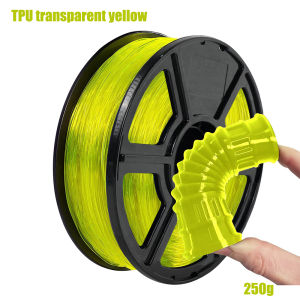
TPU 1.75mm Flexible +/- 0.03mm 3D Printer Filament Transparent Yellow 95A 250g Spool (0.55 lbs)

Canon IP100B IP100 TR150 Ink Cartridge For Canon IPIXMA iP100/iP100 PGI-35BK Black CLI-36C Color
Digiprints PH - 1 Liter CUYI Cleaning Solution for Eco-Solvent Ink
Canon MC-G02 Repair Ink Cartridge Canon G2820 G3020 G1820 G386 0 Waste Ink Bin
ETQ ERC-30 / ERC-34 / ERC-38 Purple Ink Ribbon compatible for Epson
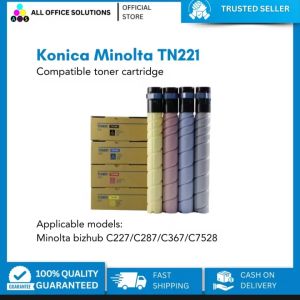
AOS COMPATIBLE KONICA MINOLTA TN221 TONER CARTRIDGE FOR C227 C287 C367 C7528 MODELS
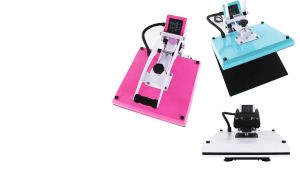
A4 Size Heat Press Machine: The Ultimate Business Sublimation Solution

TN3448 TN3478 Compatible L5900DW Toner Cartridge