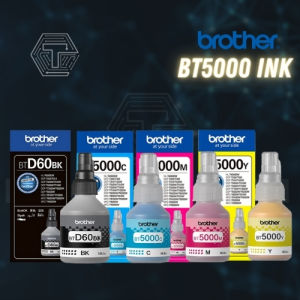
Brother BTD60BK / BT5000 Ink Bottles – 100% Original & Guaranteed Authentic
Brother BTD60BK / BT5000 Ink Bottles – 100% Original & Guaranteed Authentic
What Are Brother BTD60BK/BT5000 Ink Bottles?
Brother BTD60BK and BT5000 ink bottles are high-quality, original ink supplies designed specifically for use with select Brother printers. These ink bottles offer superior print quality, reliability, and performance compared to compatible cartridges.
How Do They Differ From Compatible Cartridges?
While compatible cartridges may offer lower costs, they often compromise on print quality, reliability, and performance. Original Brother ink bottles, like the BTD60BK and BT5000, are designed to work seamlessly with Brother printers, providing optimal results.
Where Can I Purchase Original Brother Ink Bottles?
Original Brother ink bottles can be purchased directly from authorized Brother dealers, online retailers, and through the Brother website. Be cautious when buying from third-party sellers, as counterfeit products may be present. Always verify the authenticity of the ink bottles before purchasing.
How to Install Brother BTD60BK/BT5000 Ink Bottles
Installing Brother BTD60BK and BT5000 ink bottles is a straightforward process. Follow these steps for a seamless installation experience.
Step-by-Step Guide for Installing Original Brother Ink Bottles
- Turn on your printer and open the front cover.
- Press the 'Ink' button on the printer control panel to enter the ink installation mode.
- Locate the empty ink bottle slot and remove the protective cap.
- Insert the new ink bottle into the slot, ensuring it clicks securely into place.
- Close the front cover and allow the printer to initialize the new ink bottle.
Troubleshooting Common Issues When Installing Ink Bottles
If you encounter issues during installation, try the following troubleshooting steps:
- Ensure the ink bottle is correctly inserted and securely clicked into place.
- Check that the printer is in ink installation mode.
- Verify that the ink bottle is compatible with your printer model.
- Restart the printer and attempt installation again.
How to Maximize the Life of Your Brother Ink Bottles
Proper storage and usage techniques can help extend the lifespan of your Brother ink bottles.
Proper Storage Techniques for Brother Ink Bottles
- Store ink bottles in a cool, dry place away from direct sunlight.
- Keep the ink bottle caps securely in place to prevent ink evaporation.
- Avoid storing ink bottles near strong odors or chemicals.
Tips for Extending the Lifespan of Your Brother Ink Bottles
- Regularly clean the printer's ink cartridge slots and nozzles.
- Print regularly to prevent ink from drying out.
- Avoid exposing ink bottles to extreme temperatures.
What Are the Benefits of Using Original Brother Ink Bottles?
Using original Brother ink bottles offers numerous benefits over compatible cartridges.
Quality and Authenticity
Original Brother ink bottles guarantee authentic, high-quality printing materials that meet Brother's strict standards.
Print Quality and Reliability
Brother BTD60BK and BT5000 ink bottles deliver consistent print quality and reliability, ensuring your documents and photos look their best.
Compatibility and Performance
Designed specifically for Brother printers, these ink bottles offer optimal compatibility and performance, enhancing your overall printing experience.
How to Identify Genuine Brother Ink Bottles
Verifying the authenticity of Brother ink bottles is crucial to ensure you receive the highest quality printing materials.
Key Features of Guaranteed Authentic Brother Ink Bottles
- Original packaging with Brother branding and product information.
- Unique serial numbers and holograms for authentication.
- Clear, legible labeling and instructions.
Common Signs of Counterfeit Brother Ink Bottles
- Poor quality packaging and labeling.
- Missing or incorrect serial numbers and holograms.
- Lack of product information or instructions.
By following these guidelines, you can confidently purchase and use Brother BTD60BK and BT5000 ink bottles, ensuring optimal print quality and reliability for your Brother printer.

DYNATECH PH
Review

You May Also Like
Set CMYK Original 664 Ink 40ml or 70ml
500ml CUYI Pigment Ink for Modified Epson Printer Special Ink for High Quality Photo Printing
EP INK T664
ZONESUN ZS-YH30 Semi-automatic Round Bottle Adhesive Sticker Manual Labeling Machine Price Tag&Flat Labeler
70ml Original Dye Epson 003 Ink Refill Guide
Niimbot D110 Label Printer Wireless Bluetooth Thermal Label Maker Portable Printer for Android / IOS Phone Inkless Household Mark Classification Name stickers
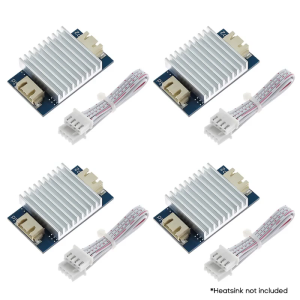
4Pcs TL Smoother Addon Modules 3D Printer Part for Pattern Elimination Motor Clipping 3D Pinter Accessory
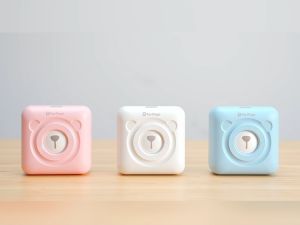
A6 Mini Printer Portable Thermal Printer Mini Sticker Printer Bluetooth Connected Phone Compatible with iOS and Android Printable Labels Receipts Notes Photos
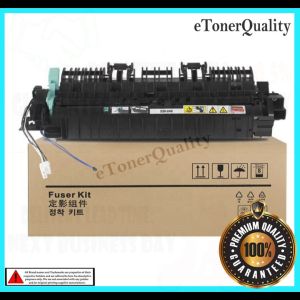
Compatible DocuCentre S2011 S2320 S2420 S2520 Copier Fuser Assembly Unit
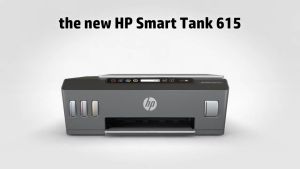
HP Smart Tank 615 Wireless Printer: The Perfect Choice for Students & Home Users
3D Pen Digital Display Intelligent Printing Pen Child Safe Low Temperature Drawing Pen Funny Toys/10 Or 20 Colors PLA Filament