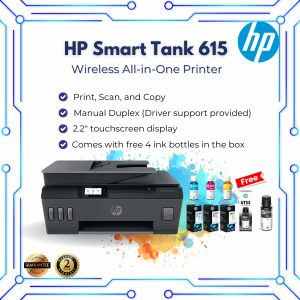
HP Smart Tank 615 Wireless Printer: The Perfect Choice for Students & Home Users
HP Smart Tank 615 Wireless Printer: The Perfect Choice for Students & Home Users
Introduction to HP Smart Tank 615
The HP Smart Tank 615 Wireless All-in-One Printer is a highly versatile device that offers numerous benefits for students and home users. This printer boasts several key features, including free ink, refillable ink tanks, wireless connectivity, and an array of print functions.
Key Features
- Free Ink: The HP Smart Tank 615 comes with free ink cartridges, allowing users to print up to 750 pages at no additional cost.
- Refillable Ink Tanks: Users can refill the printer's ink tanks, saving money and reducing waste compared to traditional ink cartridge printers.
- Wireless Connectivity: The printer supports wireless printing, making it easy to connect multiple devices and print from anywhere in the house.
- Print, Scan, Copy & Fax Functions: The HP Smart Tank 615 is an all-in-one printer, offering print, scan, copy, and fax capabilities.
Who Is This Printer For?
The HP Smart Tank 615 is ideal for students and home users who require a reliable, cost-effective, and environmentally friendly printer. The printer's features make it perfect for printing homework assignments, creating documents, scanning important papers, and more.
How to Use HP Smart Tank 615
Using the HP Smart Tank 615 is simple and straightforward. Follow these steps to get started:
Setup & Installation
- Unbox the printer and remove all packaging materials.
- Connect the power cord to the printer and plug it into a power outlet.
- Install the ink cartridges by removing the protective tape and inserting them into the appropriate slots.
- Follow the on-screen instructions to complete the setup process.
Print, Scan, Copy & Fax Functions
Once the printer is set up, users can take advantage of its print, scan, copy, and fax functions:
- Print: Connect the printer to a computer or mobile device using Wi-Fi or USB, and select the desired document to print.
- Scan: Place the document on the scanner bed and select the scan function to digitize the document.
- Copy: Place the original document on the scanner bed and select the copy function to create a duplicate.
- Fax: Connect the printer to a phone line and use the fax function to send documents to another fax machine.
Free Ink & Refillable Ink Tanks
One of the standout features of the HP Smart Tank 615 is its free ink and refillable ink tanks. This feature offers numerous benefits for students and home users:
Cost Savings & Environmental Benefits
Refilling the ink tanks instead of purchasing new cartridges can save users money over time. Additionally, reducing waste helps protect the environment.
How to Refill Ink Tanks
Refilling the ink tanks is a simple process:
- Remove the ink tank cover and locate the refill ports.
- Carefully pour the ink into the corresponding ports until they are full.
- Replace the ink tank cover and ensure it is securely closed.
Same Day Delivery & Customer Support
The HP Smart Tank 615 offers hassle-free shipping and reliable customer support, making it easy for users to get their printer up and running quickly:
Hassle-Free Shipping
Users can choose same-day delivery options, ensuring they receive their printer as soon as possible.
Reliable Customer Service
HP provides excellent customer support, offering assistance with setup, troubleshooting, and more.
In conclusion, the HP Smart Tank 615 Wireless All-in-One Printer is an excellent choice for students and home users who require a reliable, cost-effective, and environmentally friendly printer. With its free ink, refillable ink tanks, wireless connectivity, and array of print functions, the HP Smart Tank 615 is sure to meet the needs of many users.

OfficeWorks PH
Review
You May Also Like
Thermal Receipt Printer OFFICOM XP-T80A Bluetooth Receipt Printer AUTO CUT with 5 Rolls Receipt Papers 80mm
Brandnew Ink Cartridge for Inktank 110/115/310/315/410/415
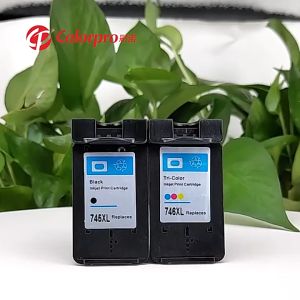
For Canon MG2470 MG2570 MG2570S MG2970 MG3070 MG3070S MG3077 IP2870 IP2870 IP2870S MX497 TS207 MG2570S TR4570S TS307 for PG 745 CL 746 ink PG745XL CL746XL refillable ink cartridge PRELOVED
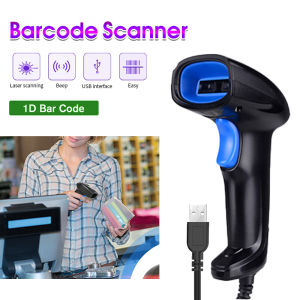
1D Barcode Scanner Wired USB Type Portable for POS P2P Warehouse Logistic

VSPH 1 Liter CUYI Cleaning Solution for Eco-Solvent Ink
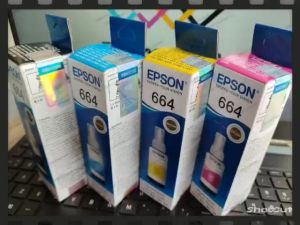
Epson 664 Ink 100% Original Genuine For Epson L Series Printer L120 L130 L220 L310 L360 L565 L1300 L455 L558(with box)

Chen Baiwan Manual Adjustable Coding Machine: A Comprehensive Guide
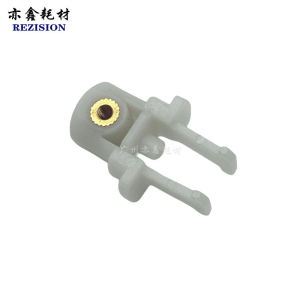
Compatible Ricoh Printer Accessories: A Comprehensive Guide

Deli Double Row Manual Price Labeller & Single Row Price Code Printer: Handheld Supermarket Store Labeling Price Device
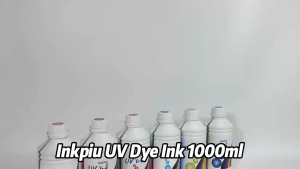
Inkpiu UV Dye Ink 1000ML (1 Liter) for HP Canon Epson & Brother Printers Stickers C/M/Y/K/LC/LM
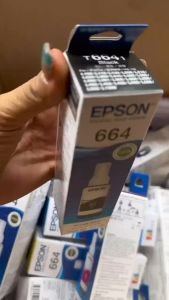
Epson 664 inks for L1300 L200 L220L300 L310 L350 L365 L565 L120 Printer - BK/CY/MG/YW