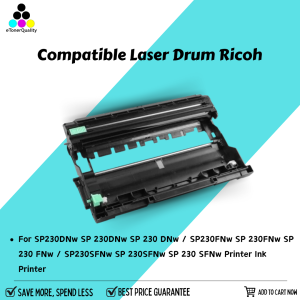
ETQ Compatible Laser Drum Ricoh SP 230L 230H SP230H SP230L 408294 TYPE SP 230H SP230
ETQ Compatible Laser Drum Ricoh SP 230L 230H SP230H SP230L 408294 TYPE SP 230H SP230
Introduction to ETQ Compatible Laser Drum for Ricoh SP 230L & SP 230H
The ETQ compatible laser drum is a high-quality replacement for the original Ricoh SP 230L and SP 230H printers. This guide will provide a comprehensive overview of the ETQ compatible laser drum, including its benefits, installation process, and tips for maximizing printer performance.
What is an ETQ Compatible Laser Drum?
An ETQ compatible laser drum is a high-quality replacement component designed specifically for Ricoh SP 230L and SP 230H printers. It is compatible with the original equipment manufacturer (OEM) drum, providing similar print quality and performance. The ETQ compatible laser drum is identified by the part number 408294 TYPE SP 230H.
Why Choose ETQ Compatible Laser Drum for Your Printer?
Choosing an ETQ compatible laser drum offers several advantages over using OEM components. Firstly, it is more cost-effective, allowing you to save money while maintaining high print quality. Secondly, ETQ compatible laser drums are often easier to install and replace, reducing downtime and minimizing disruptions to your workflow. Lastly, they offer comparable performance to OEM components, ensuring that your printer continues to function optimally.
How to Install the Replacement Laser Drum for Ricoh SP 230L & SP 230H
Installing a replacement laser drum is a straightforward process that can be completed in just a few minutes. This section will guide you through the installation process, including preparation, step-by-step instructions, and troubleshooting common issues.
Preparing for Installation
Before installing the replacement laser drum, ensure that your printer is turned off and unplugged. This will help prevent any potential electrical hazards during the installation process.
Step-by-Step Installation Process
- Open the printer cover by lifting the handle located at the top of the printer.
- Locate the original laser drum and remove it by gently pulling it out of the printer.
- Insert the replacement laser drum into the printer, ensuring that it is properly aligned with the printer's guide rails.
- Close the printer cover and turn the printer back on.
- Follow the printer's on-screen instructions to complete the installation process.
Troubleshooting Common Issues
If you encounter any issues during the installation process, refer to the printer's user manual or contact the manufacturer's customer support for assistance. Common issues may include misalignment, difficulty inserting or removing the drum, or printer errors.
Maximizing Printer Performance with ETQ Compatible Laser Drum
To ensure optimal performance and longevity of your ETQ compatible laser drum, follow these tips for maintaining printer performance, extending drum life, and enhancing print quality.
Maintaining Optimal Printer Performance
Regular maintenance is essential for keeping your printer running smoothly. Follow these guidelines to maintain optimal printer performance:
- Clean the printer regularly using a soft, lint-free cloth.
- Replace the ink cartridges and toner as needed.
- Perform regular printer diagnostics to identify and address any potential issues.
Tips for Extending Drum Life
To extend the life of your ETQ compatible laser drum, consider the following tips:
- Print in draft mode whenever possible to reduce wear and tear on the drum.
- Avoid printing unnecessary documents to minimize drum usage.
- Store the drum in a cool, dry place when not in use to prevent damage.
Enhancing Print Quality with ETQ Compatible Laser Drum
To achieve the best possible print quality with your ETQ compatible laser drum, follow these guidelines:
- Adjust the printer settings to optimize print quality, such as resolution and contrast.
- Ensure that the printer is properly calibrated before printing important documents.
- Use high-quality paper to achieve the best results.
Conclusion: Making the Most of Your Ricoh SP 230L & SP 230H Printer with ETQ Compatible Laser Drum
By choosing an ETQ compatible laser drum for your Ricoh SP 230L and SP 230H printers, you can enjoy cost-effective, high-quality printing while minimizing downtime and disruptions to your workflow. Follow the installation process outlined in this guide, and adhere to the tips for maintaining optimal printer performance, extending drum life, and enhancing print quality to get the most out of your printer. " }

eTonerQuality Reference Number: 250919-16162227
Review

You May Also Like
Mini Portable Mini Printer Label Maker Machine Small Label Maker Templates & Waterproof Labels Smart App for Home/School/Kitchen
Factory Premium Quality CE285A & CB435A Toner Cartridges for HP LaserJet Printers
OKKFINE Kids Favors Drawing Supplies: A Creative Christmas & Birthday Gift
Epson L3210 L3250 L5290 L1210 L3216 L3256 L3260 Unlimited Resetter
Handhel Barcode 1D/2D Bar Code Scanner Reader QR 2.4G Wireless &Wired USB Platform Plug and Play

Eyoyo 3-In-1 Wearable Ring Barcode Scanner Bluetooth & 2.4G Wireless & USB 2D 1D QR Barcode Reader Upgraded PDF417 Data Matrix Screen Scanning for iPhone IPad Android Windows Mac
AOS Compatible Samsung Toner Powder 100 grams
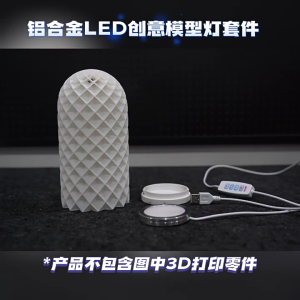
Innovative Aluminum LED Light Kit for 3D Printing Projects Assembly Required No Cover Included
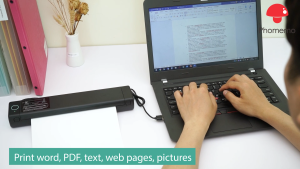
Phomemo M08F Wireless Tattoo Transfer Stencil Printer Thermal Tattoo Machine with 10pcs Free A4 Thermal Paper Tattoo Printer Kit for Tattoo Artists & Beginners Compatible with Smartphone & PC
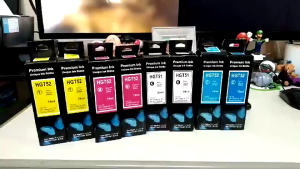
HP GT51 GT52 High-Quality Refill Ink 70ML for HP 515/310/115 Printers
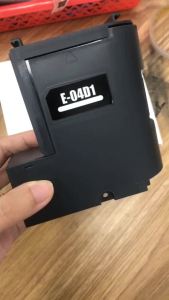
T04D100 C13T04D100 Maintenance Tank for Epson WorkForce WF-2865DWF WF-2860DWF XP-5105 XP-5100 EcoTank ET-M3180 ET-M3170 ET-M3140