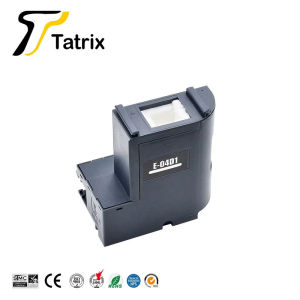
T04D100 C13T04D100 Maintenance Tank for Epson WorkForce WF-2865DWF WF-2860DWF XP-5105 XP-5100 EcoTank ET-M3180 ET-M3170 ET-M3140
T04D100 C13T04D100 Maintenance Tank for Epson WorkForce WF-2865DWF WF-2860DWF XP-5105 XP-5100 EcoTank ET-M3180 ET-M3170 ET-M3140
Understanding the T04D100 C13T04D100 Maintenance Tank
The T04D100 C13T04D100 maintenance tank is a compatible ink cartridge designed by Tatrix International, specifically for Epson printers. This maintenance tank is compatible with a range of Epson printer models, including the WorkForce WF-2865DWF, WF-2860DWF, XP-5105, XP-5100, EcoTank ET-M3180, ET-M3170, and ET-M3140.
Compatible Printers
The T04D100 C13T04D100 maintenance tank is compatible with the following Epson printer models:
- WorkForce WF-2865DWF
- WorkForce WF-2860DWF
- XP-5105
- XP-5100
- EcoTank ET-M3180
- EcoTank ET-M3170
- EcoTank ET-M3140
Key Features
- Compatible with Epson E-04D1
- Maintenance cartridge
- Cartridge's status: EMPTY
- Bulk packaging: Yes
- Brand name: Tatrix International
- Origin: Mainland China
- Type: Ink cartridge
- With chip: 100% compatible
- Compatible printer: WorkForce WF-2860, WF-2860DWF, WF-2865DWF, WF-2865DWF
Brand & Origin
The T04D100 C13T04D100 maintenance tank is manufactured by Tatrix International, a reputable brand known for producing high-quality compatible ink cartridges. The product is made in Mainland China, ensuring reliable performance and compatibility with your Epson printer.
How to Install the T04D100 C13T04D100 Maintenance Tank
Installing the T04D100 C13T04D100 maintenance tank is a straightforward process. Follow these steps to ensure a smooth installation:
Preparation
Before installing the maintenance tank, make sure you have the following:
- A new T04D100 C13T04D100 maintenance tank
- Your Epson printer ready for installation
Installation Process
- Turn off your Epson printer and unplug it from the power source.
- Open the printer cover and locate the empty maintenance tank slot.
- Remove the protective film from the new T04D100 C13T04D100 maintenance tank.
- Insert the new maintenance tank into the designated slot, ensuring it is securely seated.
- Close the printer cover and plug the printer back into the power source.
- Turn on your Epson printer and allow it to recognize the new maintenance tank.
Post-Installation
After installing the T04D100 C13T04D100 maintenance tank, perform the following steps to ensure optimal performance:
- Run a cleaning cycle to prime the new maintenance tank.
- Check the printer settings to ensure the new maintenance tank is recognized and functioning correctly.
- Test print a document or image to verify the quality of the printed output.
Troubleshooting Common Issues
If you encounter any issues during the installation or usage of the T04D100 C13T04D100 maintenance tank, refer to the following troubleshooting tips:
Incorrect Installation
- Double-check that the new maintenance tank is securely seated in the designated slot.
- Make sure the protective film has been removed before installation.
- Follow the installation process step-by-step to avoid errors.
Printer Not Recognizing Tank
- Ensure the new maintenance tank is properly installed and securely seated.
- Run a cleaning cycle to help the printer recognize the new maintenance tank.
- Check the printer settings to confirm the new maintenance tank is recognized.
Ink Leaks
- If ink leaks occur during installation, carefully remove the maintenance tank and inspect the slot for any obstructions or damage.
- Clean the slot and surrounding area with a lint-free cloth before reinserting the maintenance tank.
- If the issue persists, contact Tatrix International customer support for assistance.
Benefits of Using T04D100 C13T04D100 Maintenance Tank
Using the T04D100 C13T04D100 maintenance tank offers several benefits for Epson printer owners:
Cost Savings
- Compatible ink cartridges like the T04D100 C13T04D100 maintenance tank offer significant cost savings compared to original equipment manufacturer (OEM) ink cartridges.
- Save money on printing costs without compromising on print quality.
Easy Replacement
- The T04D100 C13T04D100 maintenance tank is easy to install and replace, making it convenient for users who want to maintain their printer's performance.
- No special tools or skills are required for installation.
High-Quality Printing
- The T04D100 C13T04D100 maintenance tank ensures high-quality printing results, comparable to OEM ink cartridges.
- Enjoy crisp, clear text and vibrant images with every print job.

ColoWorld
Review

You May Also Like
Epson 664 Ink (CIS) – Cyan Magenta Yellow and Black original epson ink for epson printer
DRPDA D520 Bluetooth Thermal Printer: A6 Barcode Shipping Label & Consignment Note Printing Solution

Phomemo D450BT: A Compact Bluetooth Thermal Printer for A6 Waybill Labels
Genuine Epson 673 Original Ink Bottle 1set 6 color for L800 L805 L810 L850 L1800 T6732T6733T6734T6735T6736
ETQ MP2014 C/S/HS Compatible Toner Cartridge For Ricoh Aficio MP 2014 MP 2014AD Low Yield

LIOTOG C23 Mini Printer Bluetooth Thermal Printer Photo Waybill Printer Sticker Paper Portable Rechargeable Printer with LED Light for Study Work Storage Table
ETQ Compatible Toner Cartridge for Xpress ML-2160 ML-2161 ML-2162 ML-2163 ML-2164 ML-2165 ML-2168 G GW W Series Suitable for Samsung Printer
Canon G5070 Colored Single Function Printer / Photo Printer
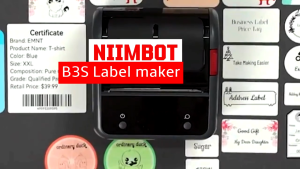
NIIMBOT B3S Pro Bluetooth Label Printer - 75mm Thermal Barcode & QR Code Sticker Maker for Retail Warehouse Receipt (20-75mm Paper Size)
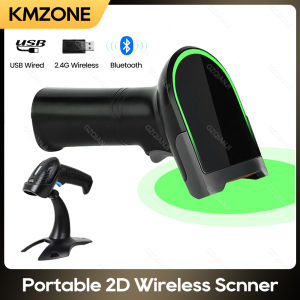
Bluetooth Barcode Scanner: A Comprehensive Guide
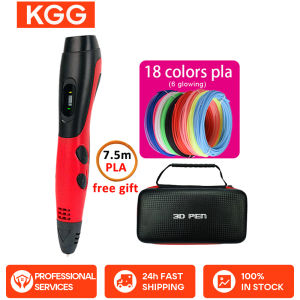
High Quality 3D Pen: ABS & PLA Filament, USB Output, & Beautiful Case