Factory Premium Quality CE285A & CB435A Toner Cartridges for HP LaserJet Printers
Factory Premium Quality CE285A & CB435A Toner Cartridges for HP LaserJet Printers
Introduction to Premium Quality Toner Cartridges
When it comes to printing, using compatible toner cartridges like the CE285A and CB435A for HP LaserJet printers can significantly improve your overall printing experience. These premium quality toner cartridges are designed to provide excellent print quality and reliability, ensuring that your documents and projects look professional and polished. In this article, we will discuss the benefits of using these compatible toner cartridges, how to choose the right cartridge for your printer, installation and usage tips, and troubleshooting common issues.
Overview of CE285A and CB435A Toner Cartridges
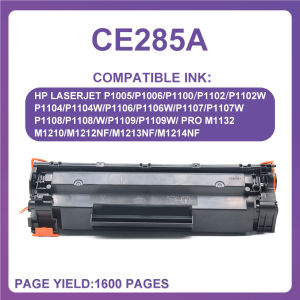
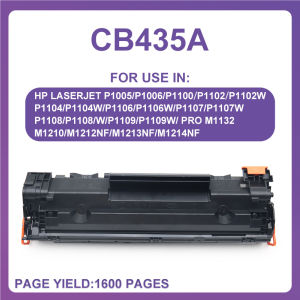
The CE285A and CB435A toner cartridges are compatible with a wide range of HP LaserJet printers, including the P1005, P1006, P1100, P1102, P1102W, P1104W, and P1106 models. These toner cartridges offer a page yield of approximately 1600 pages and are available in black (BK) color.
Benefits of Using Premium Quality Toner Cartridges
By using premium quality toner cartridges like the CE285A and CB435A, you can enjoy several benefits, such as:
- Cost-effective printing: Compatible toner cartridges offer a more affordable alternative to OEM toner cartridges, helping you save money on printing costs.
- Excellent print quality: These toner cartridges produce sharp, clear, and consistent prints, ensuring that your documents look professional and polished.
- Reliability: Premium quality toner cartridges are designed to provide reliable performance, reducing the risk of printing errors and downtime.
How to Choose the Right Toner Cartridge for Your HP LaserJet Printer
Selecting the right toner cartridge for your HP LaserJet printer involves understanding page yield and compatibility, as well as considering factors such as print volume, budget, and desired print quality.
Understanding Page Yield and Compatibility
Page yield refers to the number of pages that a toner cartridge can print before it needs to be replaced. When choosing a compatible toner cartridge, it's important to consider the page yield and ensure that it meets your printing needs. Additionally, make sure to check the compatibility of the toner cartridge with your specific printer model.
Factors to Consider When Selecting a Toner Cartridge
When selecting a compatible toner cartridge, consider the following factors:
- Print volume: Determine how many pages you typically print per month and choose a toner cartridge with a page yield that meets your needs.
- Budget: Consider the cost of the toner cartridge and weigh it against the potential savings compared to OEM toner cartridges.
- Desired print quality: If you require high-quality prints, look for toner cartridges that produce sharp, clear, and consistent prints.
Installation and Usage of CE285A & CB435A Toner Cartridges
Installing compatible toner cartridges like the CE285A and CB435A is a straightforward process. Follow these step-by-step instructions to ensure a smooth installation:
- Turn off your printer and unplug it from the power source.
- Open the toner cartridge access door and remove the old toner cartridge.
- Remove the new toner cartridge from its packaging and carefully remove any protective tape or labels.
- Insert the new toner cartridge into the printer, making sure it clicks into place.
- Close the toner cartridge access door and turn on your printer.
To maximize printer performance with premium quality toner cartridges, follow these tips:
- Keep your printer clean and free of dust and debris.
- Regularly perform maintenance tasks, such as cleaning the print head and replacing worn parts.
- Monitor your toner levels and replace the toner cartridge before it runs out completely.
Troubleshooting Common Issues with HP LaserJet Printers
Even with premium quality toner cartridges, you may encounter some common issues with your HP LaserJet printer. Here are some tips for identifying and resolving these issues:
- Check for error messages: If your printer displays an error message, consult the user manual or online resources to identify the cause and resolution.
- Clean the print head: If you notice streaks or smudges on your prints, clean the print head using the printer's built-in cleaning function.
- Replace worn parts: If you notice that your prints are not as sharp or clear as they used to be, consider replacing worn parts, such as the drum unit or fuser.
To maintain optimal printer health with compatible toner cartridges, follow these tips:
- Regularly perform maintenance tasks, such as cleaning the print head and replacing worn parts.
- Monitor your toner levels and replace the toner cartridge before it runs out completely.
- Keep your printer clean and free of dust and debris.
Conclusion
In conclusion, using premium quality compatible toner cartridges like the CE285A and CB435A for HP LaserJet printers can significantly improve your overall printing experience. By choosing the right toner cartridge, installing and using it correctly, and troubleshooting common issues, you can enjoy cost-effective, reliable, and high-quality printing.

STEDDY
You May Also Like
Premium Iwata CW1A 2A & MT7100 Bundy Clock Ribbon: A Comprehensive Guide
For Lab Lithophane Led Panel CMYK LED Backlight Board CMYK Lithophane Bundle 3D Print Lithophane Photo Accessories
Manual And Automatic Vacuum Sealer Bag for 3D Printing Materials PLA ABS PETG Lejidi Office Equipment Consumables Sealing Bag
SUNLU High Speed PETG 3D Filament 1.75mm 30mm/s - 600mm/s Print Range High Flow Speedy 3D Printer Filament Fit Most FDM Printers Dimensional Accuracy +/- 0.02mm 1kg Spool (Black)
BEEPRT waybill printer three inches(A8) no ink cellphone bluetooth USB thermal sticker printer/office diy printer

Compatible and for Use in ricoh AF1015 MP2000 MP1500 MP1600 MP1900 PCU
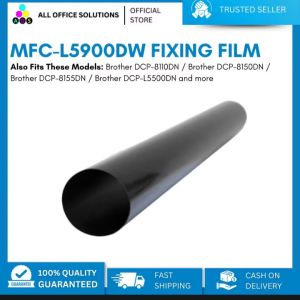
AOS Compatible Brother L5900 MFC-L5900DW Fixing Film Replacement Sleeve With Grease
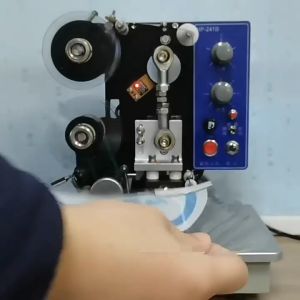
1Pcs 30mm x 100m Hot Foil Ribbon Thermal Ribbon For Coding Machine By Codephil Inc
OPC Drum DR2355 DR2455 DR2255 Compatible for Brother DCP L2540 L2540DW L2550 L2550DW
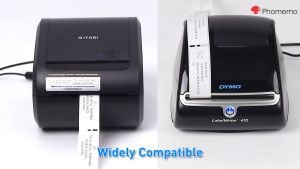
Phomemo Bluetooth Thermal Printer - D520-BT Shipping Label Printer 4x6 Printer for Small Business & Packages/Barcode/Address/Postage Labels
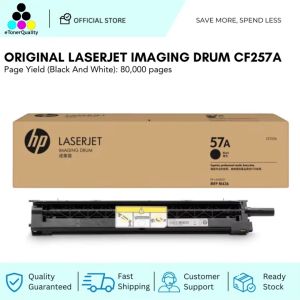
HP 57A Original LaserJet Imaging Drum CF257A