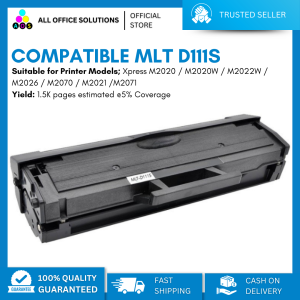
AOS MLTD111S Toner Cartridge Compatible MLT-D111S for Samsung Printer
AOS MLTD111S Toner Cartridge Compatible MLT-D111S for Samsung Printer
What is the AOS MLTD111S Toner Cartridge?
The AOS MLTD111S Toner Cartridge is a high-quality alternative toner cartridge designed specifically for Samsung printers. It is compatible with the original MLT-D111S toner cartridge, offering cost-effective printing solutions for businesses and individuals alike. This compatible toner cartridge is made with precision engineering and superior quality materials, ensuring reliable performance and consistent print results.
How does it compare to the original MLT-D111S toner cartridge?
When comparing the AOS MLTD111S Toner Cartridge to the original MLT-D111S toner cartridge, it is important to note that the compatible version is designed to meet the same standards as the original. While there may be slight differences in terms of page yield, the overall print quality remains comparable. The AOS MLTD111S Toner Cartridge is a cost-effective alternative, allowing users to save money on printing expenses without compromising on quality.
Benefits of using compatible toner cartridges
Using compatible toner cartridges like the AOS MLTD111S Toner Cartridge offers several advantages over using original brand cartridges:
- Cost-effective: Compatible toner cartridges are typically less expensive than original brand cartridges, providing significant savings for businesses and individuals.
- High-quality prints: Compatible toner cartridges are designed to meet the same standards as original brand cartridges, ensuring consistent print quality.
- Environmental impact: By choosing compatible toner cartridges, users can help reduce waste and minimize their environmental footprint.
How to Choose the Right Toner Cartridge
Selecting the right toner cartridge for your Samsung printer is crucial for optimal performance and print quality. Here are some steps to help you choose the correct toner cartridge:
Identifying your printer model
The first step in selecting the right toner cartridge is to identify your printer model. This can usually be found on the printer itself, in the user manual, or by checking the manufacturer's website.
Ensuring compatibility with Samsung printers
Once you have identified your printer model, make sure that the compatible toner cartridge you choose is specifically designed for Samsung printers. This will ensure optimal performance and print quality.
Installing & Using the AOS MLTD111S Toner Cartridge
Installing the AOS MLTD111S Toner Cartridge is a straightforward process. Follow these steps to ensure proper installation:
- Turn off your printer and unplug it from the power source.
- Open the front cover of the printer and locate the toner cartridge compartment.
- Remove the original toner cartridge and dispose of it properly.
- Remove the new AOS MLTD111S Toner Cartridge from its packaging and remove any protective tape or plastic.
- Insert the new toner cartridge into the compartment, making sure it clicks into place.
- Close the front cover of the printer and plug it back into the power source.
- Turn on your printer and allow it to initialize the new toner cartridge.
Tips for maximizing print quality
To maximize print quality when using the AOS MLTD111S Toner Cartridge, follow these tips:
- Keep your printer clean: Regularly clean the exterior and interior of your printer to prevent dust and debris from affecting print quality.
- Use high-quality paper: Using high-quality paper can improve print quality and reduce the risk of paper jams.
- Perform regular maintenance: Follow the manufacturer's recommendations for regular printer maintenance to ensure optimal performance.
Troubleshooting Common Issues
While the AOS MLTD111S Toner Cartridge is designed to provide reliable performance, some common issues may arise. Here are some tips for addressing these issues:
Addressing cartridge jams
If you experience cartridge jams, try the following steps:
- Turn off the printer: Before attempting to remove the jammed cartridge, turn off the printer and unplug it from the power source.
- Open the front cover: Open the front cover of the printer and locate the jammed cartridge.
- Remove the cartridge: Gently remove the jammed cartridge and dispose of it properly.
- Insert a new cartridge: Insert a new AOS MLTD111S Toner Cartridge and close the front cover of the printer.
- Restart the printer: Turn on the printer and allow it to initialize the new toner cartridge.
Solving ink smudging problems
If you notice ink smudging on your prints, try the following steps:
- Check the print settings: Adjust the print settings to ensure optimal print quality.
- Clean the printer: Regularly clean the exterior and interior of your printer to prevent dust and debris from affecting print quality.
- Use high-quality paper: Using high-quality paper can improve print quality and reduce the risk of ink smudging.

AllOfficeSolutions Reference Number: 250923-161608
You May Also Like
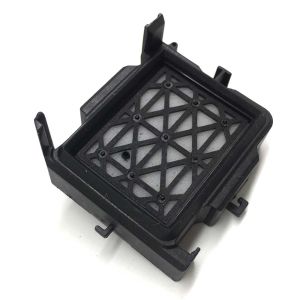
In Stock Dx11 Xp600 Printhead Cap Top Capping for Eco Solvent Printer Machine
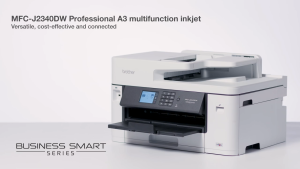
Brother MFC-J2340DW | MFC-J3540DW | MFC-J3940DW Inkjet Printer A3 Multifunction J2340DW J3540DW J3940DW J2340 J3540 J3940

Brother Printer Pickup Roller Rubber Set DCP T300 T500 T700 T800 Shaft Included. Refurbished
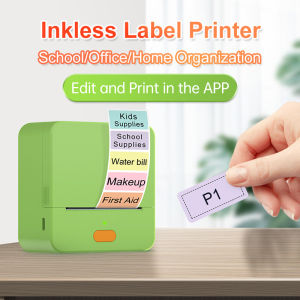
【Super low price】P1 Label Maker Machine 57mm Pocket Thermal Sticker Printer for Organizing Adhesive Tag DIY Date Journal Study Stickers 20-50mm label Width Support Wireless BT Connect Compatible with iOS Android
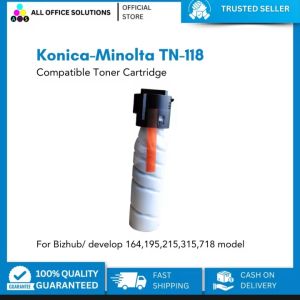
Compatible Konica-Minolta TN-118 Toner Cartridge
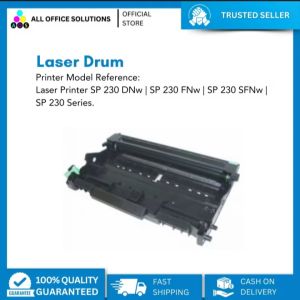
AOS Compatible Laser Drum Ricoh SP 230series
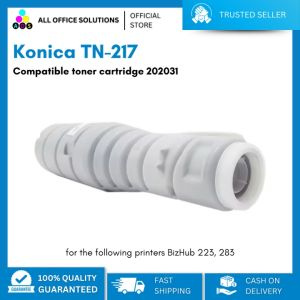
Konica TN-217 Compatible Toner Cartridge 202031: A Comprehensive Guide
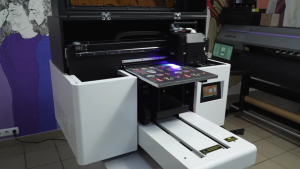
AGP UV-3040 Flatbed UV Printer
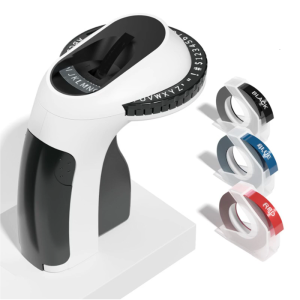
Portable Mechanical Label Printer With 3Rolls Tape Handheld Labels Sticker Maker For Home Kitchen Storage Labeling

LIOTOG C22 Mini Thermal Printer for Student Portable Bluetooth RGB Printer with 1 Roll Paper Compatible with Phone System for Office/Home/Kitchen Storage
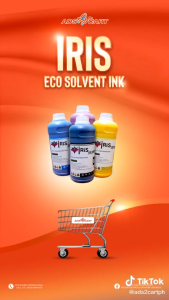
ADS IRIS & Galaxy Eco Solvent Ink CMYK 1 Liter for DX5/DX7/DX11/XP600 Inkjet Printers