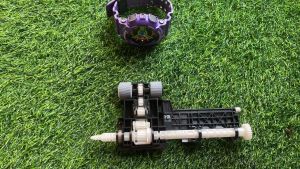
Brother Printer Pickup Roller Rubber Set DCP T300 T500 T700 T800 Shaft Included. Refurbished
Brother Printer Pickup Roller Rubber Set DCP T300 T500 T700 T800 Shaft Included. Refurbished
What Are Replacement Printer Components?
Understanding Printer Components
Printer components refer to the various parts that make up a printer. These include rollers, belts, gears, and other mechanical parts, as well as electronic components like circuit boards and sensors. Each component plays a crucial role in the overall functionality of the printer.
Types of Printer Components
There are several types of printer components, including:
- Print heads: The part of the printer that deposits ink onto the paper.
- Ink cartridges: Containers that hold ink for the print head.
- Rollers: Components that move paper through the printer.
- Belts: Used to transport paper and other materials within the printer.
- Gears: Mechanisms that transfer motion from one part of the printer to another.
Benefits of Using Replacement Components
Using replacement printer components offers several advantages, such as:
- Cost savings: Replacing individual components is often more cost-effective than purchasing a new printer.
- Environmental benefits: Extending the life of existing printers reduces waste and minimizes the environmental impact of manufacturing new printers.
- Improved performance: Upgrading to newer or higher-quality components can improve the overall performance of the printer.
Brother Printer Pickup Roller Set: DCP T300 T500 T700 T800
Key Features of the Pickup Roller Set
The Brother Printer Pickup Roller Set is designed specifically for the DCP T300, T500, T700, and T800 series printers. This set includes a rubber pickup roller and shaft, which work together to feed paper into the printer. Some key features of this set include:
- High-quality materials: Made from durable rubber and metal, these components are built to last.
- Easy installation: The set comes with clear instructions for installation, making it simple to replace the old pickup roller.
- Compatibility: Compatible with multiple Brother printer models, ensuring that you can find the right components for your specific printer.
How to Install the Pickup Roller Set
Installing the Brother Printer Pickup Roller Set is a straightforward process. Follow these steps to ensure proper installation:
- Turn off the printer and unplug it from the power source.
- Open the front cover of the printer and locate the pickup roller.
- Remove the old pickup roller by gently pulling it out of its housing.
- Insert the new pickup roller into the housing, making sure it is properly aligned.
- Close the front cover of the printer and plug it back in.
- Test the printer to ensure that the new pickup roller is working correctly.
Troubleshooting Common Issues
If you encounter any issues with the new pickup roller, try the following troubleshooting steps:
- Check the alignment: Make sure the pickup roller is properly aligned in its housing.
- Clean the pickup roller: If the pickup roller is dirty or clogged, clean it with a soft cloth.
- Check the tension: Adjust the tension of the pickup roller if necessary.
Refurbished Printer Parts: Quality & Cost-Effectiveness
Advantages of Refurbished Printer Parts
Refurbished printer parts offer several advantages, including:
- Cost savings: Refurbished parts are often less expensive than new ones, allowing you to save money while still maintaining the quality of your printer.
- Environmental benefits: By using refurbished parts, you help reduce waste and minimize the environmental impact of manufacturing new components.
- Reliability: Refurbished parts are thoroughly inspected and tested to ensure they meet the same standards as new parts.
How to Choose Reliable Refurbished Printer Parts
When choosing refurbished printer parts, consider the following factors:
- Manufacturer: Look for parts from reputable manufacturers who have a track record of producing high-quality components.
- Condition: Check the condition of the part before purchasing. Look for signs of wear or damage that may affect its performance.
- Warranty: Make sure the part comes with a warranty that covers any defects or issues that may arise.
Case Study: Successful Use of Refurbished Printer Parts
A small business owner purchased refurbished printer parts for their Brother DCP T700 printer. After installing the new parts, they noticed a significant improvement in print quality and speed. The refurbished parts saved them a considerable amount of money compared to purchasing new ones, and they were able to extend the life of their existing printer.
Conclusion
Summary of Key Points
In this article, we discussed the importance of replacement printer components and the benefits of using refurbished parts. We also explored the features and installation process of the Brother Printer Pickup Roller Set for DCP T300, T500, T700, and T800 printers.
Final Thoughts on Brother Printer Pickup Roller Set & Refurbished Printer Parts
By investing in high-quality replacement components like the Brother Printer Pickup Roller Set, you can extend the life of your printer and improve its overall performance. Additionally, using refurbished printer parts offers cost savings and environmental benefits, making it a smart choice for businesses and individuals alike.

t3chguyph
Review

You May Also Like
1D/2D Supermarket Barcode Reader Bluetooth USB Wireless Handheld Warehouse Bar Code QR Scanner CMOS Image High-speed Decoding
TPU 3D Printer Filament 1.75mm High Speed 95A Transparent TPU Filament 250g/500g/1KG Dimensional Accuracy +/- 0.03mm
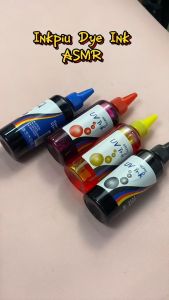
Inkpiu UV Dye Ink 100ml (CMYK+LMLC) for Inkjet Compatible Printers HP / Canon /Epson /Brother
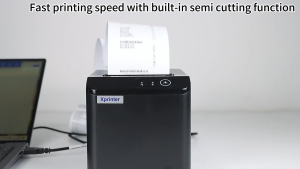
Xprinter XP-T80A Thermal Receipt Printer with Bluetooth USB LAN Auto Cutter High-Speed 160mm/s - 80mm Thermal Paper.
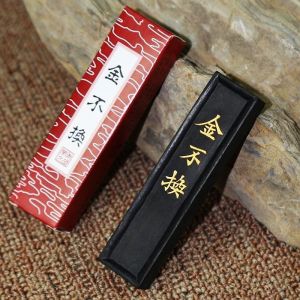
Anhui Ink Stick Ink for Chinese brush calligraphy Grinding ink blocks Lao Hu Kaiwen Ink Stick from She County Pure handmade ink
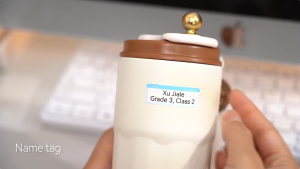
300dpi Niimbot D11 Mini Portable Thermal Printer Thermal Adhesive Label Maker Lightweight Printer For Stickers Label Machine New
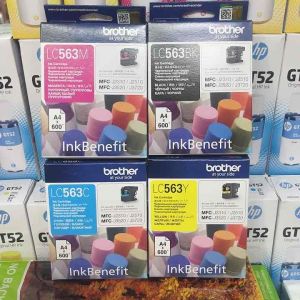
Genuine Original Ink Lc563 CMYK
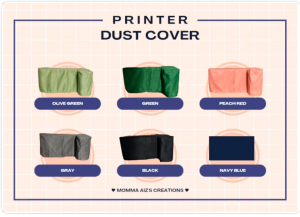
Gartered Printer Dust Cover for PRINTER MODEL DCP 710DW 720DW 615DW
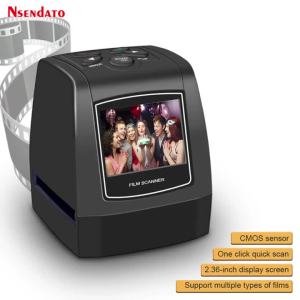
5MP 35mm USB Negative Film Slide Viewer Scanner 2.3 "LCD Digital Color Photo Screen Film Converter for SD Scanner Scanners
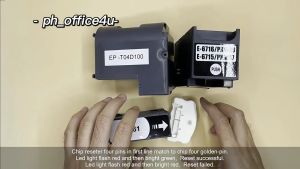
Epson T 6716 T 6715 T 04D1 T 3661 chip resetter Epson T6716 T6715 T04D1 T3661 Maintenance Box Chip Resetter
Epson LQ-350 & LQ-100 Ribbon Cartridge S015633 Explained