LIOTOG C22 Mini Thermal Printer for Student Portable Bluetooth RGB Printer with 1 Roll Paper Compatible with Phone System for Office/Home/Kitchen Storage
LIOTOG C22 Mini Thermal Printer for Student Portable Bluetooth RGB Printer with 1 Roll Paper Compatible with Phone System for Office/Home/Kitchen Storage
What is LIOTOG C22 Mini Thermal Printer?
The LIOTOG C22 Mini Thermal Printer is a portable and versatile device designed for students, offices, and home use. This compact printer offers a Bluetooth connection, allowing users to print from their smartphones or tablets with ease. With its sleek design and powerful features, the LIOTOG C22 is perfect for various applications, including office work, home projects, and kitchen tasks.
Key Features
- Model: C22
- Interface: Bluetooth
- Print media: thermal paper
- Size: 11x8x3.5cm/4.33x3.14x1.37inch
- Power supply: built-in 1200mAh battery
- Print format: 57x30mm/2.24x1.18inch
Interface & Connectivity
The LIOTOG C22 Mini Thermal Printer connects to smartphones and tablets via Bluetooth, providing a seamless printing experience. Users can easily set up the connection by following the instructions in the user manual. With its built-in 1200mAh battery, the printer offers long-lasting power, making it perfect for on-the-go printing needs.
Print Media & Size
The LIOTOG C22 Mini Thermal Printer supports thermal paper, which is compatible with various applications. The printer has a print format of 57x30mm/2.24x1.18inch, allowing users to print small documents, receipts, labels, and more. The compact size of the printer makes it easy to store and transport, while still delivering high-quality prints.
How to Use LIOTOG C22 Mini Thermal Printer
Setting Up Bluetooth Connection
To set up the Bluetooth connection, turn on your smartphone or tablet and navigate to the Bluetooth settings. Power on the printer by pressing the power button, and wait for the device to appear in the list of available Bluetooth devices. Select the printer, and follow the prompts to establish the connection.
Printing from Phone System
Once the Bluetooth connection is established, open the app or software on your smartphone or tablet that supports printing. Select the LIOTOG C22 Mini Thermal Printer as the print destination, and choose the document or image you wish to print. Preview the print job, and press the print button to start the process.
Printer Maintenance & Battery Management
To maintain the LIOTOG C22 Mini Thermal Printer, keep the device clean and free of dust. When not in use, store the printer in a dry, cool place. To manage the battery, avoid leaving the printer connected to a power source when not in use. Charge the battery fully before first use, and recharge it as needed to ensure optimal performance.
LIOTOG C22 Mini Thermal Printer for Office/Home/Kitchen Storage
Office Applications
The LIOTOG C22 Mini Thermal Printer is ideal for office applications, including printing receipts, invoices, and labels. Its compact size and portable design make it easy to store and transport, while its built-in battery provides long-lasting power for on-the-go printing needs.
Home Applications
At home, the LIOTOG C22 Mini Thermal Printer can be used for various projects, such as printing gift tags, party invitations, and recipe cards. Its sleek design and powerful features make it a versatile addition to any home office or craft room.
Kitchen Applications
In the kitchen, the LIOTOG C22 Mini Thermal Printer can be used to print meal labels, grocery lists, and recipe cards. Its compact size makes it easy to store and transport, while its built-in battery provides long-lasting power for on-the-go printing needs.

LIOTOG
You May Also Like
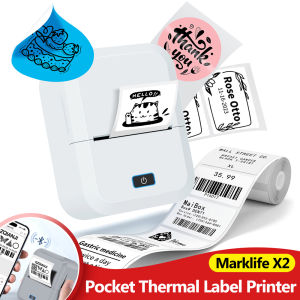
Mini Label Printer Marklife X2 Similar to P50 M110 Niimbot B21 B1 Labeling Machine Portable Bluetooth Pocket Thermal Label Maker
Epson 001 ORIGINAL Black Cyan Magenta Yellow ink L4150 L4160 L6160 L6170 L6190 L6191 L14150 Y100 Y200 Y300 Y400 Epson L6170 Head Price Epson Xp 6100 Ink Epson L3160 Inkpad - Lazada
C9345 chip Resetter Reset Chip for Epson L18050 L8050 L15150 L15160 L15158 L15168 L6578 L6558 WF-7820 7830 7840 ET-5800 ET-5850 ET-5880 ET-16600 ET-16650 Printer
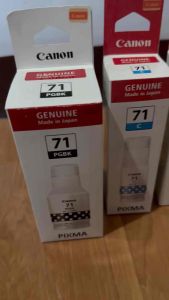
Genuine Canon Pixma 71 Ink GI-71 (Set) for G1020 G2020 G3020 G3060 G4770)
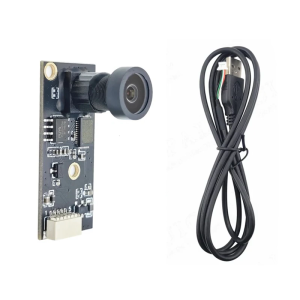
Advanced USB Camera Module for Professional 3D Printing Applications Delivers Clear Live Feed with Wide Angle View and Sturdy Design
![[Authentic Guarantee]Yilong Cordless Stencil Paper Para sa ATS886 Printer](https://img.lazcdn.com/g/ot/common/69fac0bd511e4f3e9104eff7966f264b.png_300x300q80.png)
[Authentic Guarantee]Yilong Cordless Stencil Paper Para sa ATS886 Printer
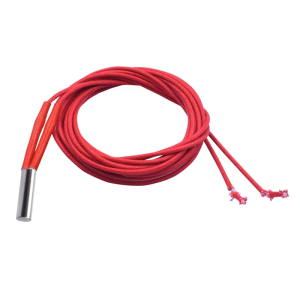
12V 24V 40W Heating Rod Ceramic Heating Cartridge High Durability Enhances 3D Printing
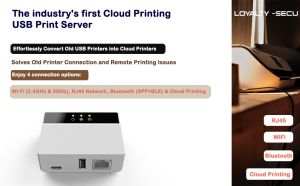
WiFi Bluetooth Cloud Print Server | Upgrade USB Printers to Wireless LAN & Remote Printing API & MQTT Supported
ALGOLASER DIY KIT: A Comprehensive Guide to Home Use Laser Engravers
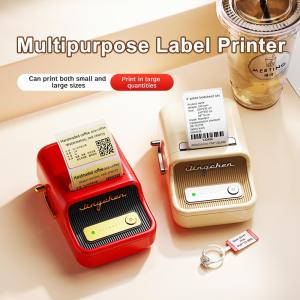
Niimbot B21 Bluetooth Thermal Label Printer Inkless Portable Sticker Maker for Jewelry Clothing Tags Supermarket Retail Home Barcodes Price Name Printing with FCC CE RoHS Certifications
Original Genuine Ink Epson 008 Black Colored