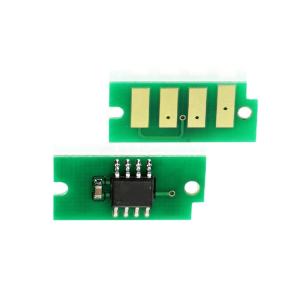
Compatible Chips for DocuPrint M455 & M455df
Compatible Chips for DocuPrint M455 & M455df
Introduction to Compatible DocuPrint M455 Chips
What Are Compatible Printer Components?
Compatible printer components, such as toner cartridges and chips, are third-party alternatives to original equipment manufacturer (OEM) parts. They are designed to work seamlessly with your DocuPrint M455 or M455df printer, providing a cost-effective and environmentally friendly option for maintaining your printing needs.
Benefits of Using Compatible Toner Cartridges
There are several advantages to using compatible toner cartridges for your DocuPrint M455 or M455df printer. These include:
- Cost savings: Compatible toner cartridges are typically less expensive than OEM parts, helping you save money in the long run.
- Environmental benefits: By choosing compatible toner cartridges, you reduce waste and minimize your environmental impact.
- Performance: High-quality compatible toner cartridges provide comparable print quality and reliability to OEM parts.
Where to Find High-Quality Compatible Chips
To ensure you receive the best compatible DocuPrint M455 chips, look for reputable suppliers that offer high-quality products backed by warranties and customer support. Online retailers, such as Amazon and eBay, offer a wide selection of compatible chips at competitive prices.
How to Install Compatible Toner Cartridges for DocuPrint M455df
Step-by-Step Guide to Replacing Toner Chips
To install compatible toner cartridges for your DocuPrint M455df printer, follow these steps:
- Turn off the printer and unplug it from the power source.
- Open the front cover of the printer and locate the toner cartridge compartment.
- Remove the old toner cartridge by gently pulling it out of the compartment.
- Carefully remove the protective packaging from the compatible toner cartridge.
- Align the new toner cartridge with the compartment and gently push it in until it clicks into place.
- Close the front cover of the printer and plug it back into the power source.
Troubleshooting Common Issues
If you encounter any issues during the installation process, refer to the troubleshooting guide provided by the compatible chip manufacturer. Common problems include:
- Misaligned toner cartridge: Ensure the new toner cartridge is properly aligned with the compartment before pushing it in.
- Printer not recognizing the new toner cartridge: Check that the toner cartridge is fully inserted and the front cover is closed.
- Print quality issues: Run a test print to check the print quality. If necessary, adjust the printer settings or contact customer support for further assistance.
Tips for Maintaining Your Printer
To ensure your DocuPrint M455df printer continues to function optimally, follow these maintenance tips:
- Clean the printer regularly to prevent dust buildup and ink smears.
- Replace the toner cartridge when the print quality begins to deteriorate.
- Update the printer firmware to ensure compatibility with the latest software and operating systems.
- Store compatible toner cartridges in a cool, dry place to maintain their quality.
Why Choose Compatible Replacement Toner Chips?
Cost Savings with Compatible Printer Parts
Compatible replacement toner chips offer significant cost savings compared to OEM parts. By choosing compatible chips, you can save money while still enjoying reliable printing performance.
Environmental Benefits of Using Compatible Toner Cartridges
Using compatible toner cartridges helps reduce waste and minimize your environmental impact. By choosing eco-friendly alternatives, you contribute to a greener future.
Long-Term Savings and Performance
Investing in compatible replacement toner chips provides long-term savings and performance benefits. By choosing high-quality compatible parts, you can enjoy reliable printing at a fraction of the cost of OEM alternatives.

AllOfficeSolutions Reference Number: 250923-161608
You May Also Like
200g 500g 1Kg Two Color PLA Silk Blue purplered 3D Printer Filament 1.75mm Dual Color silk Blue purplered 3D Printing Material
Original Canon PGI-35 Black & CLI-36 Color Ink Cartridge
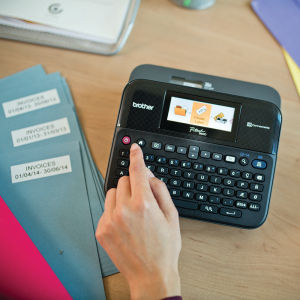
Brother Label Printer PTD600+TZe-231V2 FREE Matte Tape TZEM951
Brother DCP-T820dw Ink Tank w/ Original Ink Printer with Scanner and Xerox Long Legal ADF Continuous Ink CISS 220gsm Duplex Printing Automatic 2-sided Borderless | Brother Official Flagship Store Partner Dealer | Print Scan Copy T820 T820DW
AOS TN456 Toner Compatible to Brother TN-456 HL L8260CDN HL L8360CDW MFC L8690CDW MFC L8900CDW Printer Ink

Polymaker Panchroma PolyTerra Matte PLA Filament (1.75mm & 2.85mm Eco-Friendly 3D Printing Filament)
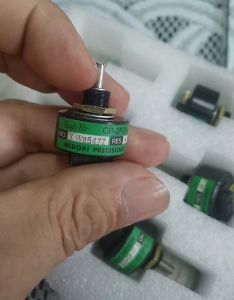
Mitsubishi Printing Machine CP-2FCW Ink Bucket Motor 5K Potentiometer
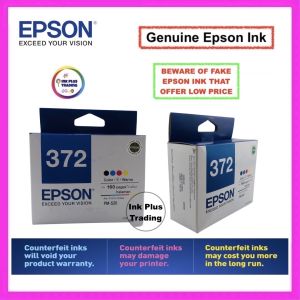
100 % Original Sealed Epson 372 Ink Cartridge for Epson Picture Mate PM520 PM 520

Toner Powder Fuji S1810 S2010 S2110 S2320 S2420 Compatible 1kg/500grams
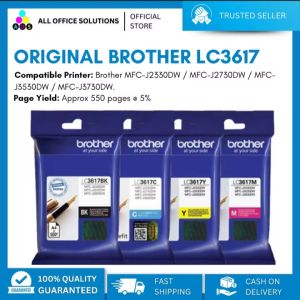
Original Brother LC3617 Ink Cartridge
Cuyi Pigment 500 ML