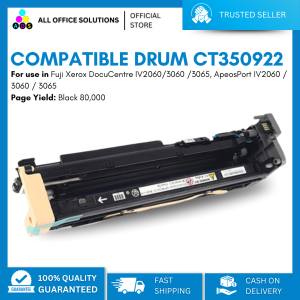
AOS Compatible Drum Fuji Xerox AP 3065 CT350922
AOS Compatible Drum Fuji Xerox AP 3065 CT350922
Introduction to AOS Compatible Drum & CT350922 Printer Drum
In this article, we will explore the world of compatible printer parts, focusing specifically on the AOS Compatible Drum and CT350922 printer drum for the Fuji Xerox AP 3065 printer. Compatible printer parts are third-party alternatives to original equipment manufacturer (OEM) components, offering cost-effective solutions for maintaining and enhancing the performance of your printer.
What is AOS Compatible Drum?
The AOS Compatible Drum is a high-quality replacement drum designed to work seamlessly with the Fuji Xerox AP 3065 printer. It is manufactured by AOS, a reputable company known for producing reliable and affordable compatible printer parts. The AOS Compatible Drum is engineered to meet the specifications of the original OEM drum, ensuring optimal compatibility and performance.
How Does It Work with Fuji Xerox AP 3065?
The AOS Compatible Drum is designed to replace the original drum in your Fuji Xerox AP 3065 printer. By installing the compatible drum, you can continue to print high-quality documents and images without compromising on performance or reliability. The drum is engineered to work seamlessly with the printer's hardware and software, providing a hassle-free experience for users.
Benefits of Using Compatible Printer Parts
There are several advantages to using compatible printer parts, such as the AOS Compatible Drum and CT350922 printer drum, for your Fuji Xerox AP 3065 printer.
Cost Savings with AOS Compatible Drum
One of the most significant benefits of using compatible printer parts is cost savings. Compatible drums like the AOS Compatible Drum are typically less expensive than their OEM counterparts, allowing you to save money on printing costs without sacrificing quality or performance.
Quality Assurance of Compatible Printer Parts
Another advantage of using compatible printer parts is the quality assurance they offer. Reputable manufacturers like AOS invest in rigorous testing and quality control processes to ensure that their products meet or exceed OEM standards. This means that you can trust the AOS Compatible Drum to deliver consistent performance and longevity, just like the original OEM drum.
Installation Guide for Replacement Printer Drum
Installing a replacement printer drum, such as the CT350922 printer drum, is a straightforward process that can be completed in a few simple steps.
Steps to Install CT350922 Printer Drum
- Turn off and unplug your Fuji Xerox AP 3065 printer to avoid any potential electrical hazards.
- Open the printer's front cover and locate the drum unit.
- Carefully remove the old drum unit by lifting it out of its slot.
- Remove the new CT350922 printer drum from its packaging and carefully insert it into the drum slot.
- Close the printer's front cover and plug the printer back in.
- Turn on the printer and allow it to initialize the new drum unit.
Troubleshooting Tips for Smooth Operation
If you encounter any issues during the installation process or while using the new CT350922 printer drum, refer to the troubleshooting tips below:
- Ensure that the drum is properly seated in its slot before closing the printer's front cover.
- Check that the printer's ink levels are sufficient before printing.
- If you experience poor print quality, try cleaning the drum unit or performing a maintenance cycle on the printer.
Conclusion
In conclusion, the AOS Compatible Drum and CT350922 printer drum offer a cost-effective and reliable solution for maintaining the performance of your Fuji Xerox AP 3065 printer. By choosing compatible printer parts from reputable manufacturers like AOS, you can enjoy significant cost savings while still achieving high-quality prints.
Final Thoughts on AOS Compatible Drum & CT350922 Printer Drum
Compatible printer parts like the AOS Compatible Drum and CT350922 printer drum provide a valuable alternative to OEM components, offering users a more affordable way to maintain their printers without compromising on quality or performance. By following the installation guide and troubleshooting tips provided in this article, you can ensure a smooth and hassle-free experience when using compatible printer parts.
Additional Resources for Compatible Printer Parts
For more information on compatible printer parts and how to choose the right ones for your printer, consult the following resources:
- AOS official website
- Fuji Xerox AP 3065 user manual
- Online forums and communities dedicated to compatible printer parts

AllOfficeSolutions Reference Number: 250923-161608
Review

You May Also Like
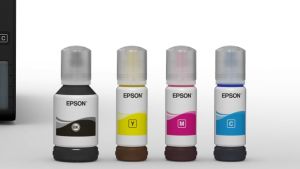
Original Epson 001 Ink for Epson L4150 L4160 L6160 L6170 L6190 L14150: A Comprehensive Guide
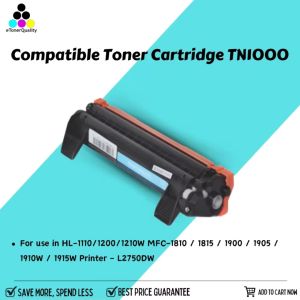
eTONER Compatible Toner Cartridge TN1000 for Brother HL-1210W
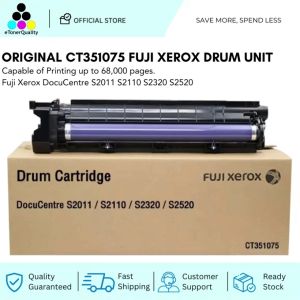
Original CT351075 Drum Unit Fuji Xerox DocuCentre S2011 S2110 S2320 S2520
Brother DCP-T830DW Ink Tank Printer with Starter Ink
Ink Absorption Clip Air Ejection Nozzle Cleaning Tool Compatible with HP Canon Ink Cartridges 803 802 678 816 901 680 63 845 815 840 835 245 240

Epson Substitute ink 004 1 Set Box (Black Cyan Magenta Yellow)
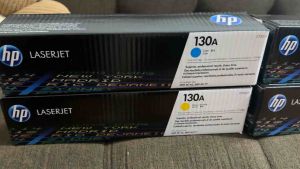
HP 130A Black Cyan Magenta Yellow Original LaserJet Toner Cartridge BCYM CF350A
Industrial Label Rewinder Automatic Speed Adjustment 12cm Paper Length Support
EKLEVA Portable Thermal Printer MINI Wirelessly BT 203dpi Photo Label Memo Wrong Question Printing With USB Cable Imprimante Portable
FUJIAS3 MC-G02 Maintenance Box Waste Ink Tank G02 For G2160 G3160 G1220 G2260 G3260 G1420 G2420 G2460 G3420 G3460 G1520 Printers

A Comprehensive Guide to AOS M375 & Fuji Xerox Docuprint Printer Series